Assignment 3 · 15% of the course grade
Make Your Own Game
From a world in your head to a world someone can play
Design and build a small, original, playable game with Claude or other AI tools. Use any engine or platform: a web browser, Godot, Unity, Unreal, or an AI game maker. AI can help you write the code, generate the art, and make the sound. Your job is to be the director: decide what the player does, sees, hears, and feels, and keep shaping the game until it delivers that experience.
Due
Play Design Choose a route Prototype Assets + sound Playtest Publish
Two games to look at ↓ · Choose your route · Baseline workflow · Prompt templates · Tools · Questions and comments
What to make
An original game, 3–10 minutes long
It needs a clear start, a goal or journey, and an ending. Any genre works: story, puzzle, exploration, action, rhythm, visual novel, or something new. Small and finished beats big and broken.
Built with AI, in any engine
Use Claude or any other AI assistant to code it, in a browser, Godot, Unity, Unreal, or an AI game maker. Coding experience is not required. Include at least one AI-generated asset beyond code: images, sprites, textures, 3D models, music, sound effects, or voice.
Playable by someone else
A browser link, or a Windows / macOS / Android build. Mobile or VR pieces are welcome; if graders may not have the hardware, your video must show the experience clearly. Watch at least two people play it and improve it based on what you see.
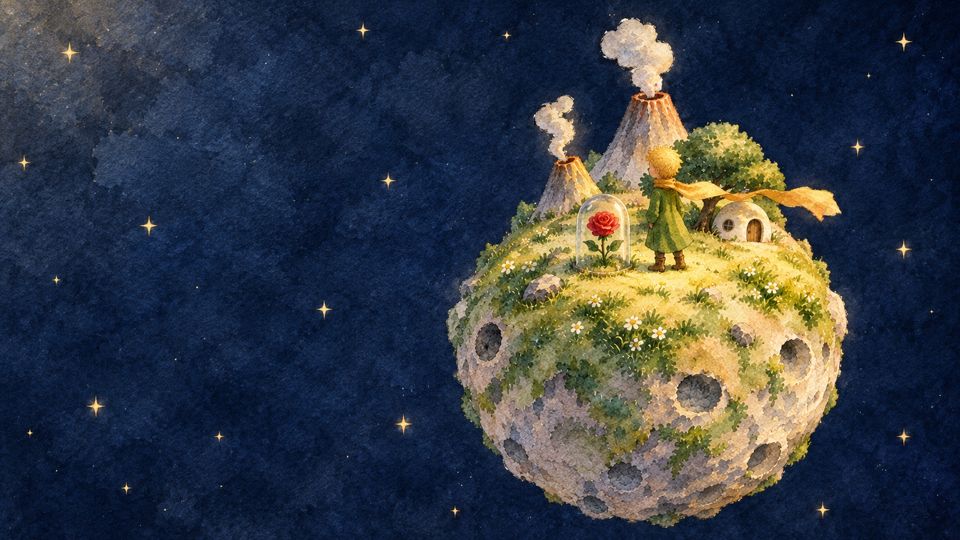
Be inspired, don't copy. Borrow a mood, a structure, or a genre from the two reference games, but not their characters, text, logos, music, or assets. Make your own small prince and your own city. This is the authorship question from Lecture 05, in practice.
Keep a log as you work: your key prompts, screenshots after each big change, the tools you used, and where every asset came from. This log becomes most of your report.
Submit three things
- 1. Game link or build
A link to play in the browser (itch.io, GitHub Pages, Vercel), or a zipped build with one line of instructions: platform, how to start, controls. - 2. Gameplay video (MP4)
60–90 seconds, with sound: the start, the core action, and your best moment. It is your backup if a build won't run, and your clip for the final presentation. - 3. Process report (PDF, 6–10 slides)
Include all the items below in this one report.
- Concept: your one-page design and the experience you aimed for.
- Route and workflow: a diagram of your engine, tools, and steps, with 3–5 key prompts.
- Two improvements: before and after, with at least one coming from playtesting.
- Reflection (200–300 words): What did you decide? What was difficult? What did AI do well or badly?
- Credits: what AI generated, what you made or edited yourself, and every outside source.
| What we look for | Weight |
|---|---|
| Idea and originality: A clear experience and a world of your own. | 20% |
| Playability: It runs, the goal is clear, and the core action feels good. | 25% |
| Look and sound: A consistent style, and audio that supports the mood. | 20% |
| Process: Workflow, playtesting, improvements, and learning. | 25% |
| Documentation: A complete report and clear credits. | 10% |
The engine you choose does not change your grade. A small, finished browser game can score higher than an unfinished Unreal project.
Two games to look at first
Both spread widely on X this week, and both were made by tiny teams with AI. Neither is a big game. Each has a clear mood and gives the player only a few things to do. Spend ten minutes with them before you design anything.
Questions to bring to both gamesPlay like a designer, not only a player
- What is the player doing in the first 30 seconds? How do you learn the controls?
- What makes you want to keep going: curiosity, story, a goal, the view?
- Where did AI clearly help, and where can you feel a human making choices?
- If you had only five weeks, what would you cut?
Choose your route
All routes can earn full marks. Choose by what you already know, what your computer can run, and the kind of game you want. If you are unsure, start with the browser. You can move a working idea into an engine later.
| Route | How AI helps | Things to know |
|---|---|---|
| 1 · Browser | Ask Claude (or another assistant) for a game as a single HTML file using Three.js (3D) or Phaser / canvas (2D), then open it in your browser and iterate. | Nothing to install. Past ~1,500 lines a single file gets hard to manage; then move to Claude Code or Cursor with separate files. |
| 2 · Godot | AI writes GDScript and explains scene setup. Claude Code or Cursor can edit your project folder directly, and free community Godot MCP servers let the AI read your real scene tree instead of guessing node names. | Free, small download. Exports to Web, Windows, macOS, and Android. Ask for Godot 4 code explicitly; older Godot 3 examples are common online. |
| 3 · Unity | AI writes C# scripts and walks you through editor steps. Unity's AI Assistant includes an MCP server that connects Claude Code or Cursor to the Unity Editor; community MCP plugins exist too. | Free Personal licence, bigger install. Builds for WebGL, Windows, macOS, Android, and Quest. Use Unity 6 and state your version in prompts. |
| 4 · Unreal | AI explains Blueprint graphs step by step, writes C++, and helps debug. Expect to do more clicking yourself. | Very large install; needs a strong GPU. Submit a Windows / macOS build plus video. Not recommended as a first engine on this timeline. |
| 5 · AI game maker | The platform builds and hosts the game from your descriptions. | Document clearly what you directed and changed, since that is what we grade. |
| Also welcome | Twine (interactive fiction) or Ren'Py (visual novels), with AI-generated art, music, and voice. | Make sure the player makes real choices, not only clicks "next". |
Check access before you commit. Features, credits, and availability vary by account and region. If Claude is not available to you, Cursor, GitHub Copilot, Trae, and other assistants work with the same workflow. A paid or heavier tool does not earn higher marks.
Baseline workflow · seven stages, six weeks
A tested path from nothing to a finished game. Follow it as written if you are new to games, or adapt it if you have experience. The dates are a suggested pace before the deadline.
- STAGE 01Oct 16–25DesignOne page: pitch, feeling, core action, ending, scope.
- STAGE 02Oct 16–25Set upProject folder, GAME.md, versions, empty scene runs.
- STAGE 03Oct 26–Nov 1Grey-boxPlain shapes. Start, core action, end. Is it fun?
- STAGE 04Nov 2–8AssetsImages, sprites, 3D models in one consistent style.
- STAGE 05Nov 9–15Sound + UIMusic, effects, title screen, instructions, ending.
- STAGE 06Nov 16–22PlaytestTwo players, no help. Fix the biggest problem.
- STAGE 07Nov 23–30PublishBuild, upload, test the link, record, write report.
1. Write a one-page design documentWeek 1 · decide what the game is before any code
Answer these in one page. AI can help you draft it with Prompt 1, but the answers must be yours.
- One sentence: "A game where you ___ in order to ___."
- Feeling: three words for what the player should feel (e.g. lonely, curious, hopeful).
- Core action: the one thing the player does again and again: walk and talk, jump, aim, match, choose.
- Start, middle, end: how the game opens, what changes, how it finishes.
- Scope: list every scene, character, item, and mechanic. Then cut the list in half.
- Look and sound: a mood board of 6–10 images and 2–3 tracks or sounds. These are references only, not for use in the game.
✓ Done when: you can explain the game to a classmate in 30 seconds, and you have chosen a route.
2. Set up a project that AI can work withWeek 1 · ten minutes now saves hours later
- Create one project folder and keep everything in it: code, assets, notes, screenshots.
- Add a
GAME.mdfile with your one-page design plus "rules for the AI": engine and version, file structure, art style, and what not to change. Paste it at the start of every new chat, or keep it in the project root where Claude Code and Cursor will read it. Claude Code also reads a file namedCLAUDE.mdautomatically. - Save versions. Use Git (GitHub Desktop is the easy way), or copy the folder with a date before every big change. When the AI breaks something, you will want to go back.
- Engine routes: install the engine, create an empty project, and make sure you can press Play and see an empty scene before asking the AI for anything.
- Optional, for Godot or Unity: connect an MCP server so Claude Code or Cursor can see your scene and editor. Follow the guide for the one you choose, and skip it if setup takes more than an hour.
✓ Done when: an empty project runs, and GAME.md exists.
3. Build an ugly, playable grey-boxWeek 2 · test the fun before the art
Use plain shapes only: cubes, capsules, rectangles. Ask for the smallest version with a title screen, the core action, and an ending (Prompt 2). Then work in short loops.
- One change per request. "Add double jump" is good. "Add double jump, enemies, a menu, and better lighting" usually breaks things.
- Report errors exactly. Copy the full error from the browser console (F12) or the engine console, and say what you did just before it (Prompt 4).
- Report feelings, too. "The jump feels floaty and the camera lags" is useful information.
- Ask for a tuning panel: on-screen sliders (Inspector fields in Unity, exported variables in Godot) for speed, jump height, fog, and light, so you can tune the feel yourself.
- Engine routes: when the AI says "create a node" or "attach a script", ask for numbered click-by-click steps for your exact version.
✓ Done when: a friend can play from start to end with grey boxes and understands what to do.
4. Generate assets and fit them into the gameWeek 3 · one style, replaced one piece at a time
Replace grey boxes one at a time, starting with what the player looks at most. Consistency matters more than detail.
- 2D games: generate characters, items, and backgrounds with any image tool from Assignment 1, reusing one style reference and palette. Ask for transparent backgrounds for sprites, and keep the same size and camera angle for every sprite.
- Simple animation: generate 2–4 frames per action and have the AI assemble a sprite sheet, or animate in code with squash, bob, and rotation.
- Start small: try the scene with only 5–10 good assets before generating more.
✓ Done when: everything visible matches one style, and you have recorded where each asset came from.
5. Add sound and frame the experienceWeek 4 · sound often does more for mood than graphics
- Music: generate a loop that matches your three feeling words (e.g. Suno). Ask for a version that loops cleanly, or fade it in code.
- Effects: footsteps, pickups, doors, and UI clicks make a game feel responsive. Generate them (e.g. ElevenLabs sound effects) or use a free library with credit. Tie each one to a player action.
- Voice (optional): narration or a few lines of character voice can carry a story game.
- Title screen, short instructions, and an ending screen. A player who does not understand the controls in 10 seconds will stop.
✓ Done when: someone can start, understand the controls, hear the game respond, and reach an ending.
6. Watch at least two people playWeek 5 · the most useful hour of the project
- Give them the game with no explanation. Do not help. Watch and take notes.
- Write down where they get stuck, where they get bored, and where they smile or say "oh".
- Afterwards, ask only: "What was the game about?" and "What would you change?"
- Fix the biggest problem first. Usually it is an unclear goal, controls that feel bad, or a game that is too long.
✓ Done when: you have made at least one change because of what you saw, with before and after screenshots.
7. Build, publish, record, reportWeek 6 · leave three days for this, not one night
- Browser: upload the HTML (zipped with its asset files) to itch.io as an HTML game, or host on GitHub Pages or Vercel.
- Godot: Project → Export. Install export templates, then export Web (for itch.io) or Windows / macOS.
- Unity: File → Build Profiles. Build WebGL for itch.io, or Windows / macOS. Zip the whole build folder, not only the .exe.
- Unreal: package a Windows or macOS build and zip it.
- itch.io tip: set the page to Restricted or Draft and share the secret link if you don't want it public.
- Test the link on a different computer. Most broken submissions are missing files.
- Record a 60–90-second gameplay video with sound (OBS Studio is free).
✓ Done when: someone else has played from your link, and you have the video and the report.
What "small enough" looks like
Two made-up examples, one in the spirit of each reference. Both are one or a few scenes with one core action and an ending, and each fits in six weeks with time left for polish.
Walk across three tiny floating islands to relight their lanterns; each one reveals a short memory. Core action: walk, then interact. Ends when the third lantern lights up the sky. Assets: 3 islands, 1 character, 3 lanterns, 1 music loop, 6 sound effects.
Cross one rainy neon street in under three minutes to catch the last train, avoiding patrol drones. Core action: move and hide. Ends at the station, caught or not. Assets: 1 street, 1 character, 1 drone, rain and neon lighting, ambience, and a chase cue.
Prompt templates · copy and fill in the brackets
These work with Claude and most other assistants. Good prompts give context, constraints, and the feeling you want, not just a list of features.
Prompt 1 · Design documentWeek 1
I'm making a small original game for a course. It should take 3–10 minutes to play.
Idea: [one sentence]
Feeling: [three words]
Platform/engine: [browser with Three.js | Godot 4 | Unity 6 | ...]
My experience: [none / some coding / I know Unity ...]

Help me write a one-page design document with: one-sentence pitch, core action,
controls, start / middle / end, a list of every scene, character, item and mechanic,
and an art + sound direction. Then suggest what to CUT so I can finish in 5 weeks.
Ask me questions where my idea is unclear instead of inventing answers.
Prompt 2 · Grey-box prototypeWeek 2
Here is my design document: [paste GAME.md]

Build the smallest playable version using only simple shapes (no art yet).
It must have: a title screen, the core action ([describe]), and an ending screen.
[Browser] Put everything in ONE html file using [Three.js | Phaser] from a CDN.
[Godot]   Godot 4.x, GDScript. Tell me which nodes/scenes to create, step by step.
[Unity]   Unity 6, C#. Tell me which GameObjects and components to create, step by step.
Add an on-screen debug panel with sliders for: [move speed, jump height, fog ...].
Keep the code simple and commented so I can understand it.
Prompt 3 · One change at a timeEvery day
The game currently works. Make ONE change: [describe].
The feeling I want: [e.g. the jump should feel light and floaty but controllable].
Don't change anything else. Tell me exactly which files/parts you changed.
Prompt 4 · Fixing a bugWhenever something breaks
Something broke. What I did: [steps].
What I expected: [...]. What happened: [...].
Full error message from the console: [paste].
Explain the cause in one sentence, then give the smallest fix.
Prompt 5 · An asset that fitsWeek 3
[Image tool] A [object] for a [genre] game, [art style words from GAME.md],
[palette], single object centered on a plain light-grey background, three-quarter view,
even lighting, no text, no shadow on the ground.

[Then in Claude] I imported a GLB/PNG called [name] into [engine].
Help me place it at the right scale, replace the grey box called [name],
and keep the existing collisions and code working.
Prompt 6 · Atmosphere passWeeks 4–6
The game works. Do an atmosphere pass toward these feelings: [three words].
Suggest 5 changes in lighting, fog, colour, camera, and ambient sound, from
biggest effect to smallest. Implement only #1 and #2, and add sliders for them.
Tools · use what you can access
You only need one tool per row. Paid tools do not earn higher marks.
| Job | Options |
|---|---|
| AI coding (chat) | Claude, or any assistant you can access. Best for single-file browser games and for explaining engine steps. |
| AI coding (project) | Claude Code, Cursor, GitHub Copilot, Trae. These read and edit your whole project folder. |
| Engines | Browser (Three.js, Phaser), Godot 4, Unity 6, Unreal Engine 5; Twine or Ren'Py for narrative games. |
| Engine–AI bridges | Unity's MCP server (in the Unity AI Assistant) or community Unity MCP plugins; community Godot MCP servers. Optional. |
| AI game makers | Rosebud and similar prompt-to-game platforms. |
| Images, sprites, textures | Any Assignment 1 tool: Jimeng, LiblibAI, RunningHub, Lovart, ComfyUI, and others. |
| 3D models | Tripo, Meshy, Hunyuan3D (some also run as ComfyUI templates). Blender (free) for cleanup. |
| Music, effects, voice | Suno for music; ElevenLabs or similar for effects and voice; free sound libraries with credit. |
| Publishing | itch.io, GitHub Pages, Vercel; OBS Studio for recording gameplay. |
Connect to the lecturesIdeas from earlier weeks that help here
- Lecture 02: Keeping images consistent, now applied to every asset in your game.
- Lecture 05: Style, authorship, and credit. What makes your game yours?
- Lecture 07: Real-time generation and motion.
- Lecture 10 (Nov 3): Interactive world models and explorable art, a preview of where games may go next.
Quick tips and common pitfalls
Do
- Finish a tiny version first, then grow it.
- Play after every change, and save working versions.
- Describe feelings as well as features: "the rain should make the street feel lonely".
- Ask the AI to explain code you don't understand. You will need to explain your choices.
- Keep your prompt and screenshot log as you go; then your report is half written.
Avoid
- Starting with an open world, many levels, or multiplayer.
- Asking for many features in one prompt.
- Accepting the AI's first idea of the game. AI can make a working game quickly, but it can't tell you whether it's fun.
- Importing dozens of mismatched generated assets.
- Leaving the build and upload to the last night.
Keep it simple. Use any accessible tools. Paid subscriptions and prior coding experience are not required. We value a clear experience, thoughtful choices, honest playtesting, and what you learned along the way.
Questions and comments
Ask about the brief, share an idea or a work-in-progress link, or help a classmate. The teaching team will reply here, and answers help everyone, so please check whether your question has already been asked. For anything private, such as an extension, please email the teaching team instead.