Good evening, everyone, and welcome to Week 5 of AMCC 5160. Tonight's lecture is called Making the Model Yours: adaptation, creative workflows, and authorship. Over the last four weeks we looked at what generative models are and what they can do out of the box. Tonight we ask a different question: what happens when you stop using a model exactly as it was shipped, and start changing it — teaching it your character, your object, your style? And once you can do that, whose work is it? A quick reminder before we start: Assignment 1 is due tomorrow, the thirtieth of September, at 11:59 pm Hong Kong time. If you have questions about it, hold them for the break and I'll answer them then.
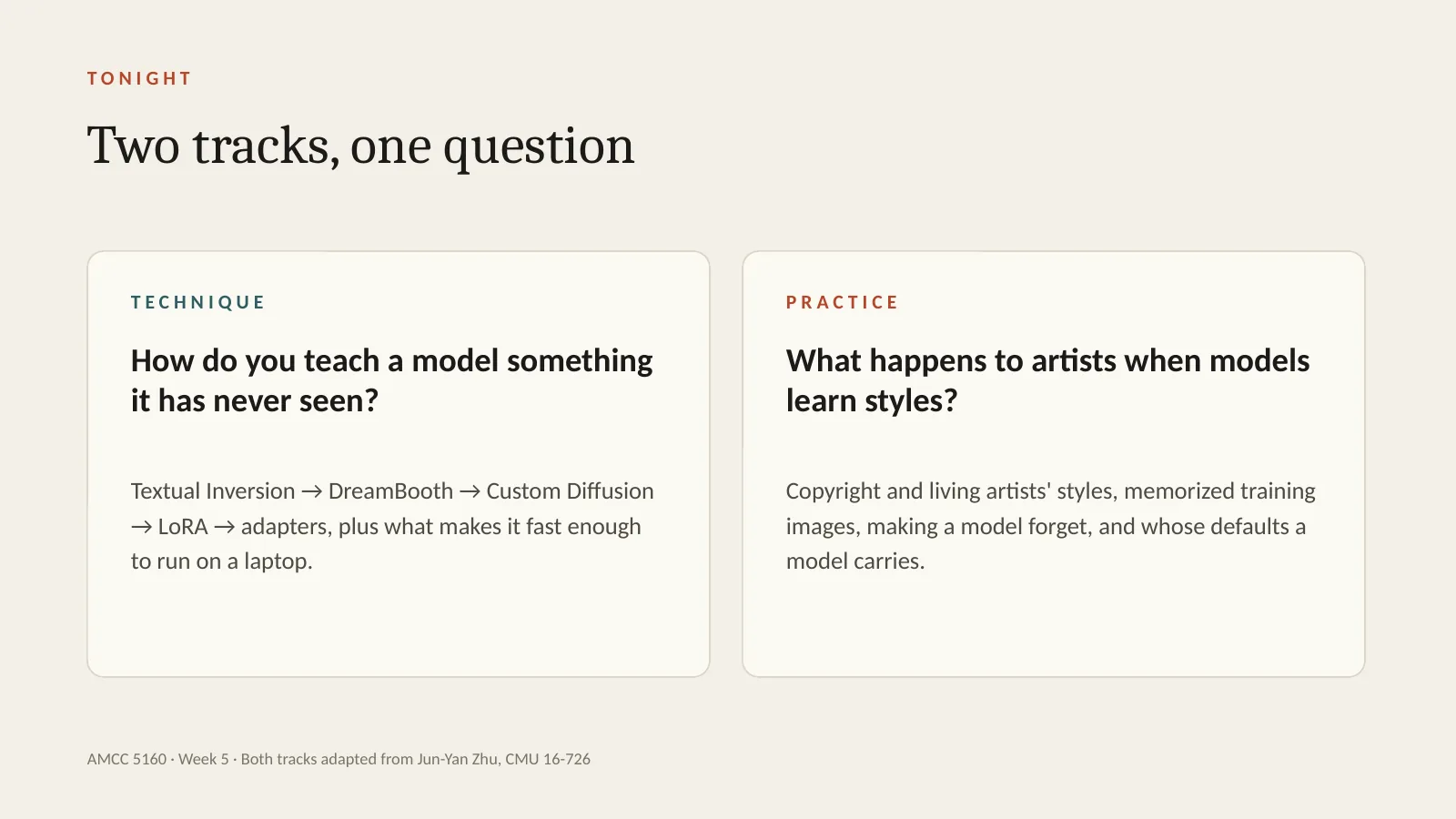
Tonight has two tracks, and they are woven together. The technique track asks: how do you teach a model something it has never seen? We'll go from Textual Inversion, to DreamBooth, to Custom Diffusion, to LoRA and adapters, and finish with why all of this now runs on a laptop. The practice track asks: what happens to artists when models learn styles? We'll look at copyright and living artists, at models that memorize their training images, at making a model forget an artist, and at whose defaults a model carries. Both tracks are adapted from Jun-Yan Zhu's course at Carnegie Mellon, 16-726, with thanks. After each block of technique, we'll stop and look at what it means for artists.
Let me start with one question, and I'd like you to hold on to it all evening. Whose model is it? A foundation model has seen billions of images, made by millions of people. You add twenty of your own images and fine-tune it. What comes out — whose work is that? Let's do a quick show of hands. Who thinks the output belongs mostly to the company that made the model? Mostly to you? Mostly to the people whose images were in the training data? There's no right answer yet. Remember where you put your hand, because we'll come back to this question at the very end, and I'd like to see if anyone changes their mind.
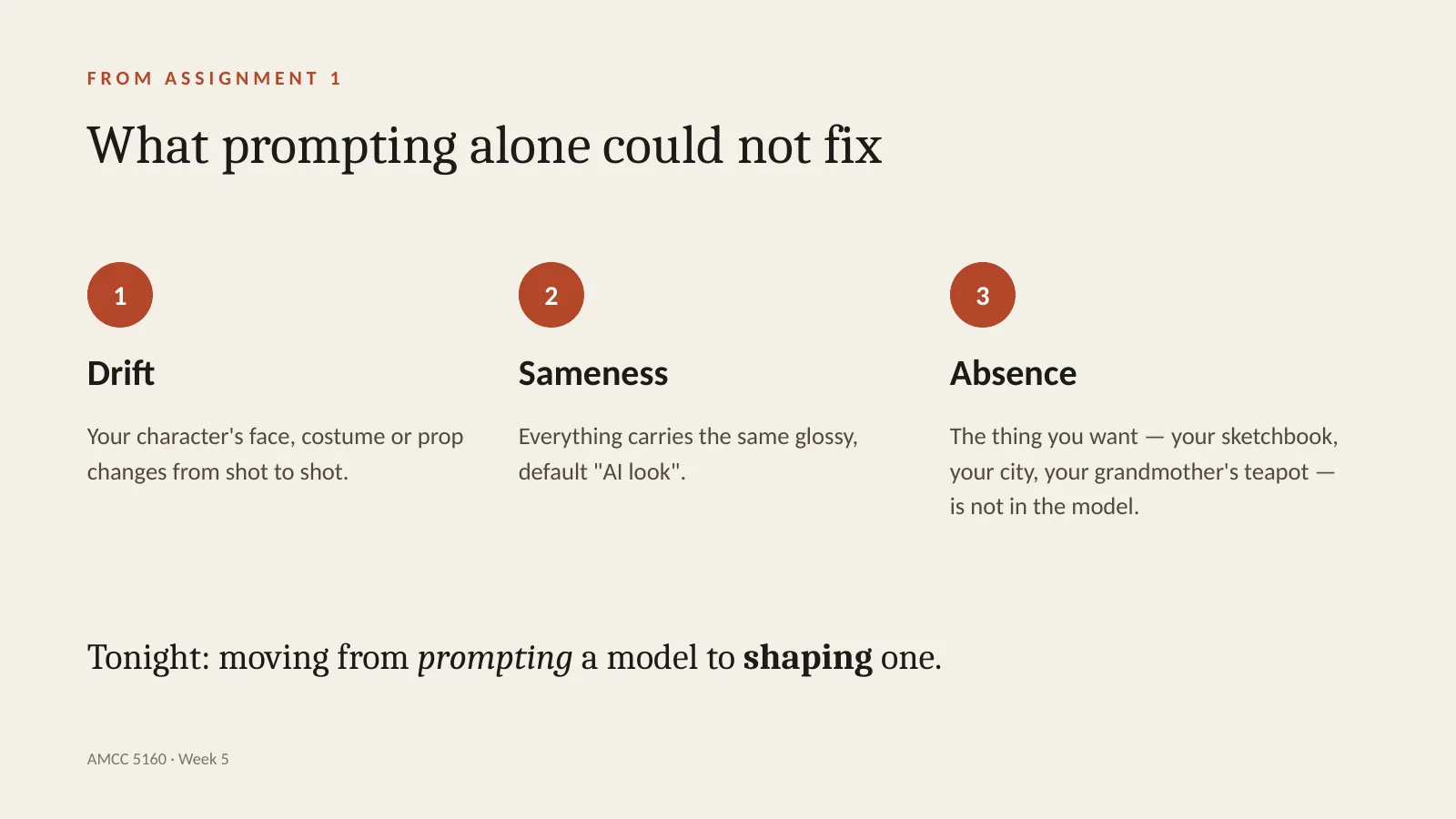
Let's connect this to your own work. Many of you are finishing Assignment 1 right now, and I've seen three problems again and again. First, drift: your character's face, costume or prop changes from shot to shot. Second, sameness: everything has the same glossy, default AI look. Third, absence: the thing you really want — your sketchbook, your street, your grandmother's teapot — simply isn't in the model, and no prompt will conjure it. Each of these maps to a technique tonight. Drift is solved by subject customization. Sameness is addressed by style adaptation. Absence is solved by teaching the model a personal concept. Tonight is about moving from prompting a model to shaping one.
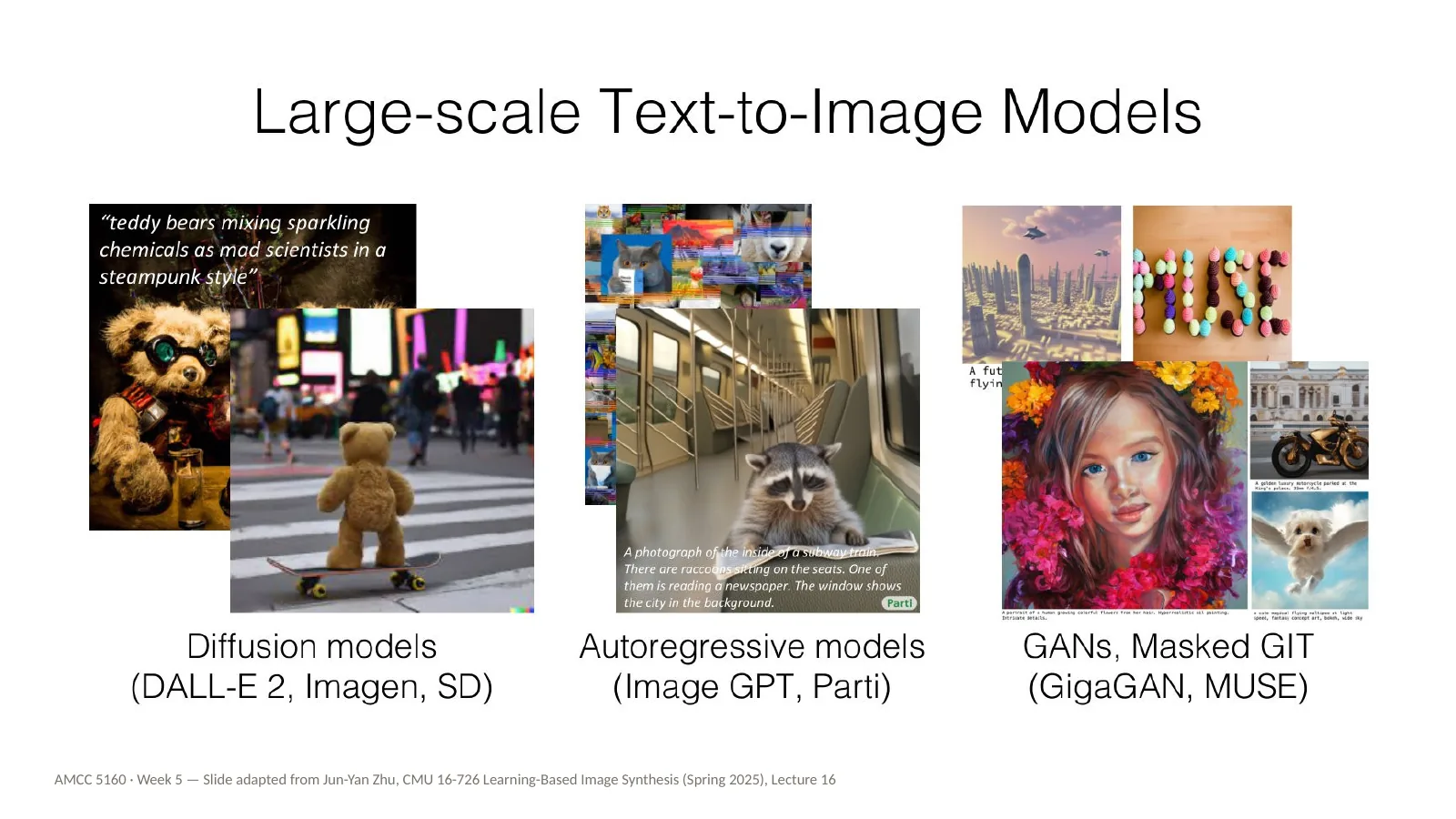
Here's a quick recap of where we are. Large text-to-image models come in a few families: diffusion models like DALL-E 2, Imagen and Stable Diffusion; autoregressive models like Parti; and GAN or masked models like GigaGAN and MUSE. You've seen these in Weeks 2 to 4. I won't go back into the architectures. The point of this slide is simply how good these general models have become: a teddy bear on a skateboard in Times Square, raccoons reading a newspaper on a subway — all from a sentence. So if they're so good, why would we ever need to change them?
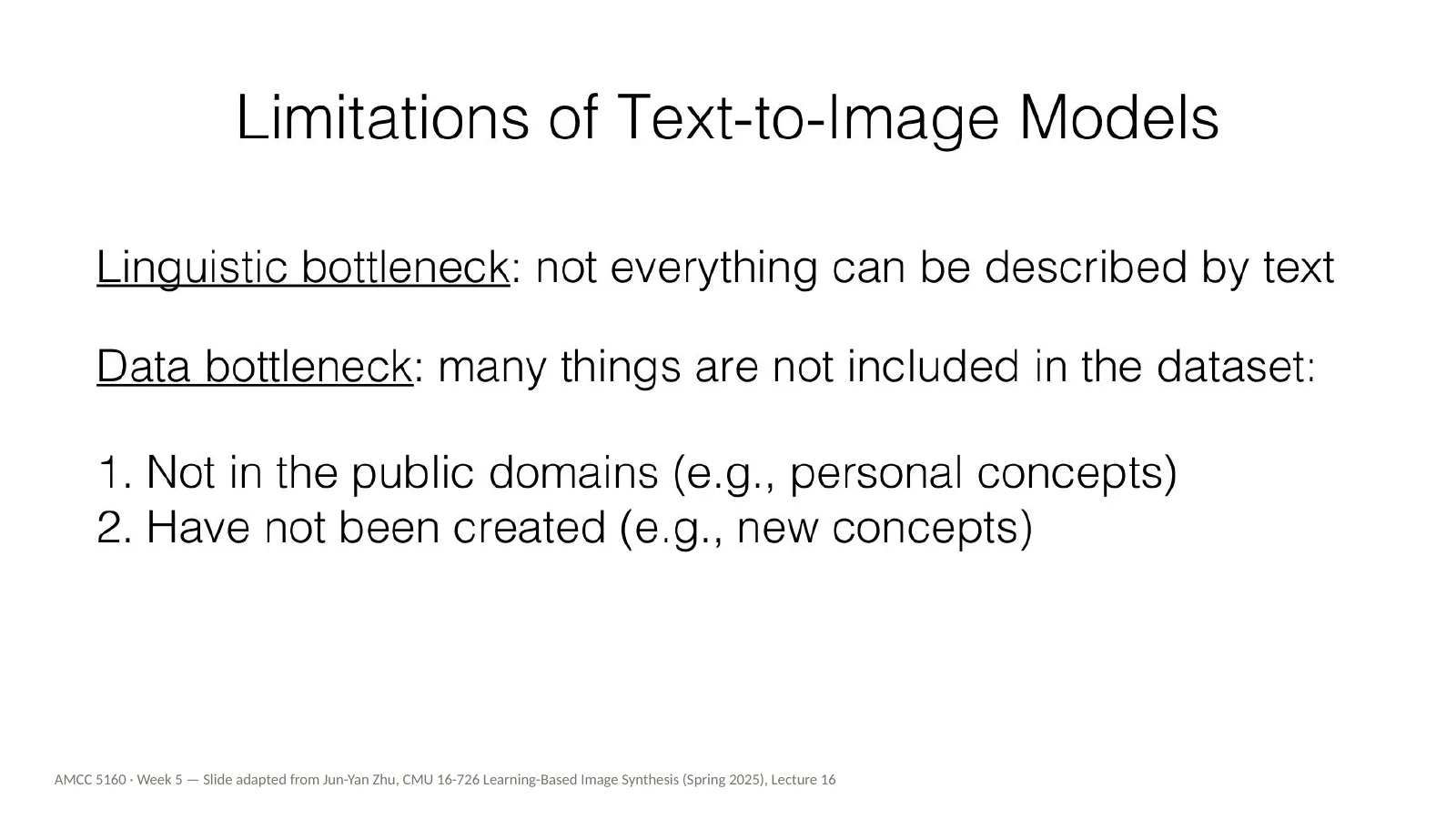
Because they have two bottlenecks. The first is linguistic. Not everything you can see can be described in words. Try describing the exact line quality of your own drawing, or the precise face of a friend, in a prompt. You can't. The second bottleneck is data. Many things are simply not in the training set: personal things that aren't public, like your dog or your family's shop, and new things that haven't been made yet — the character you are inventing for your film. For artists, these two bottlenecks are exactly where the interesting work lives. What you want to make is usually personal, specific, or new.
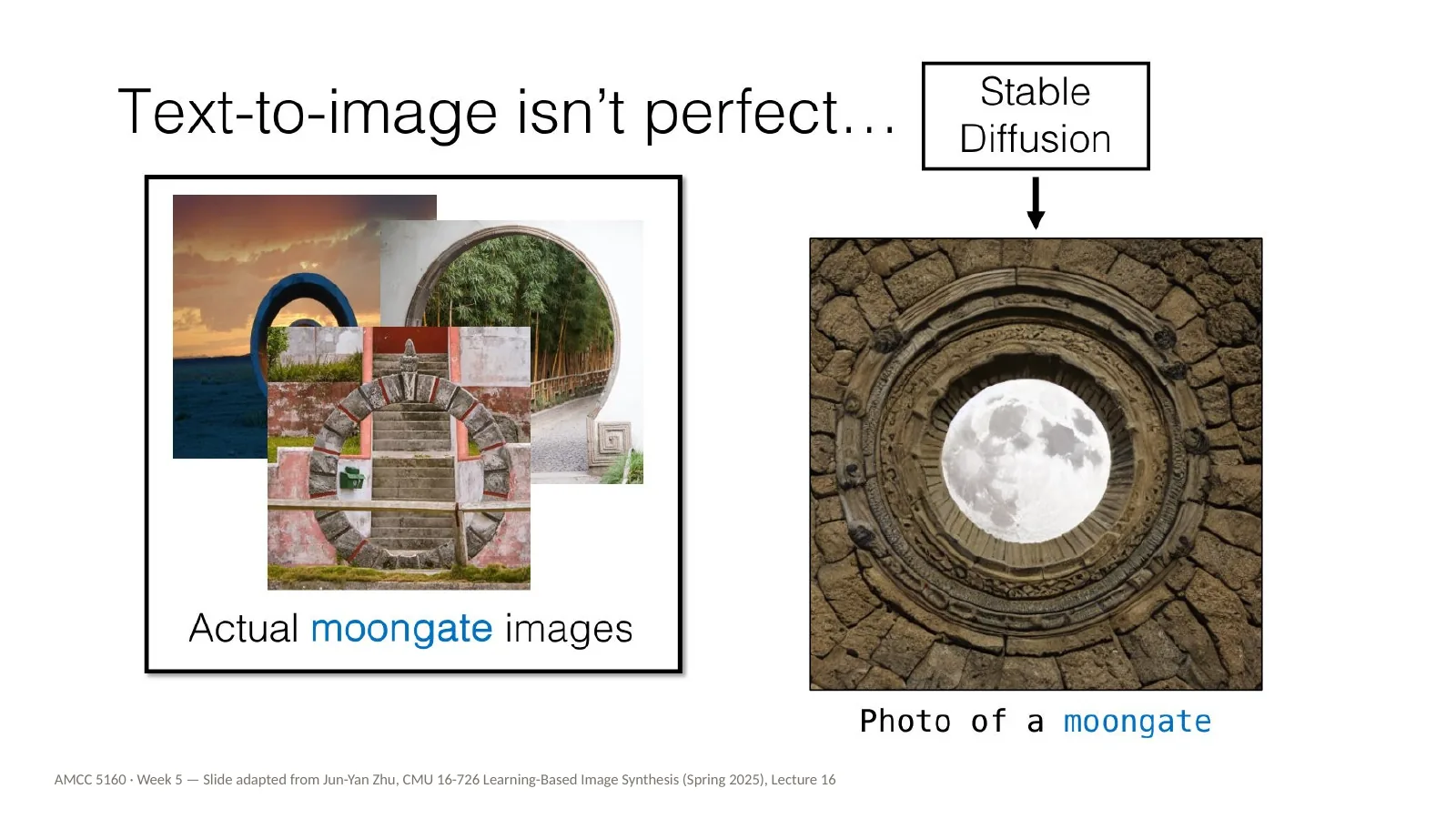
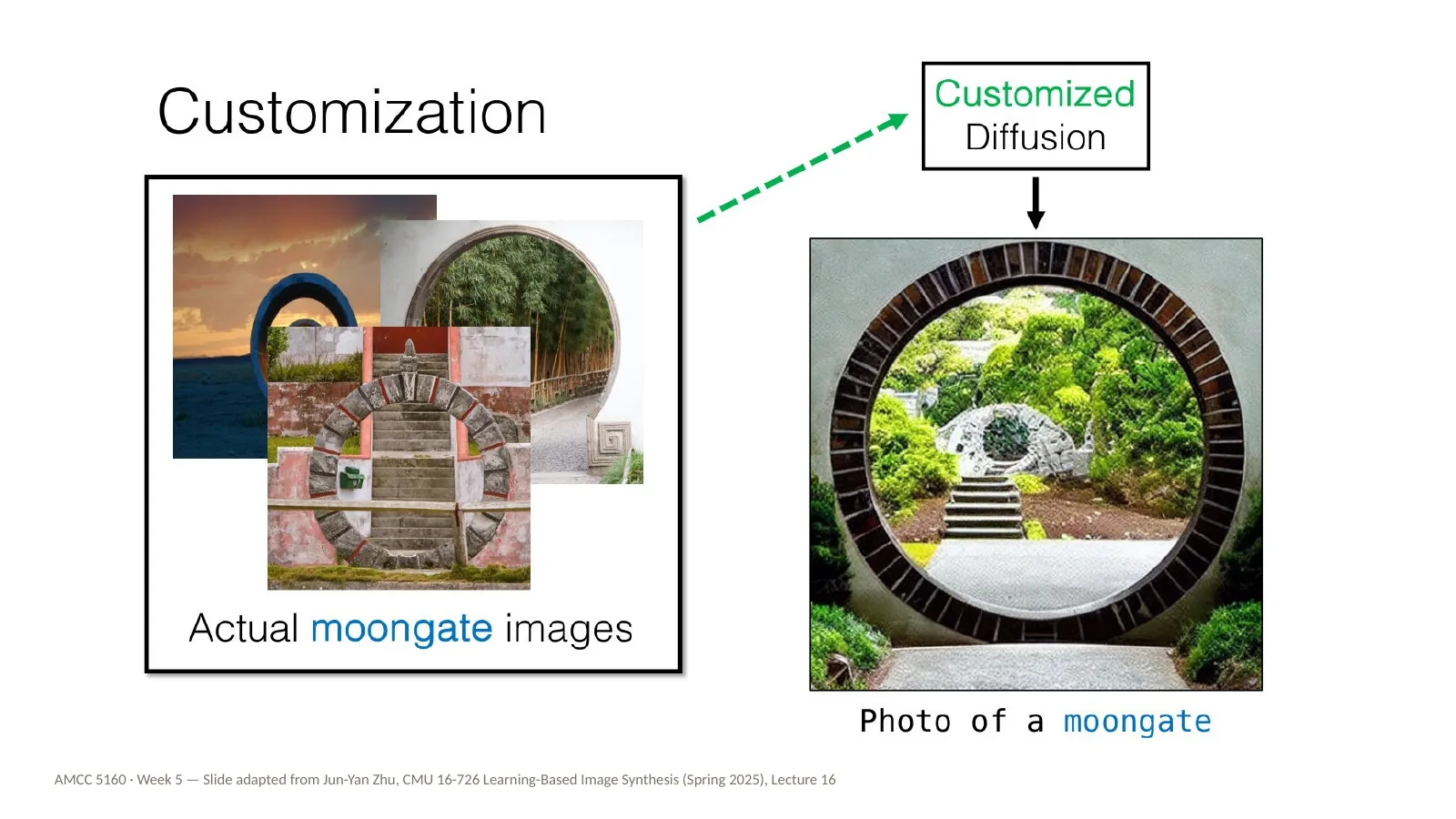
Here's a concrete example from Jun-Yan's lecture. Ask Stable Diffusion for a photo of a moongate. On the left is what the model makes; on the right are real moongates. A moongate is a circular gateway in a garden wall — very familiar in Chinese garden design, and you can find them here in Hong Kong. The model's version is plausible but wrong. It doesn't really know the concept. I'd like you to think for a moment: what is your moongate? What is something culturally specific, or personal, that the model keeps getting wrong when you prompt for it?
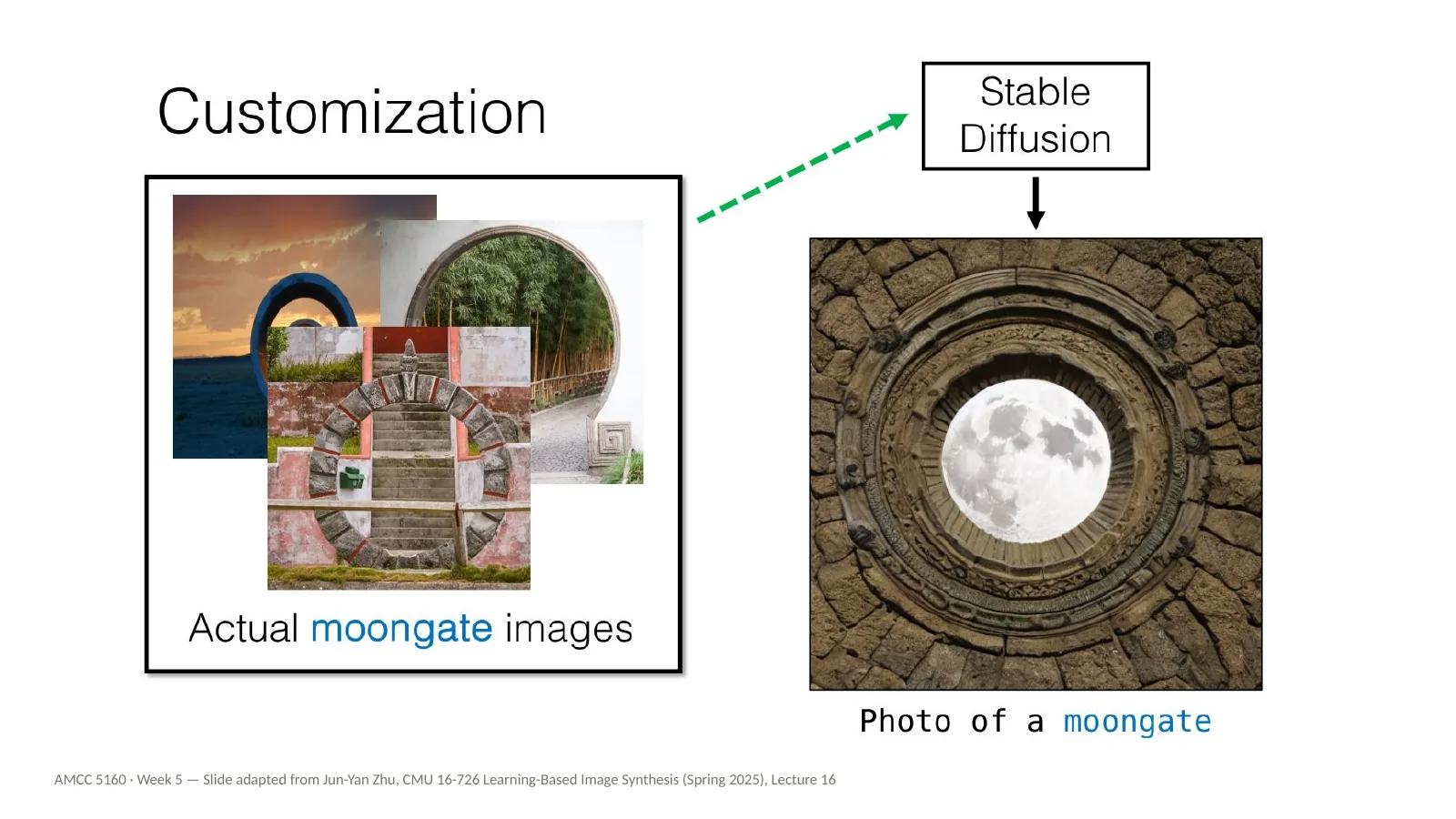
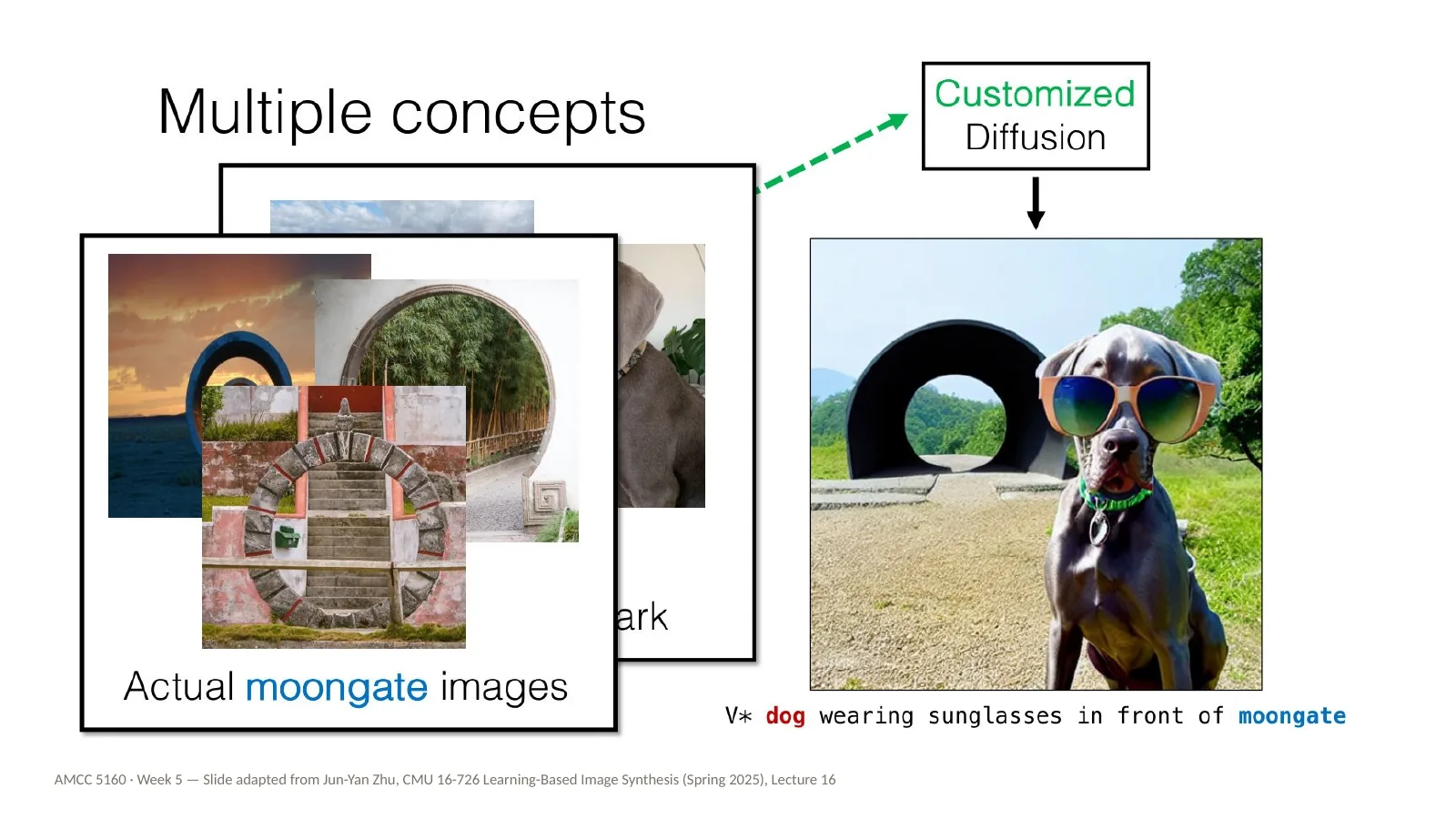
The solution is called customization. We take a handful of real images of the concept — here just a few photos of moongates — and use them to update the model so that it learns this specific thing. Note how few images are needed. We're not training a model from scratch on millions of images. We're adjusting a model that already knows about gardens, walls, arches and circles, and showing it how those pieces fit together in this one concept.
After customization, the same prompt — photo of a moongate — produces something that is clearly a moongate. And importantly, it is not copying any one of the training photos. It has learned the concept. It can place the gate in new lighting, new gardens, new compositions. That difference, between learning a concept and copying an image, is going to matter a great deal later tonight when we talk about memorization.
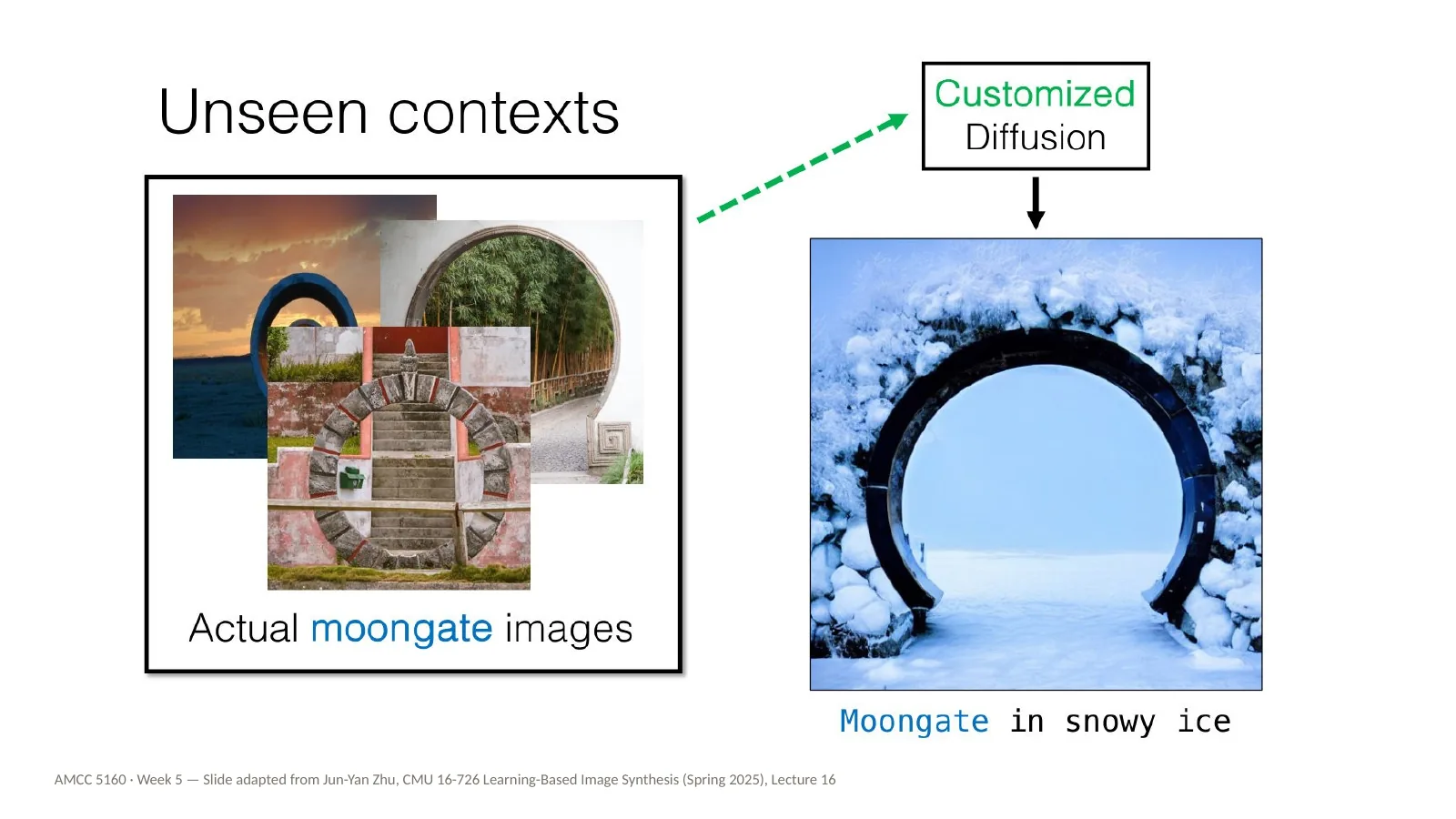
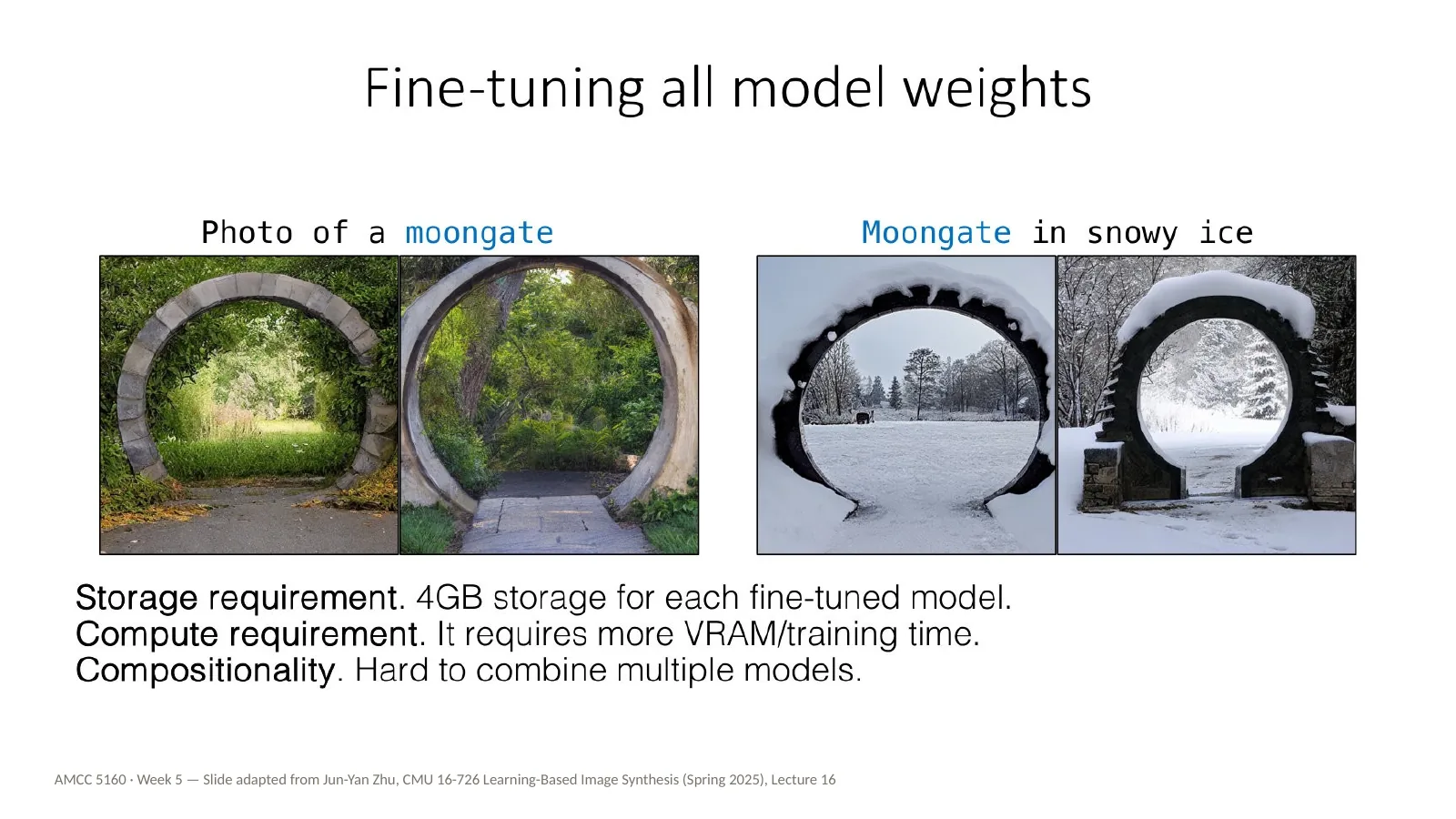
Here's the real test: unseen contexts. A moongate in snowy ice. None of the training photos show a moongate in snow. The customized model combines what it has just learned — the gate — with what it already knew — snow, ice, winter light. This recombination is what makes customization a creative tool rather than a copy machine. You teach the model one new word, and then you can use that word in sentences it has never seen.
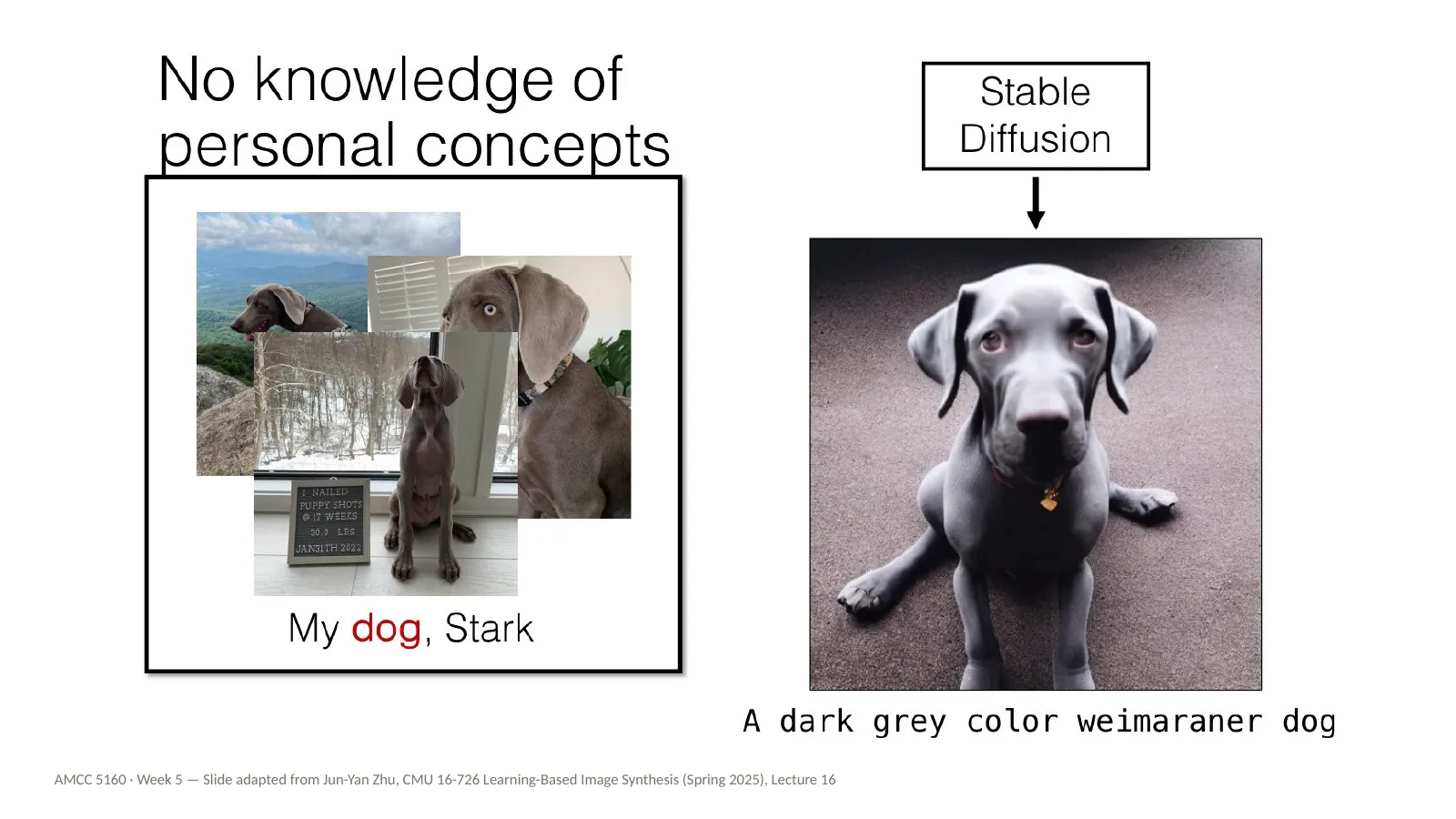
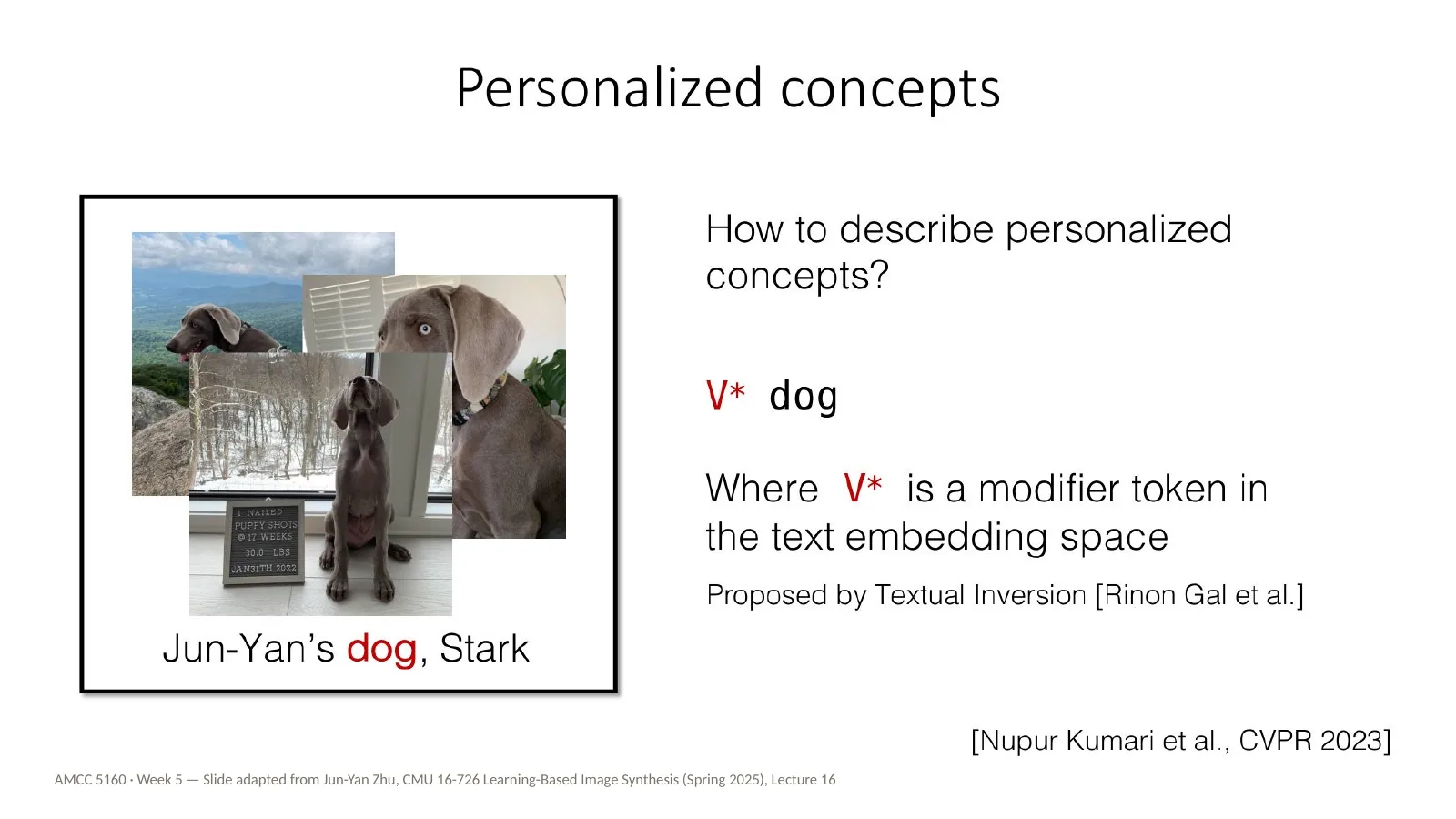
Now a personal concept. This is Jun-Yan's dog, Stark. If you ask Stable Diffusion for a dark grey weimaraner, you get a weimaraner — a perfectly good one — but it will never be Stark. A description is not an identity. This is exactly the drift problem from your A1 films: you can describe your character in great detail, and the model will give you a different person who matches the description every time.
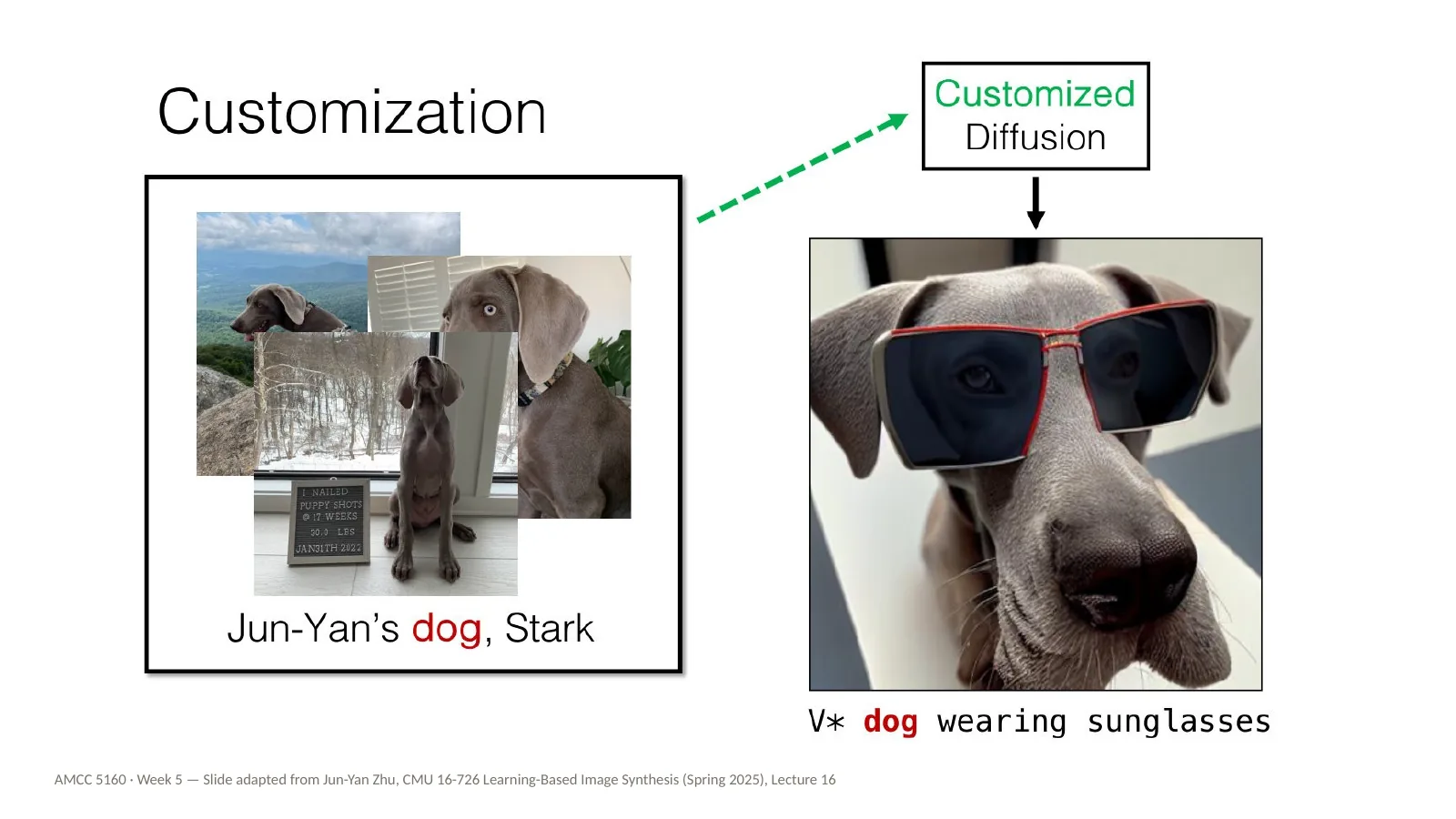
After customization we can write V-star dog wearing sunglasses, and we get Stark, specifically, wearing sunglasses. V-star is a new word we have taught the model. It doesn't exist in English; it's a token whose meaning is: this particular dog. Keep this idea of a new word in mind. It comes back directly in the first method, Textual Inversion, and later it becomes the trigger word you will see on almost every LoRA you download.
And we can combine concepts: V-star dog wearing sunglasses in front of the moongate. Two customized concepts in one image. For filmmakers this is the dream: your character, in your location, in your style, shot after shot. It is also the hardest version of the problem, and we'll see later tonight where it still breaks. Before we go into how any of this works, let's pause and look at what customization means for the people whose work is being learned.
This is our first practice block, and it's about copyright. I'll start with the same disclaimer Jun-Yan uses: I am not a lawyer. Copyright is about human creators' rights, there are many diverse opinions, and the legal landscape is changing month by month. What I can do tonight is help you recognise the questions, so that when you customize a model, you know what you are stepping into. Please don't take anything tonight as legal advice.
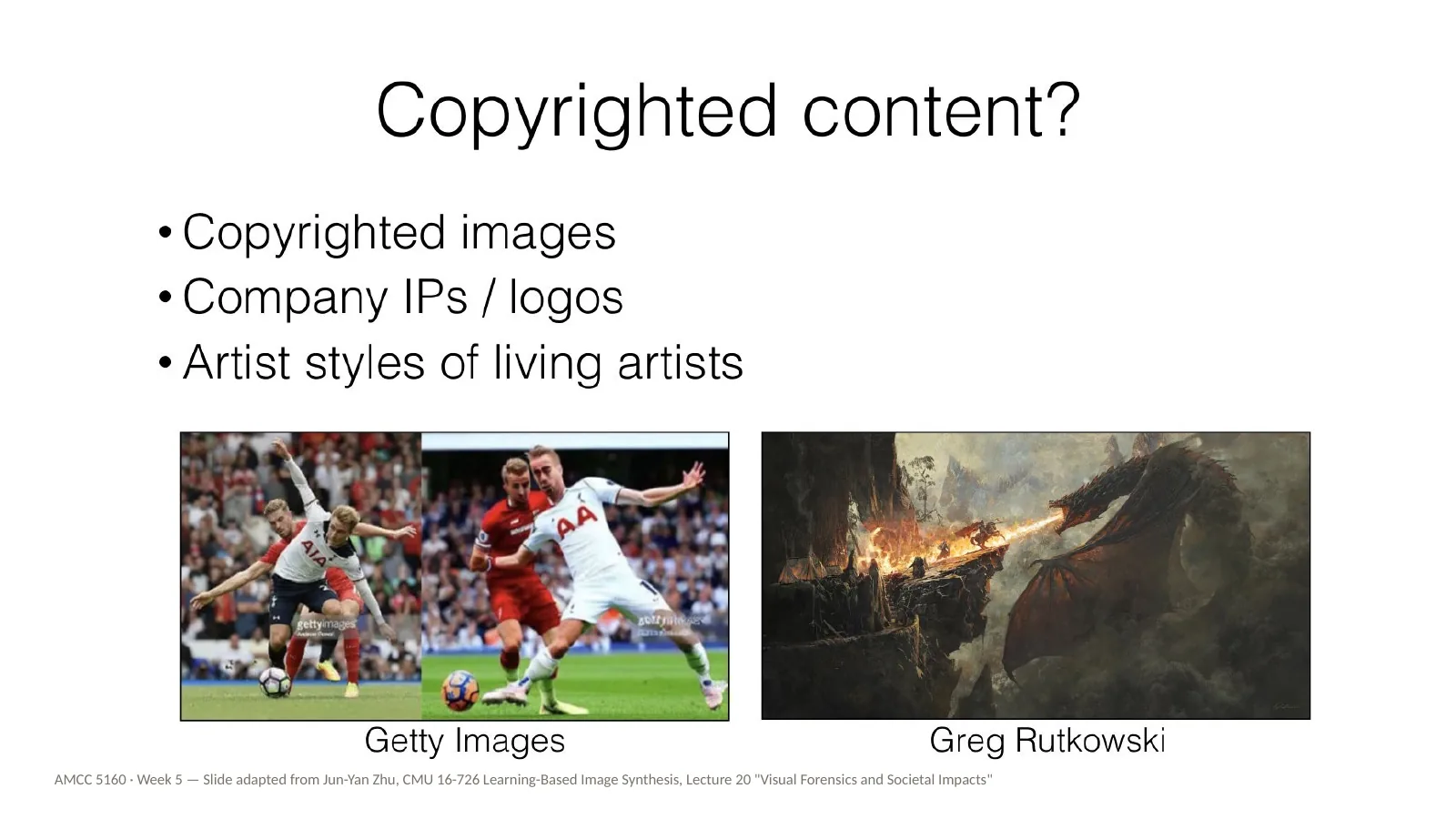
Three kinds of content are at stake. First, copyrighted images, like news and sports photographs from Getty Images. Second, company IP and logos. Third, the artistic styles of living artists — here Greg Rutkowski, a fantasy illustrator whose name became one of the most common words in early Stable Diffusion prompts. For this class, the third one matters most. It is also legally the least settled, because in general a style on its own is not protected by copyright. Copyright protects specific works, not a manner of working. And yet, for a living artist, a model that produces endless work in their style can clearly feel like a loss.
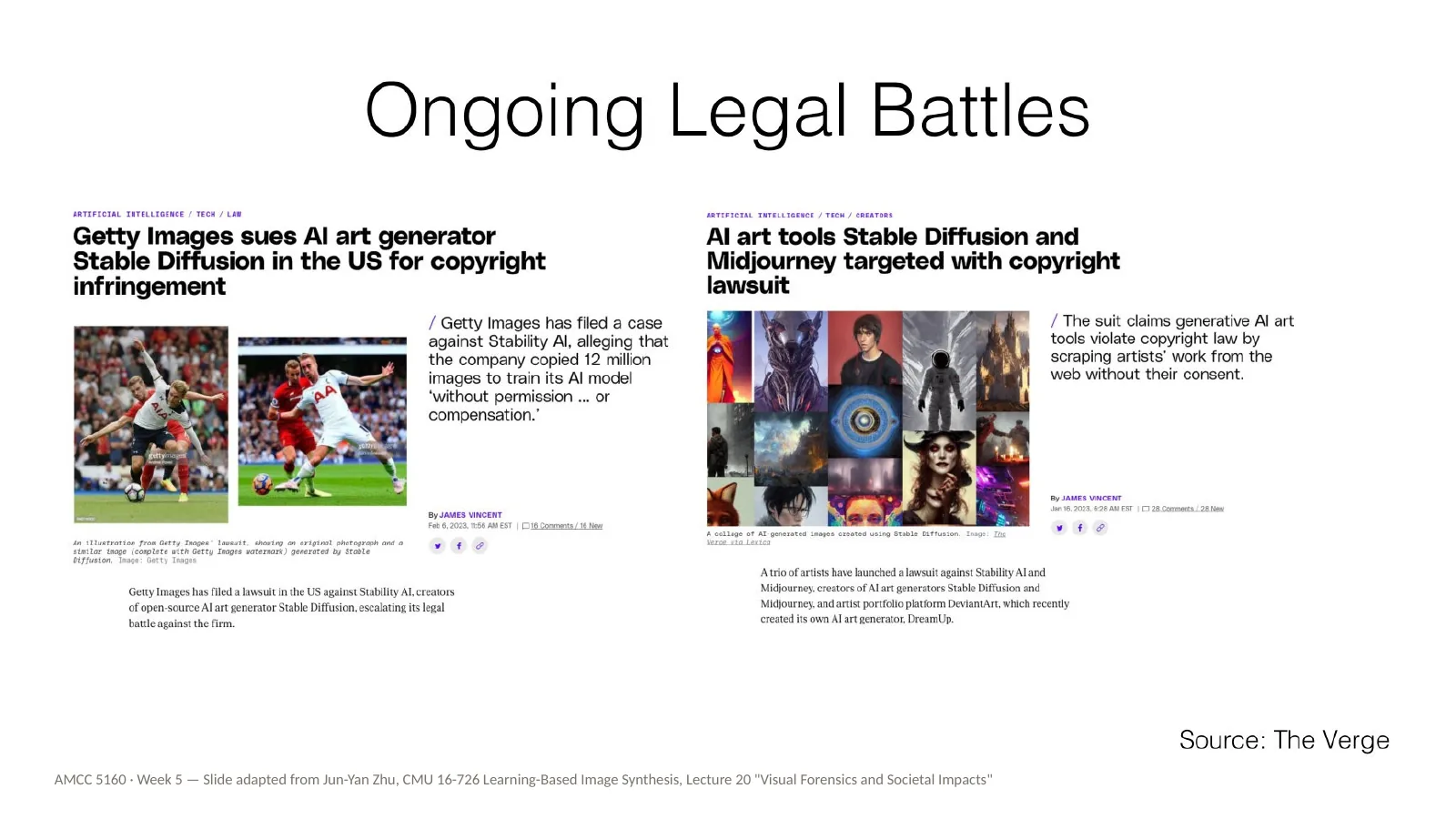
These are headlines from some of the landmark cases from 2023. Getty Images sued Stability AI, the makers of Stable Diffusion, over the use of millions of its photographs in training. And a group of illustrators filed a lawsuit against Stability AI and Midjourney, arguing their work was used without permission. These headlines are from 2023, and these cases have moved on since then, so I'd encourage you to look up where they stand today. The point for us is that the question of what can be used for training is being argued in court right now.
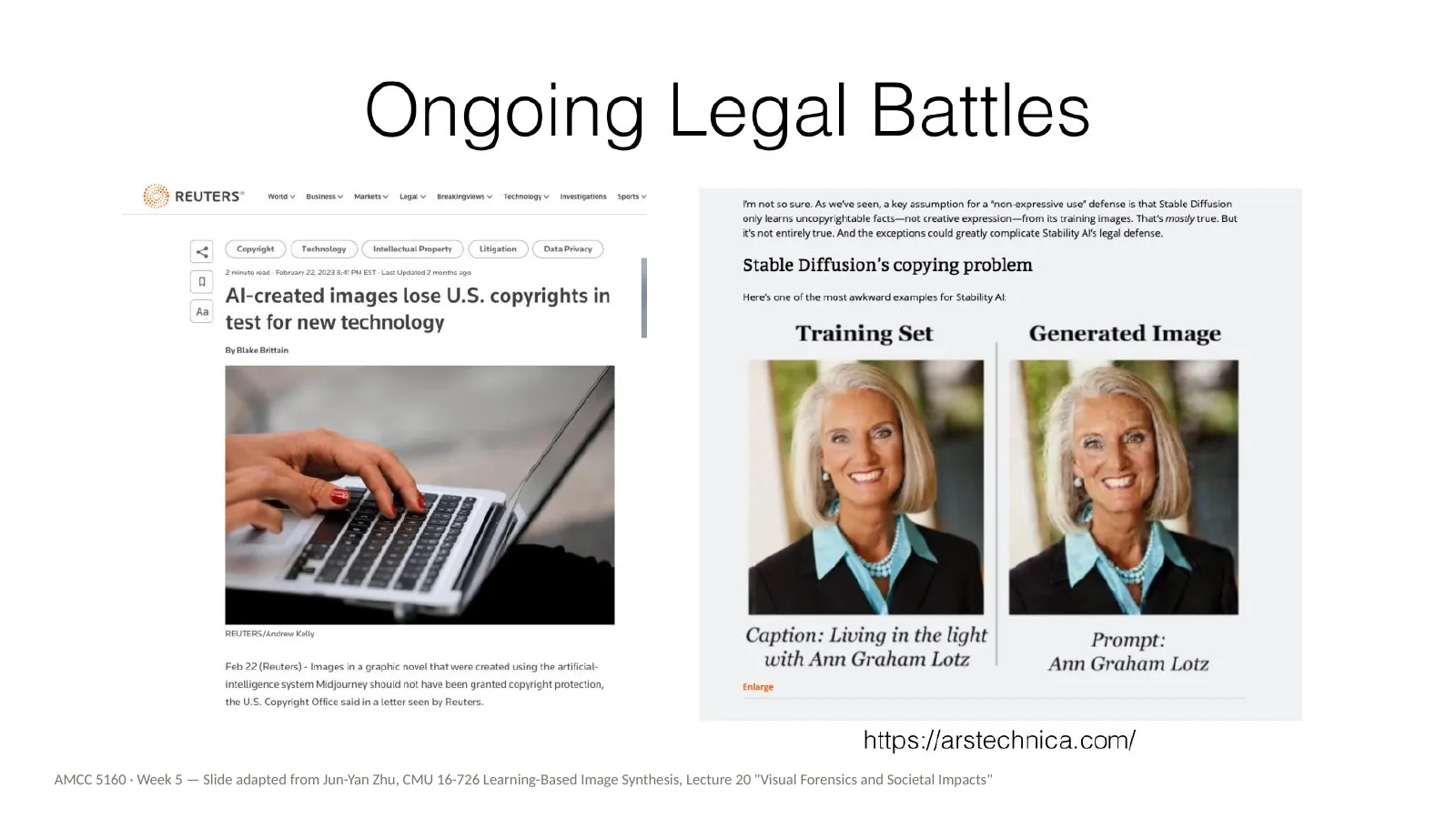
Two more headlines, showing both sides of authorship. On the left: AI-created images losing a copyright test — in the US, images generated purely by AI have struggled to be registered, because copyright requires a human author. So the output may not be yours. On the right: a model reproducing a training image almost exactly. So the output may belong to someone else. Keep both of these in mind as we now go back to the technique and see how customization actually works.
Back to technique. This is the central question of the technical half: which parts of the model shall we customize? A text-to-image model has, roughly, two places you can change. You can change the words — the text embedding that turns your prompt into numbers. Or you can change the picture-maker — the large network, the U-Net or transformer, that actually generates the image. Each method tonight is a different answer to this question, with different costs and different results.
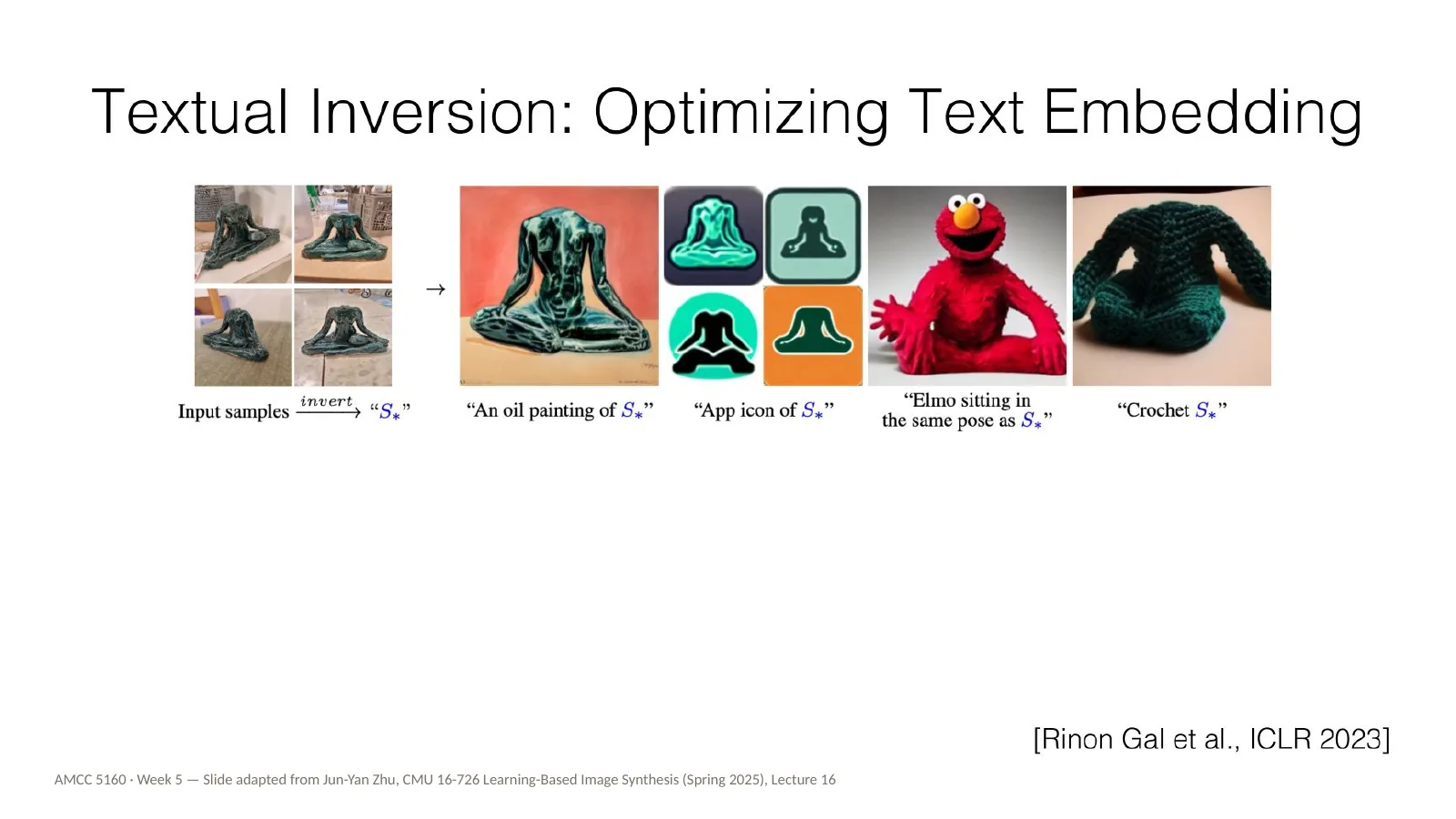
The first answer is Textual Inversion, by Rinon Gal and colleagues, published at ICLR 2023. Here the whole model stays frozen. Nothing inside the image generator changes. We only learn one new word — technically a vector in the text embedding space — so that when this word appears in a prompt, the model reproduces your images. Here's an analogy for the artists: you are not retraining the painter. You are inventing a new name for something, which the painter already half-understands, and teaching them what that name means.
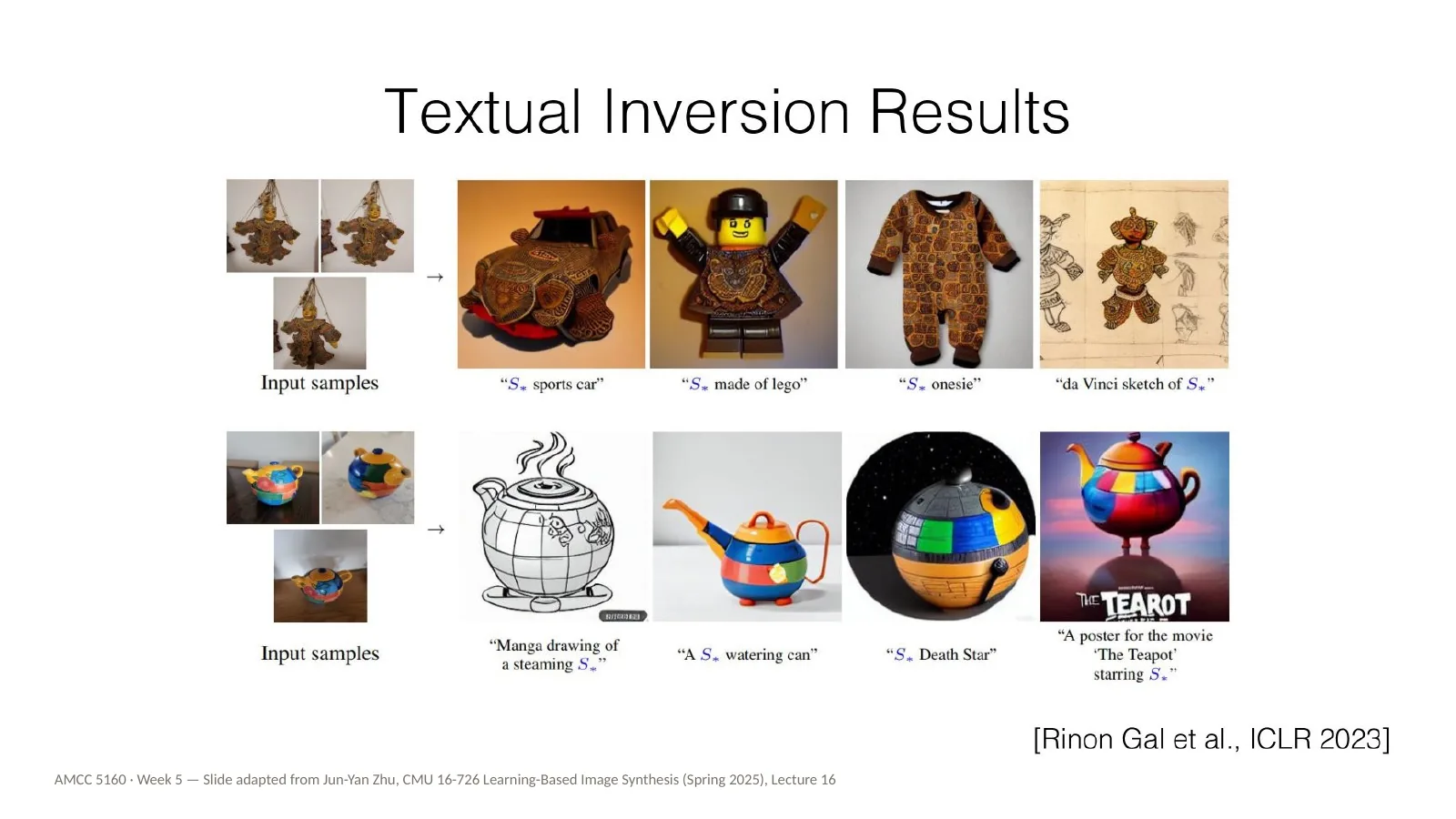
Here are some results. Once the new word is learned, you can recombine it with ordinary words, just like any other word. Put the object on a beach, in a painting, as a toy. Because the model is untouched, it keeps all of its general knowledge, and the new word just points it towards a region it could already reach.
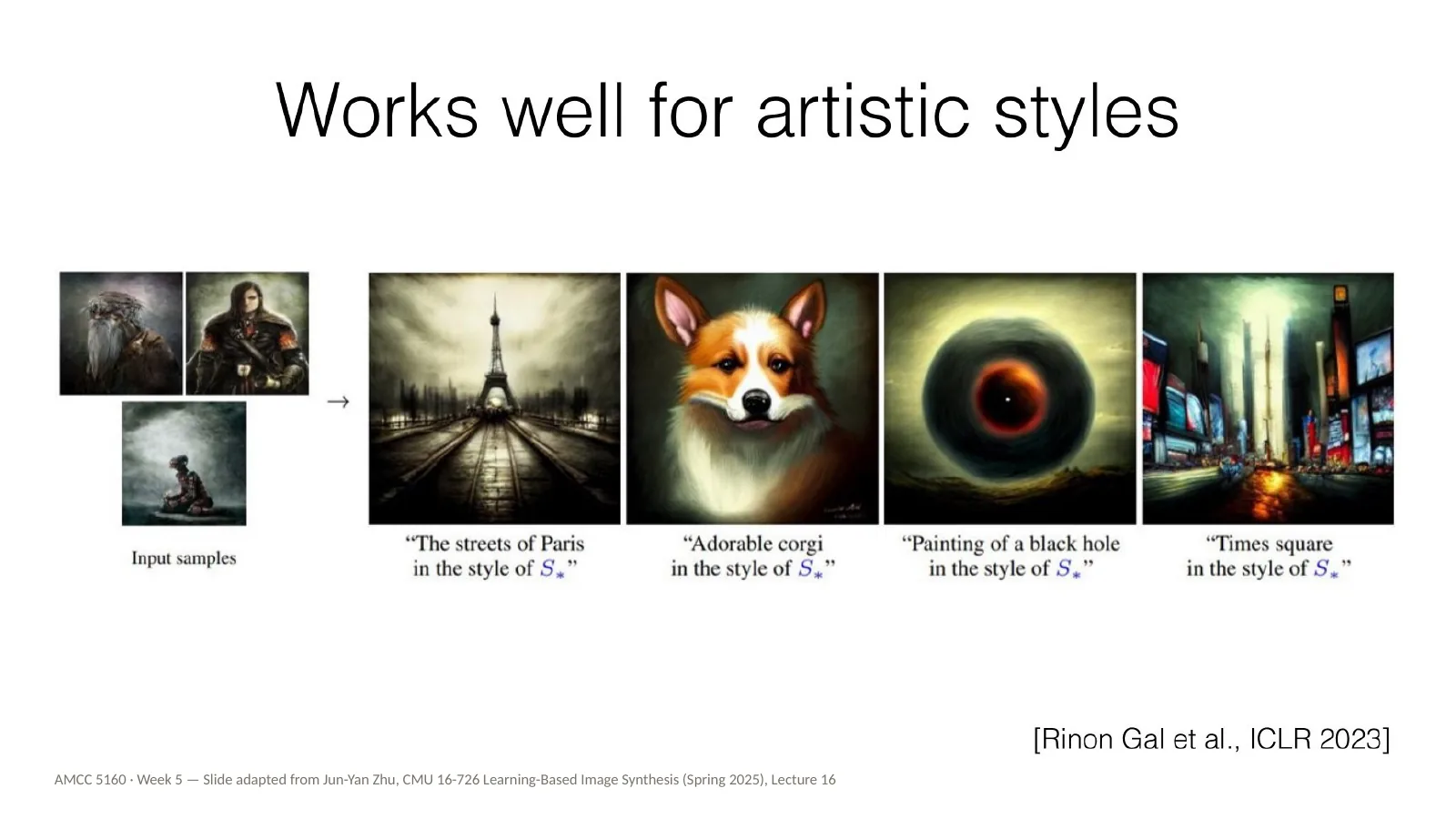
And here is something very important for this class: Textual Inversion works well for artistic styles. Style is loose enough — colour, texture, stroke, mood — that a single learned vector can capture a good deal of it. I want to flag this because it is exactly why style mimicry became so easy so quickly. If one small vector can hold much of an artist's style, then anyone with a dozen images of that artist's work can bottle it.
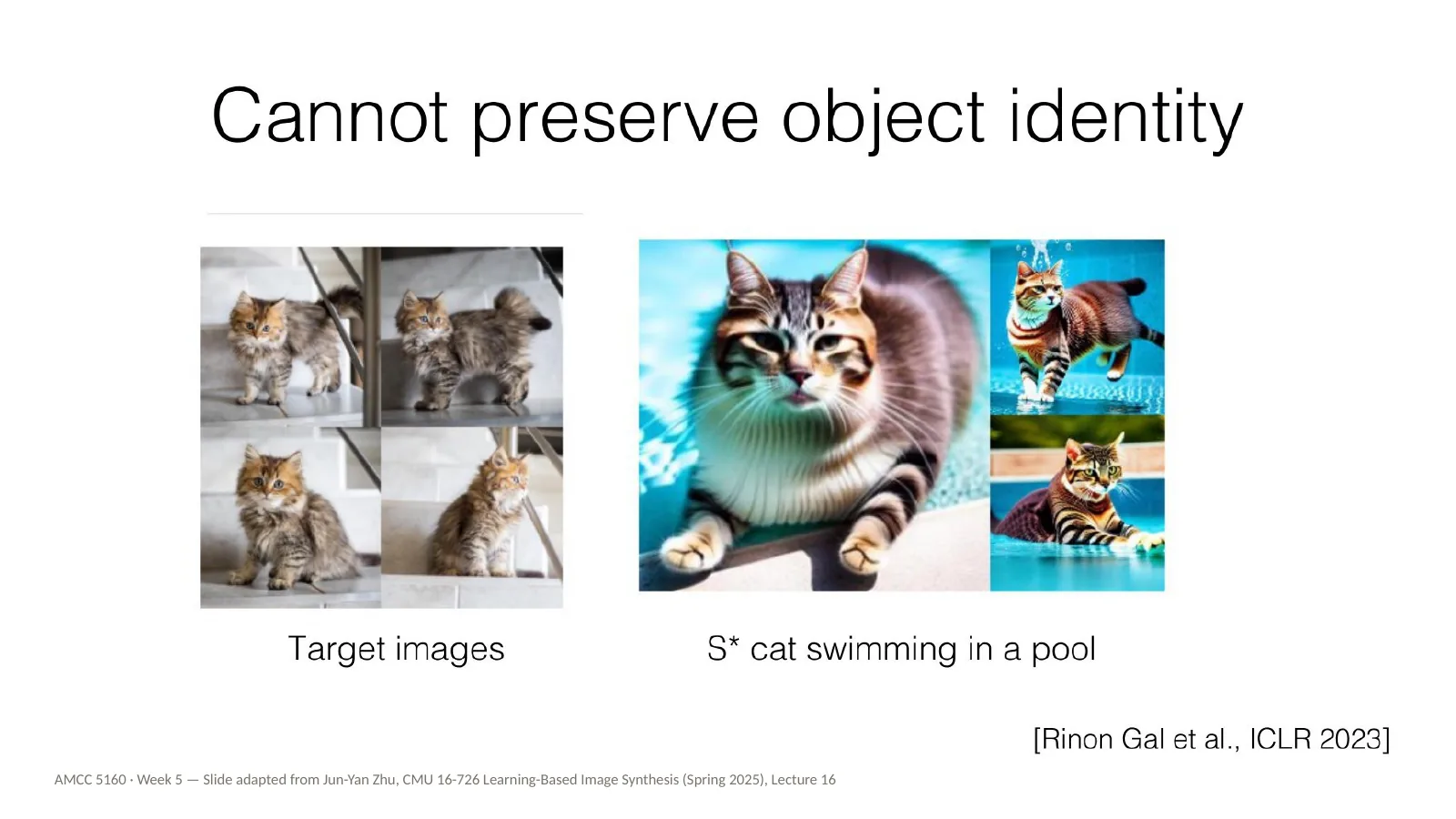
But Textual Inversion has a limit: it cannot preserve object identity. Here are the target images of a particular cat, and the prompt S-star cat swimming in a pool. The result is a cat, but it's not this cat. The details that make an individual recognisable are too fine to squeeze into one word. For a recurring character in a film, that's not good enough.
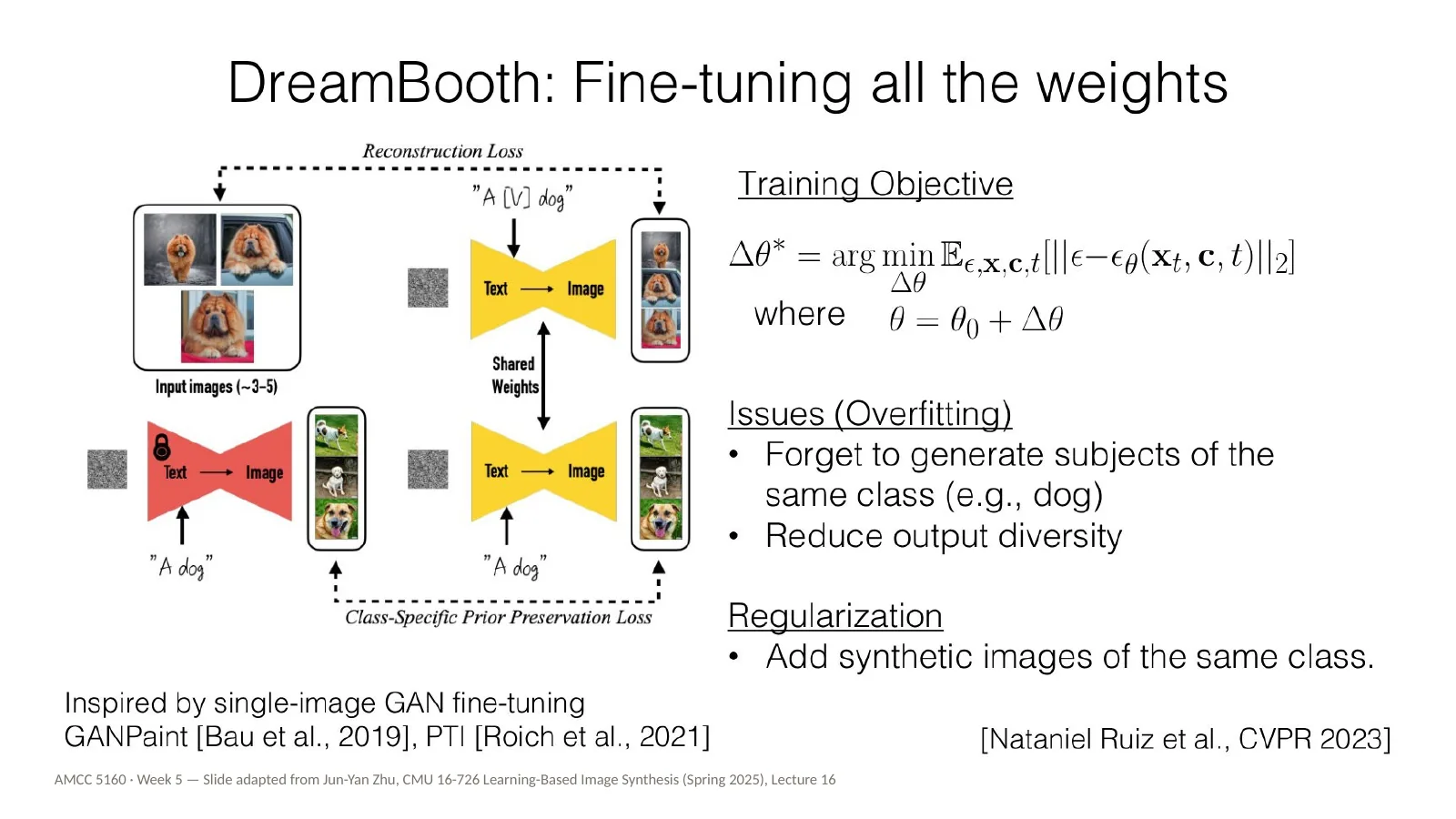
That's DreamBooth, by Nataniel Ruiz and colleagues at Google, CVPR 2023. DreamBooth fine-tunes all the weights of the model on your few images. The training objective is the same denoising loss you saw in Week 3; we just apply it to your photos. I'll skip the equation. The problem is overfitting. After training on a few photos of one dog, the model starts to forget what other dogs look like, and its outputs lose variety. The fix is regularization: while training, you also show the model images it generated itself of the general class — ordinary dogs — so it keeps that knowledge.
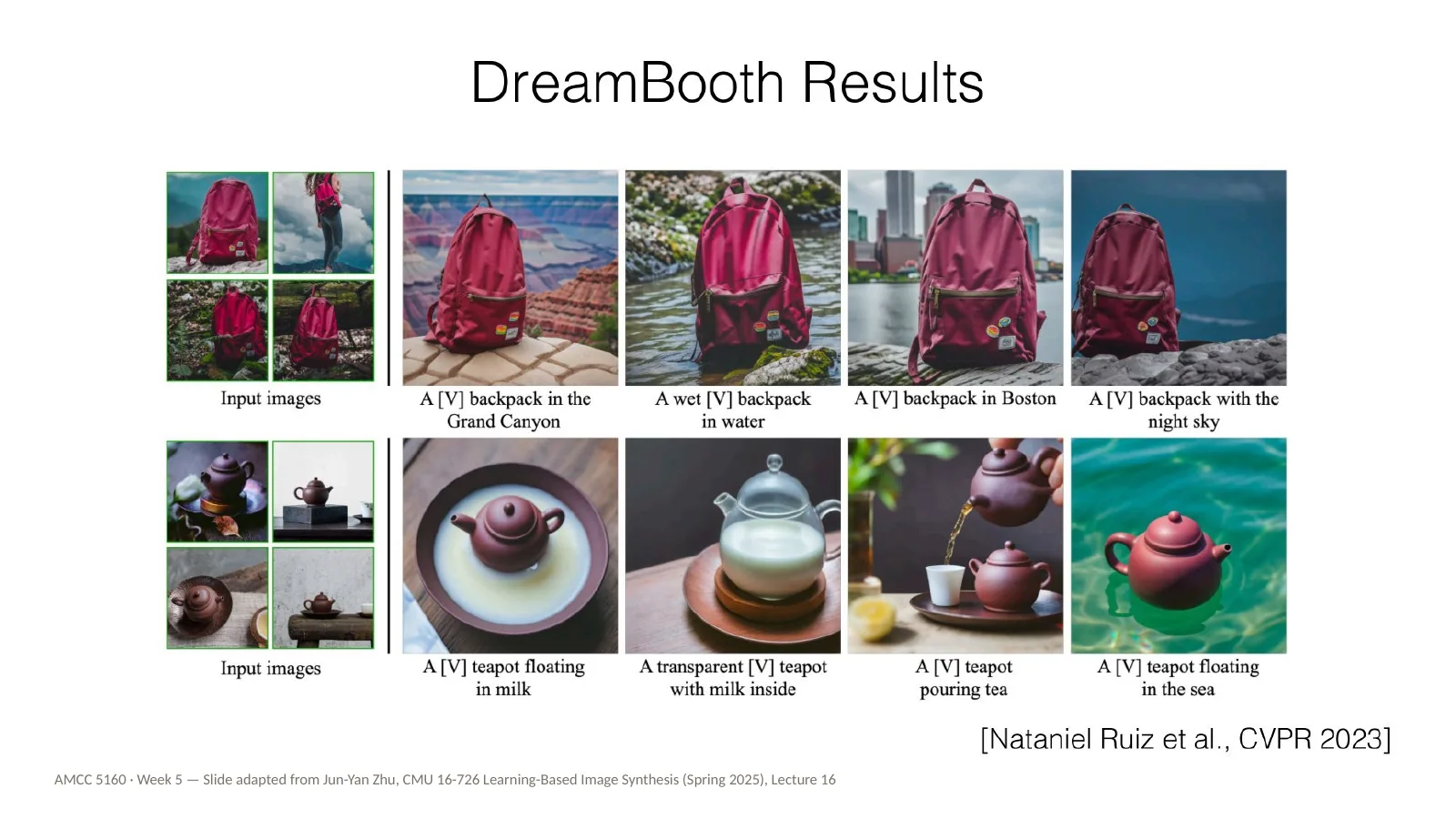
And the results are striking. The identity holds across very different scenes, poses and styles. This is the ancestor of nearly every consistent character feature you see in today's image and video tools. When a tool lets you upload photos of a person and then place them anywhere, some version of this idea is usually underneath.
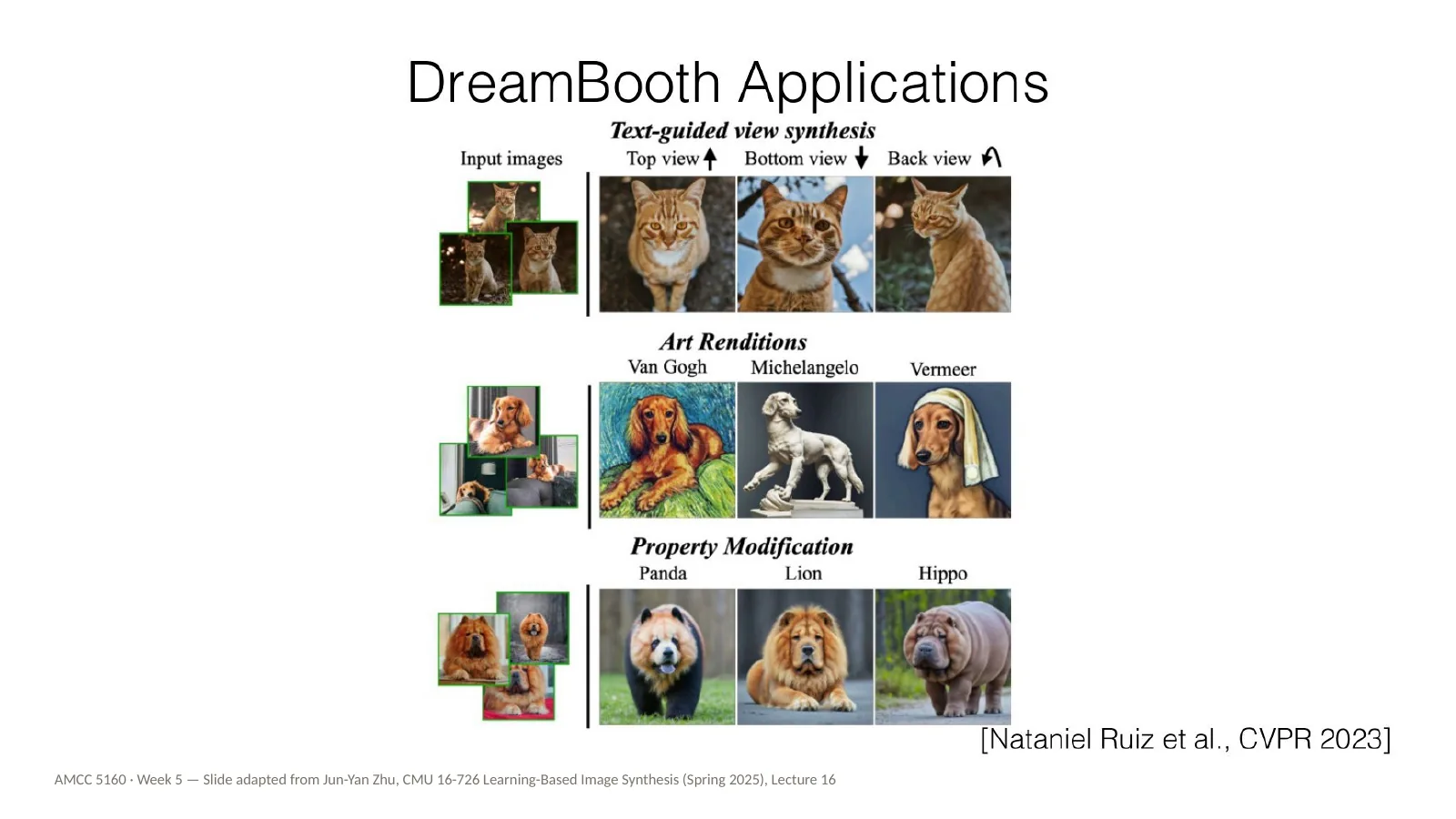
DreamBooth also enables some creative applications. Text-guided view synthesis: show the subject from the top, the bottom, or the back. Art renditions: the same dog painted in the style of Van Gogh, Michelangelo or Vermeer. And property modification: the same dog, but crossed with a panda, a lion or a hippo. Notice that the art renditions are exactly where the questions from our practice block come back: whose styles are being used here, and does it matter that these artists are long dead?
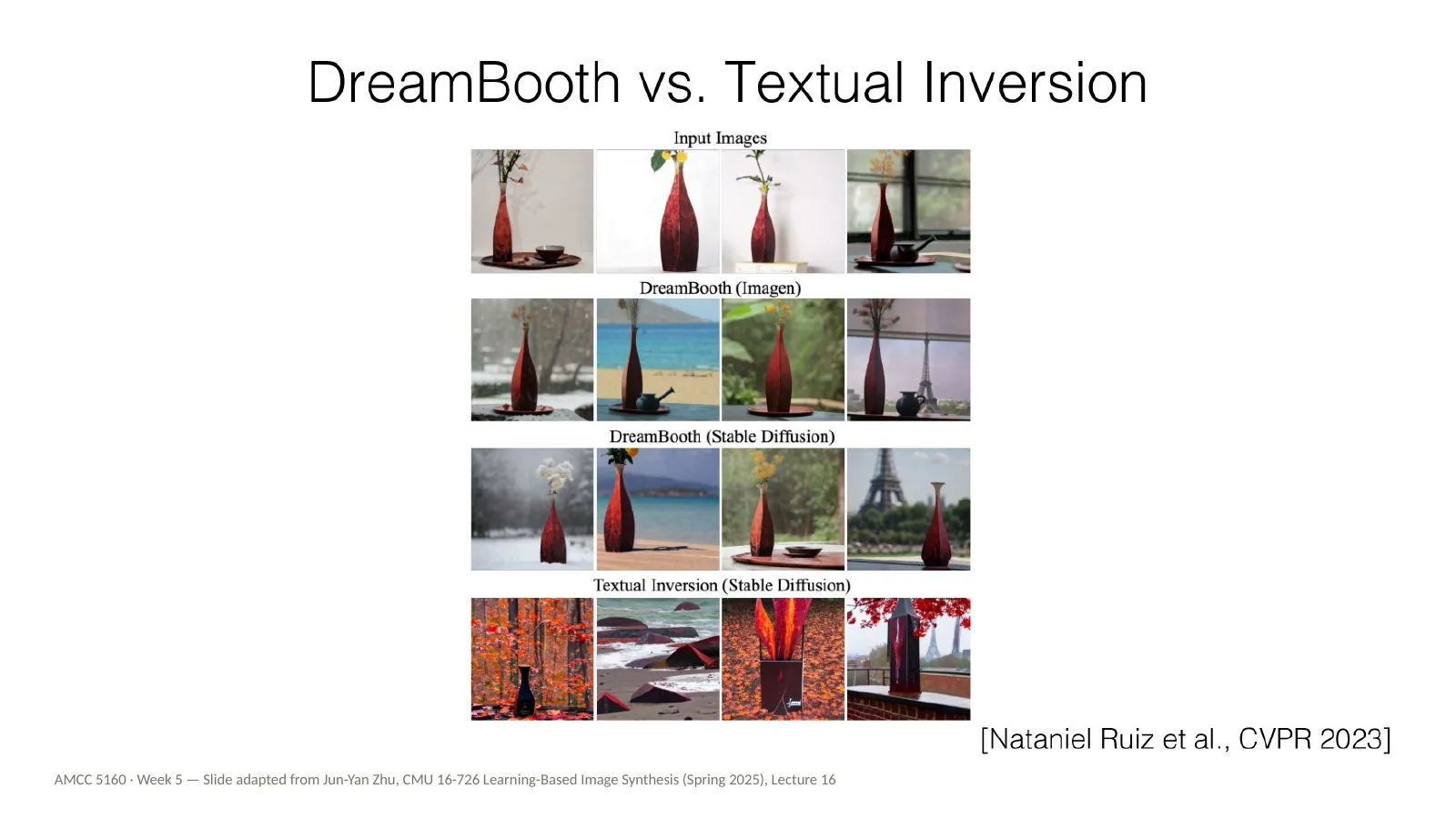
Here's DreamBooth and Textual Inversion side by side. DreamBooth preserves the subject far better. A practical rule of thumb for your projects: if you want a style, a light method like Textual Inversion can be enough. If you want a specific character or object to stay the same across shots, you need a method that changes the model's weights.
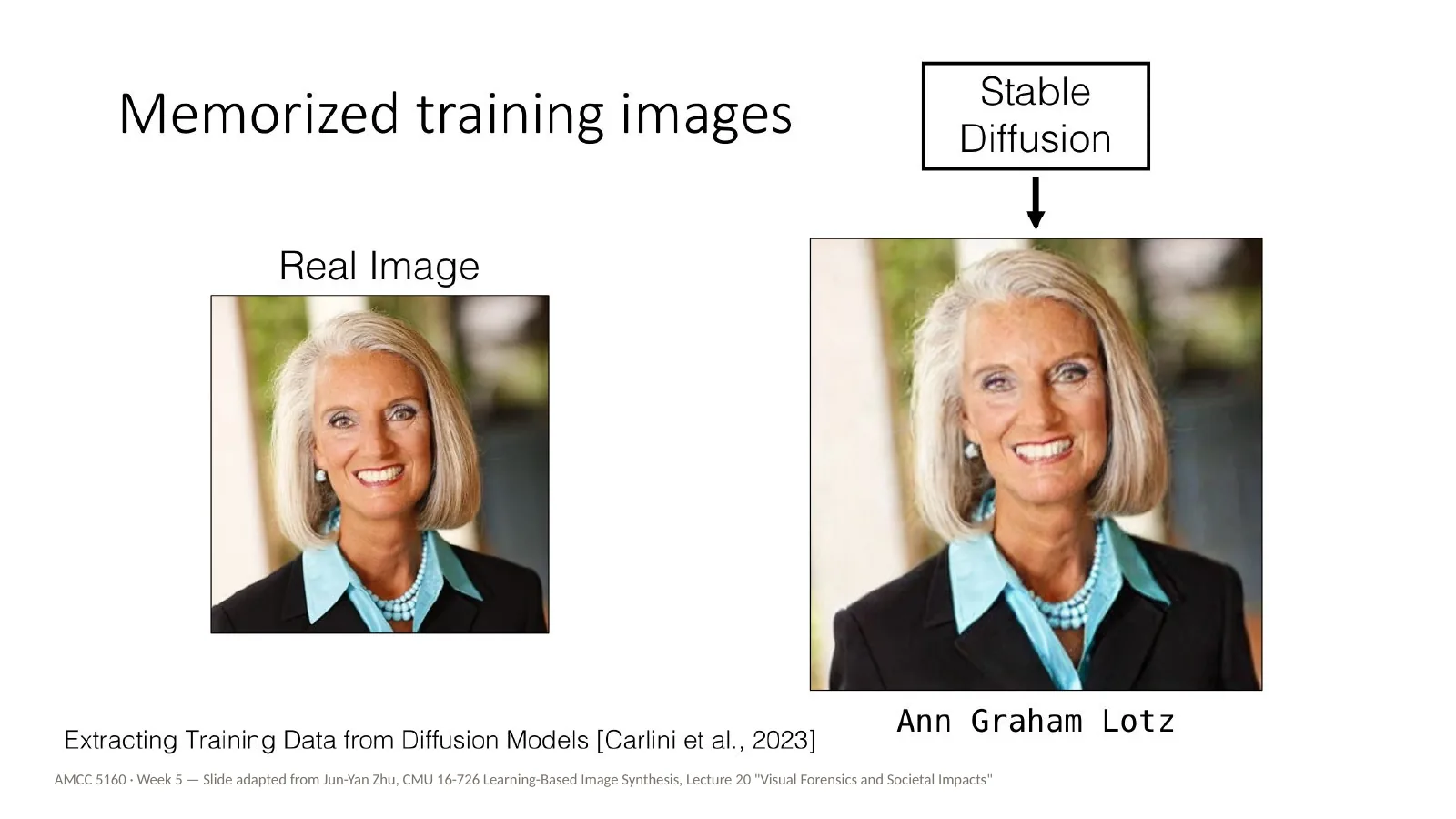
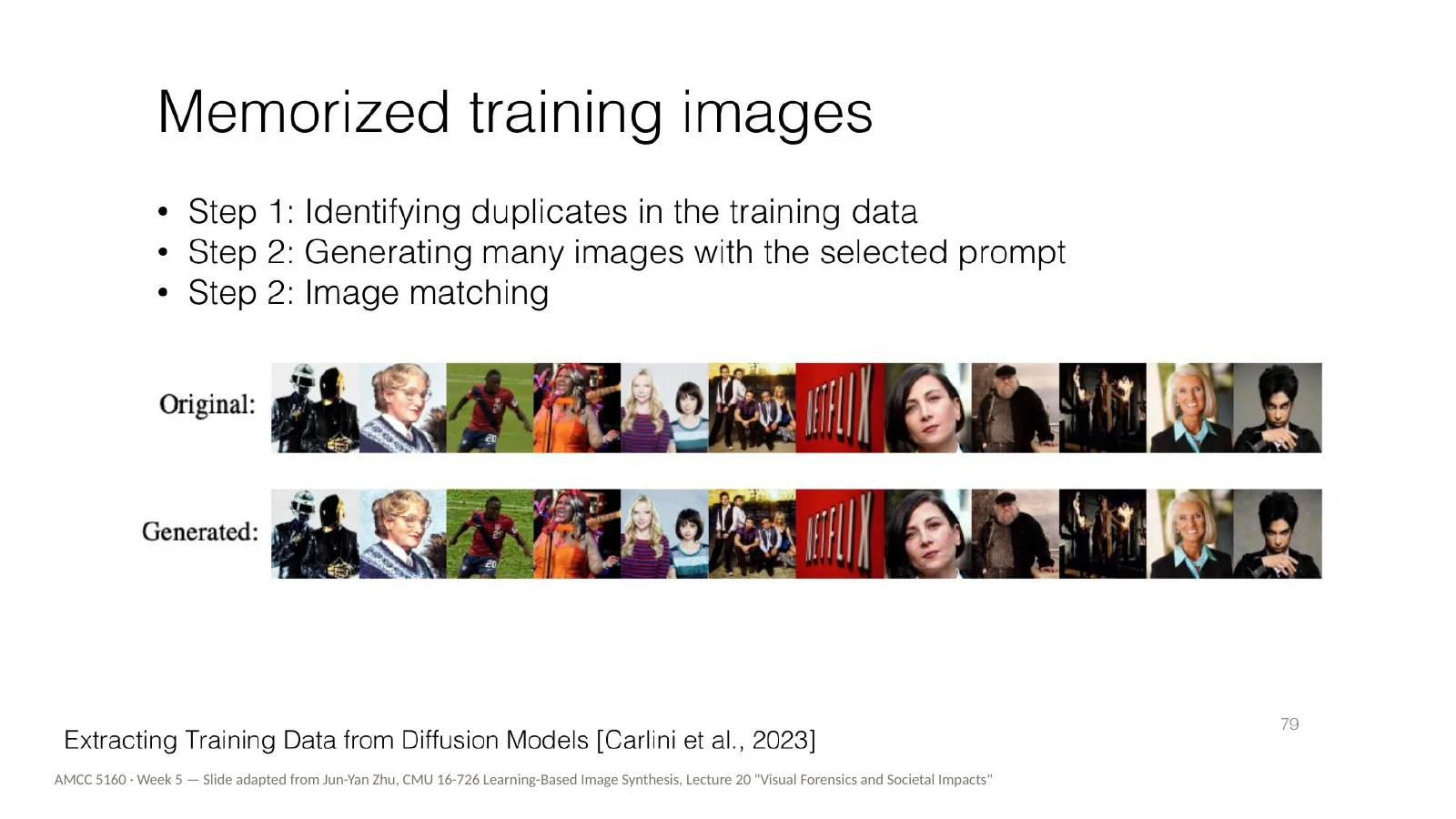
Now our second practice block. Remember that DreamBooth overfits when trained on a few images, and starts reproducing them. Here is the same phenomenon, but at the scale of the whole internet. On the left is a real photograph of Ann Graham Lotz from the training data. On the right is what Stable Diffusion generates from her name. It's almost identical. This comes from work by Carlini and colleagues in 2023 on extracting training data from diffusion models. You can think of memorization as overfitting that nobody asked for.
第二个实践单元。DreamBooth用少量图片训练时会过拟合并复现它们;这里是同一现象在整个互联网规模上的表现。左边是训练数据中Ann Graham Lotz的真实照片,右边是Stable Diffusion根据她的名字生成的图像,几乎一模一样(Carlini等,2023)。可以把"记忆"理解为没人要求的过拟合。
How did the researchers find these memorized images? In three steps. First, identify images that are duplicated many times in the training data. Second, generate many images using the caption of each duplicated image as the prompt. Third, match the generated images against the originals. Many matched almost exactly. There is a lesson here for your own work: if your small training set contains duplicates, or near-duplicates, your LoRA is much more likely to copy them rather than learn from them. Curate your dataset carefully.
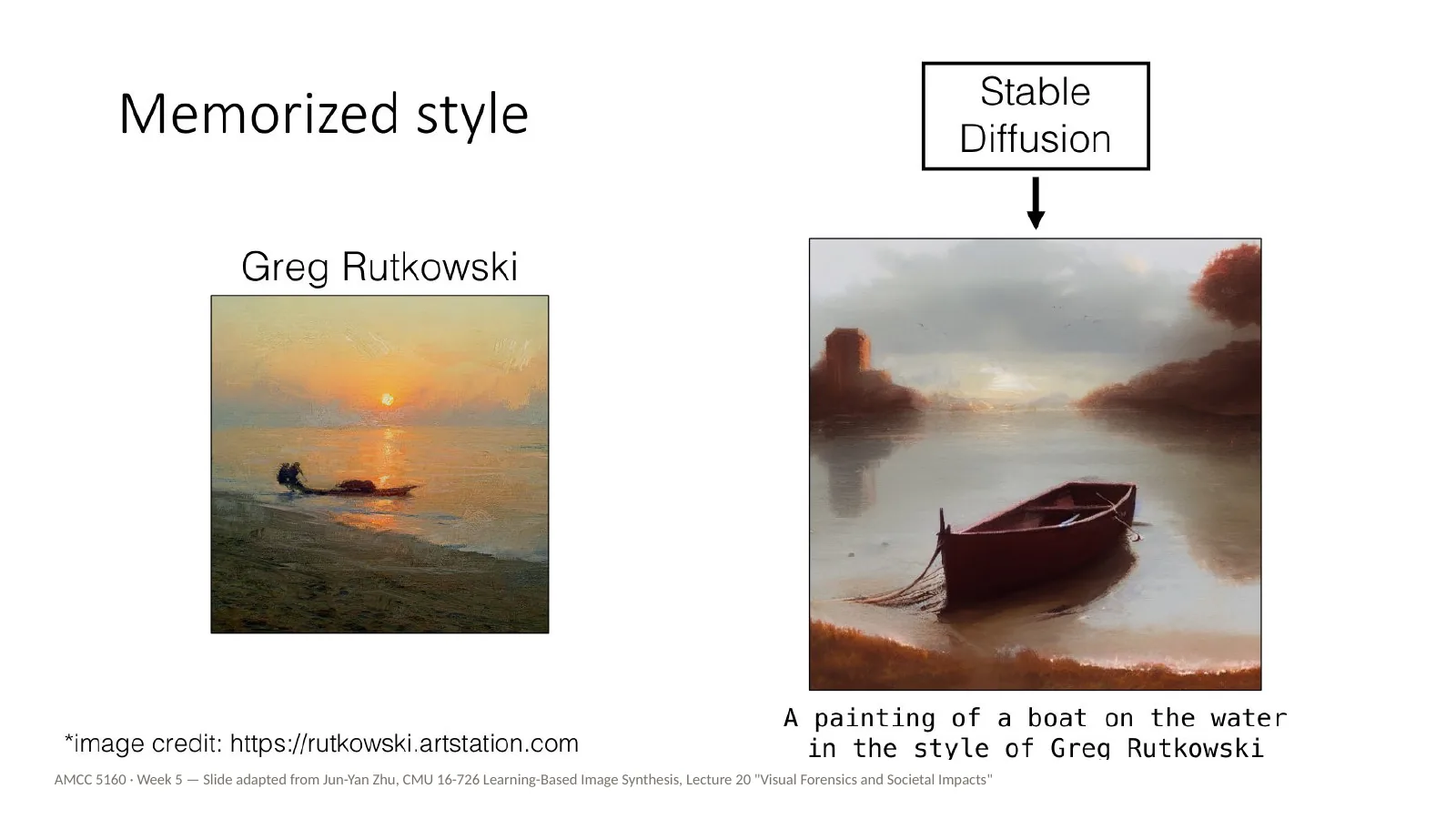
Memorization isn't only about individual images. It can also be about style. On the left, a painting by Greg Rutkowski. On the right, Stable Diffusion's output for a painting of a boat on the water in the style of Greg Rutkowski. It's not a copy of any one painting, but the style is unmistakable. Rutkowski is a living illustrator, and he did not ask to become a prompt. Connect this back to the Textual Inversion slide: it works well for artistic styles. So I'll ask you: is this homage, is it mimicry, or is it something new?
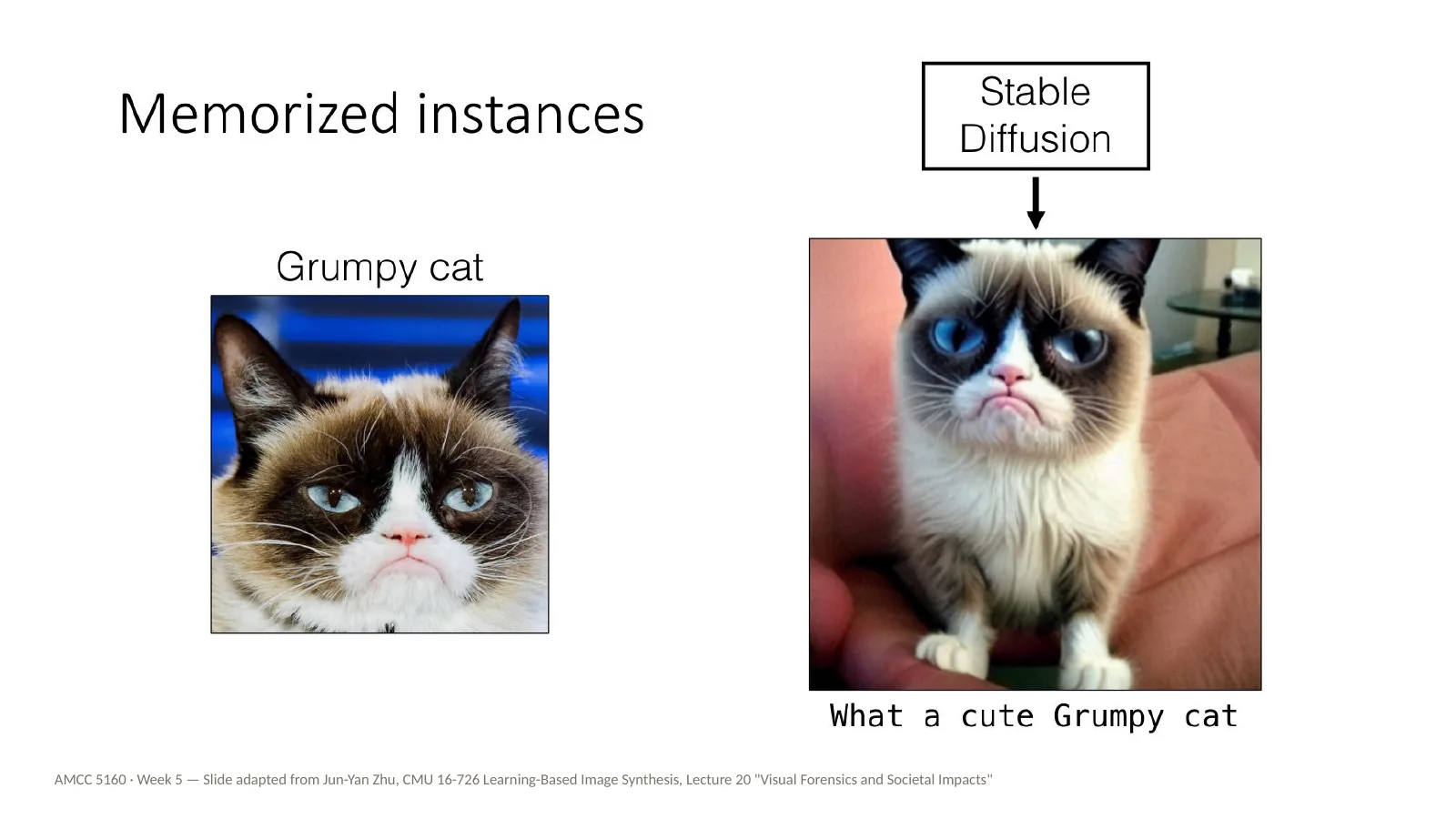
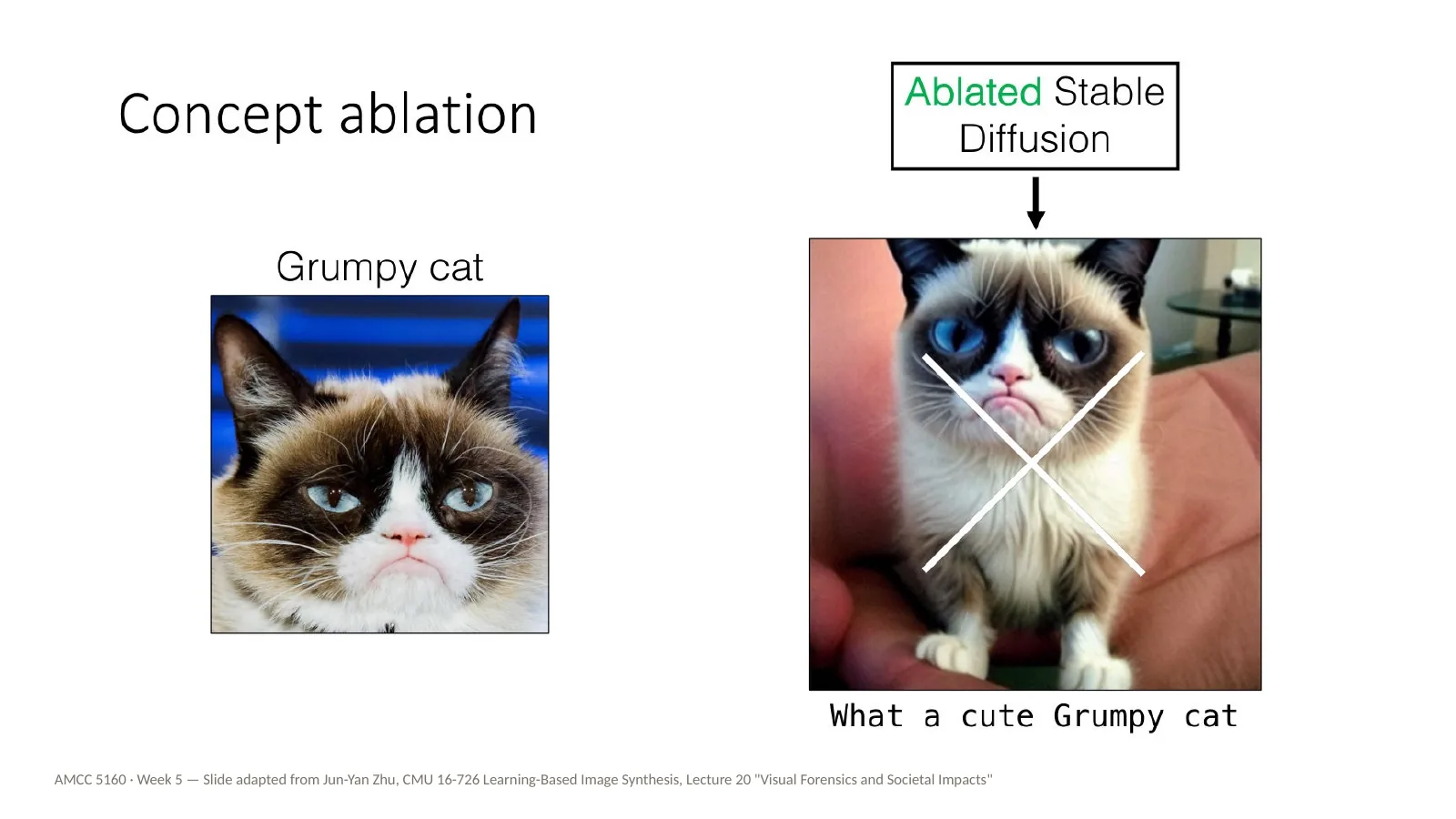
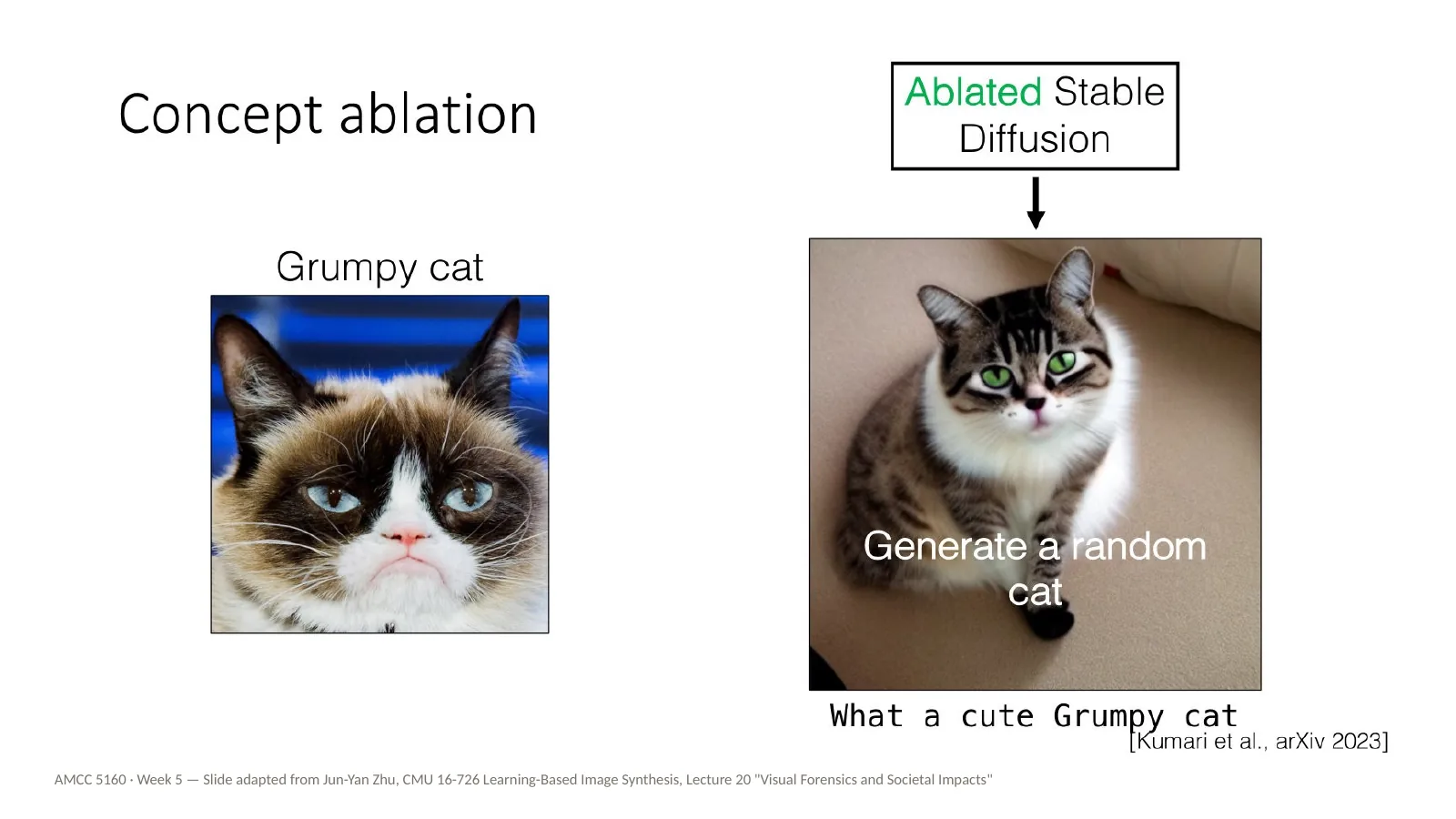
And memorization can be about a specific individual. Here's Grumpy Cat, a famous internet cat. Ask Stable Diffusion for what a cute Grumpy cat, and you get Grumpy Cat. In a sense, the model has already been customized with Grumpy Cat, exactly the way we customized it with Jun-Yan's dog — but nobody chose to do it. Famous characters and people are pre-customized into the model, whether or not anyone agreed.
Back to technique, and to the costs of DreamBooth. Fine-tuning all the model weights has three problems. Storage: about four gigabytes for every concept. Compute: it needs a lot of GPU memory and training time. And compositionality: it's hard to combine two separately trained models. If you want ten characters for a film, that is forty gigabytes of models that don't talk to each other.
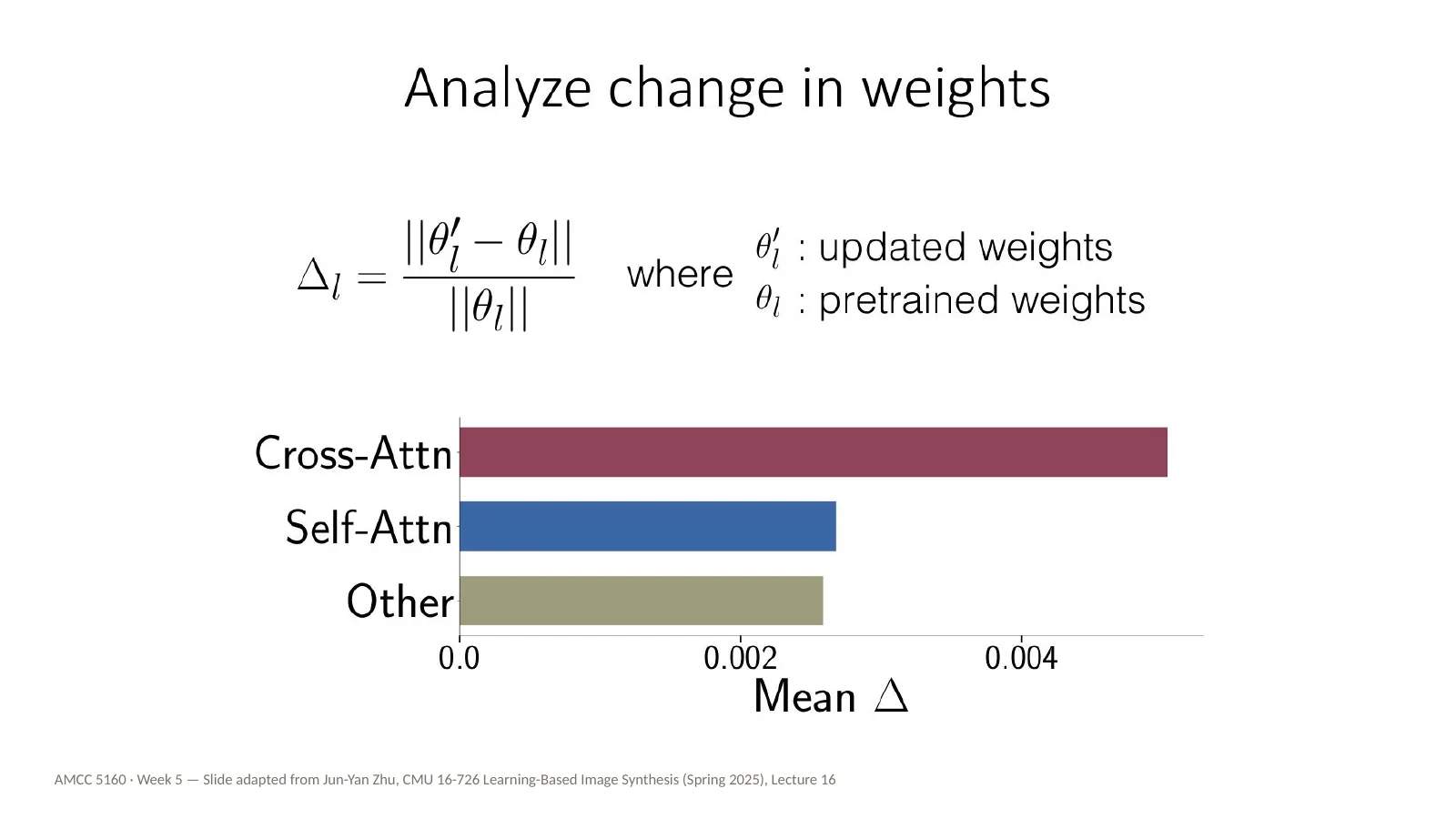
So Jun-Yan's group did a nice piece of detective work. After fine-tuning, which weights actually changed the most? They measured the relative change in each type of layer: cross-attention, self-attention, and everything else. The answer is clear: the cross-attention layers change much more than the rest. You'll remember from Week 3 that cross-attention is where the words of your prompt meet the image. That suggests we might only need to train those layers.
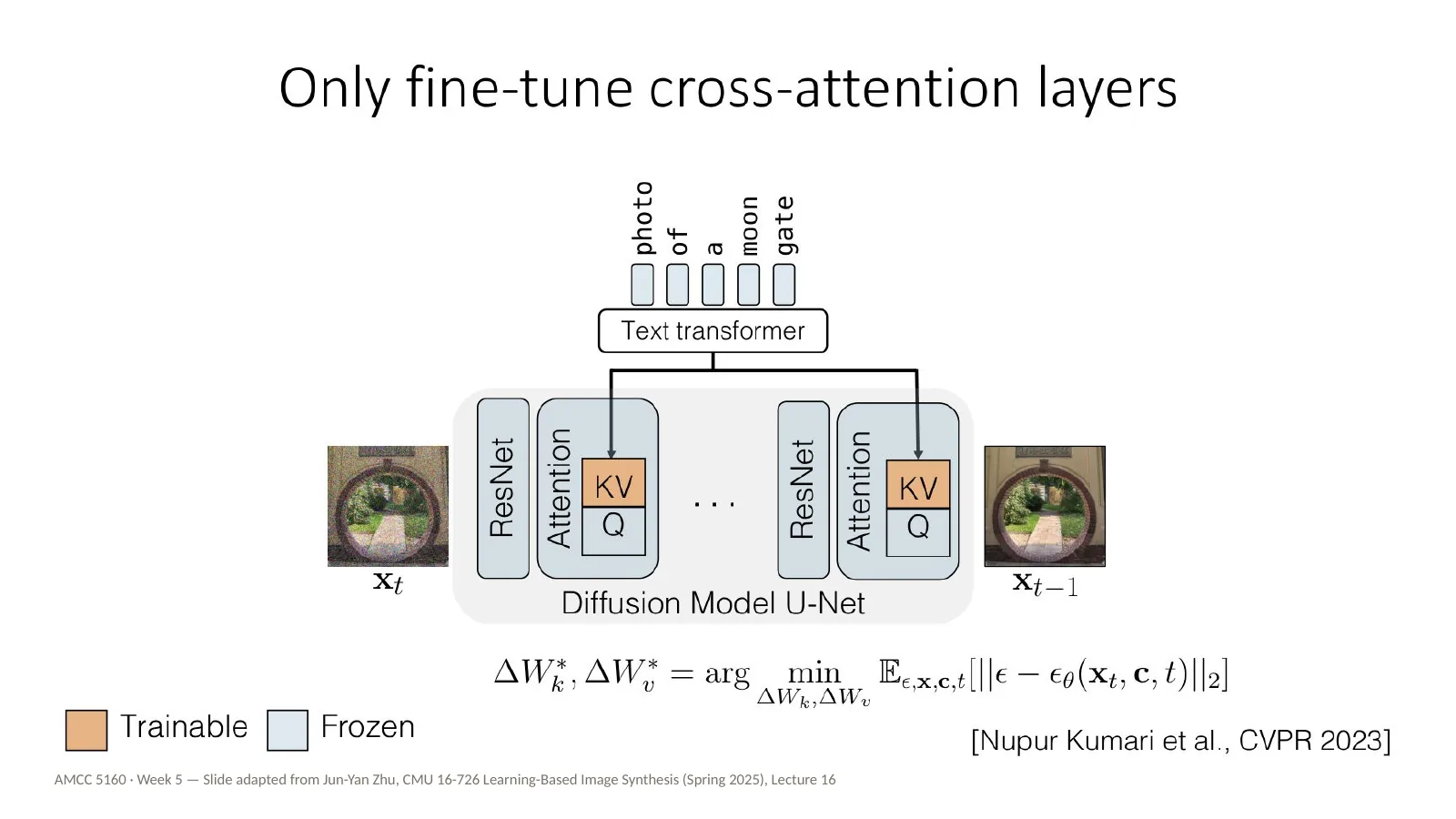
And that's Custom Diffusion, by Nupur Kumari and colleagues, CVPR 2023. Freeze everything except the key and value projections in the cross-attention layers — the orange blocks here. Everything in blue stays frozen. The result is a much smaller update, faster training, and, as we'll see, concepts that are much easier to combine.
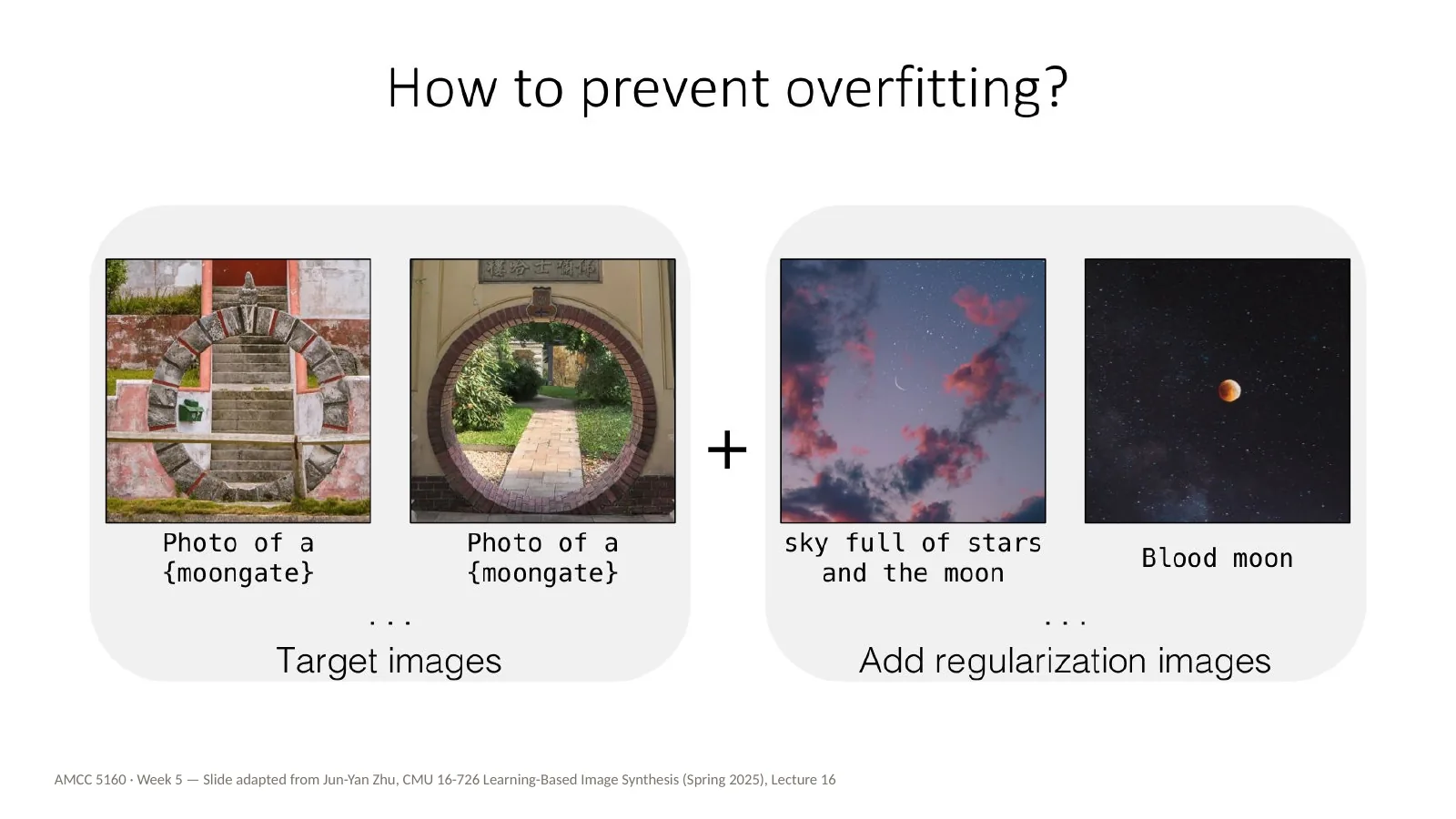
Overfitting still needs managing. After learning moongate, the fine-tuned model starts putting moongates into every image of the moon — sky full of stars and the moon, blood moon. The fix again is regularization images: real photos of related concepts, like the moon, included in training so the model keeps its general knowledge. For artists, here's how I'd put it: what you leave out of a dataset, and what you put next to it, matters as much as what you put in.
How do we describe a personalized concept in the prompt? With the same V-star modifier token we saw earlier, proposed by Textual Inversion. Custom Diffusion trains that new token together with the small weight update. So Custom Diffusion is really Textual Inversion plus a light fine-tune. In tools like ComfyUI and on model-sharing sites, you'll see this as the trigger word of a LoRA: the word you must include in your prompt to activate what it learned.
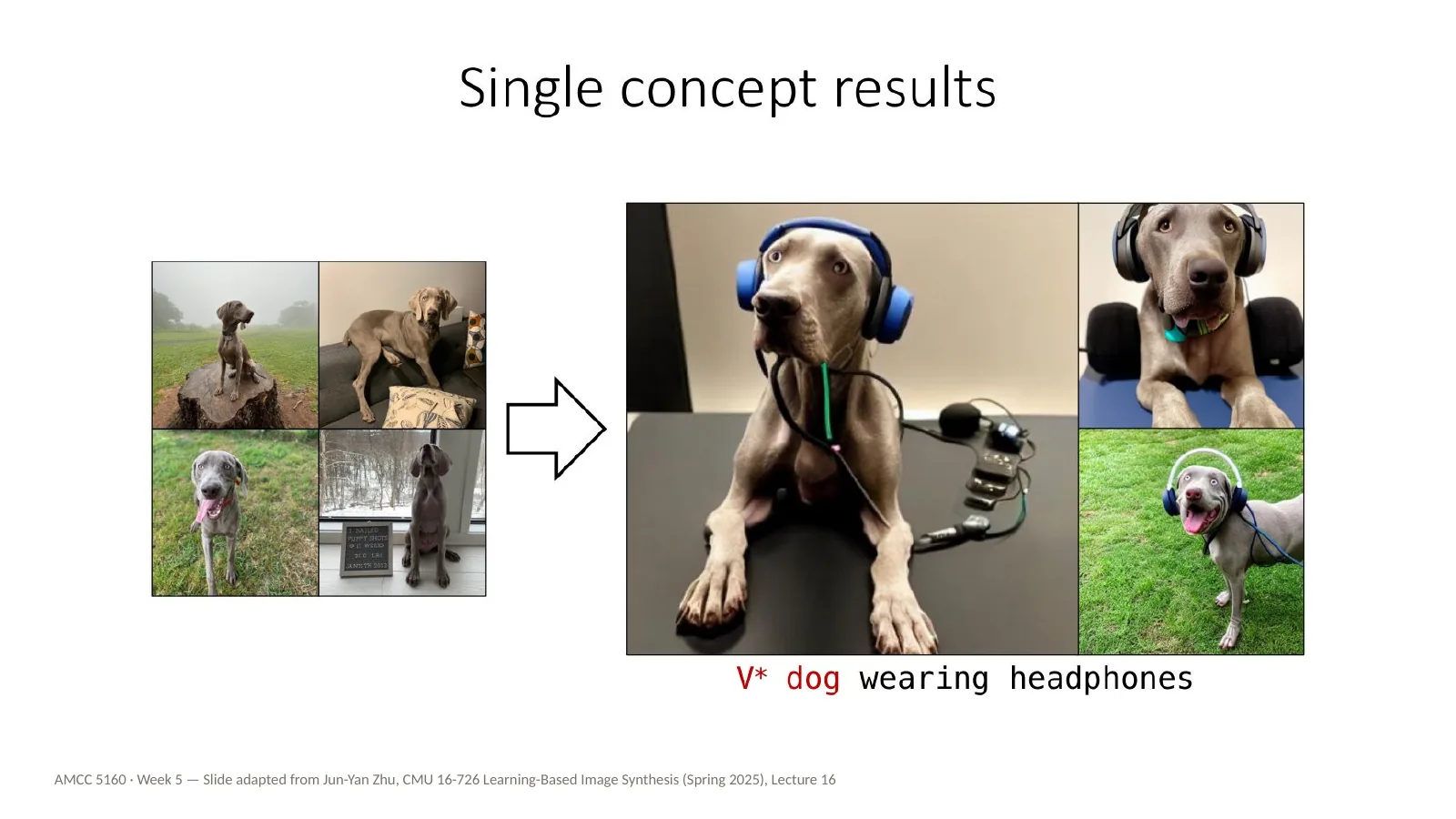
Some single-concept results. Here we have a few photos of a particular dog, and the result for V-star dog wearing headphones. The identity is held, and the model can still place the dog in a new situation it has never seen.
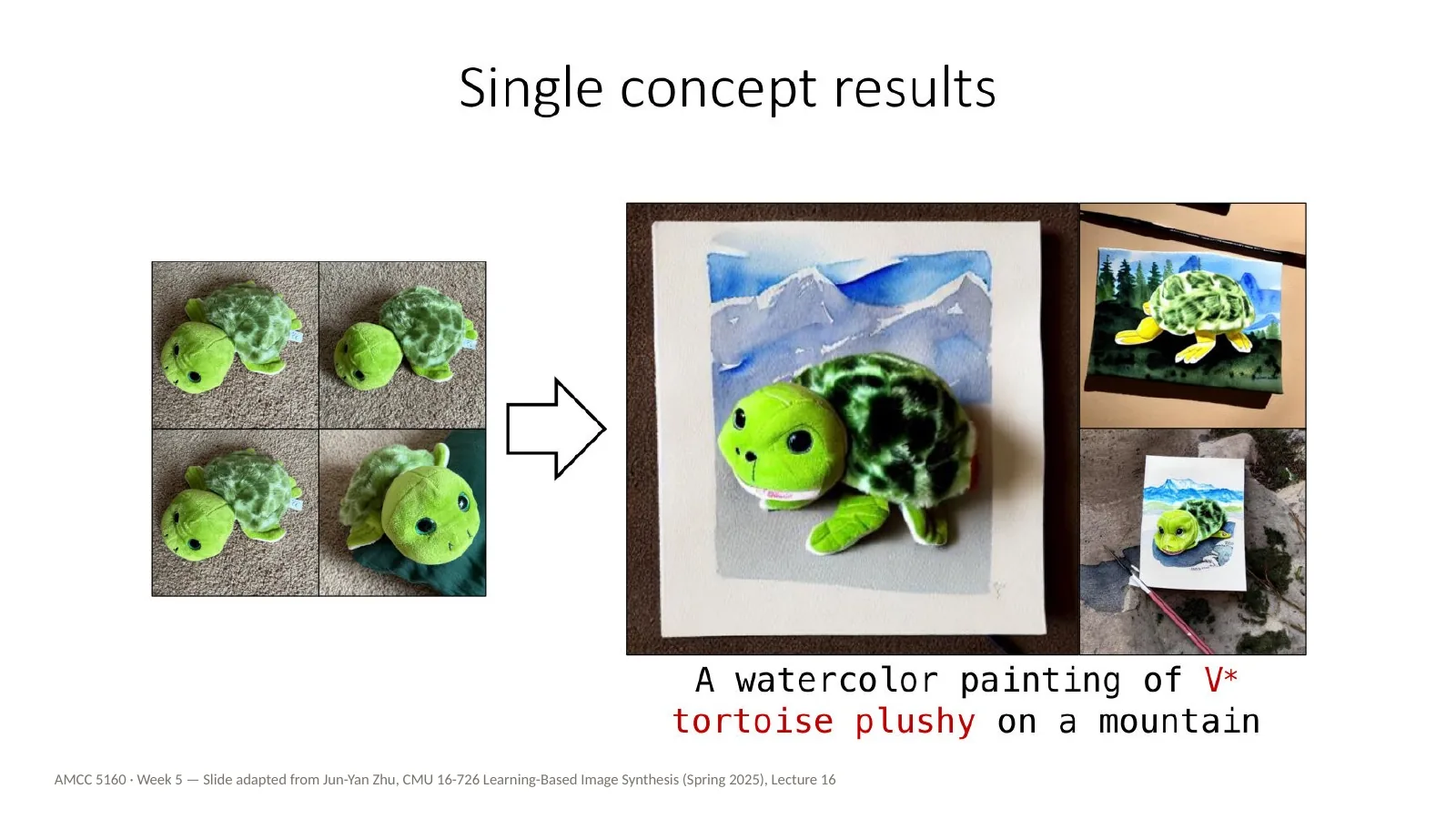
Another one: a watercolor painting of V-star tortoise plushy on a mountain. A personal object, a soft toy, rendered as a watercolour and placed on a mountain. So we get identity and a new style at once, from a model that was only lightly changed.
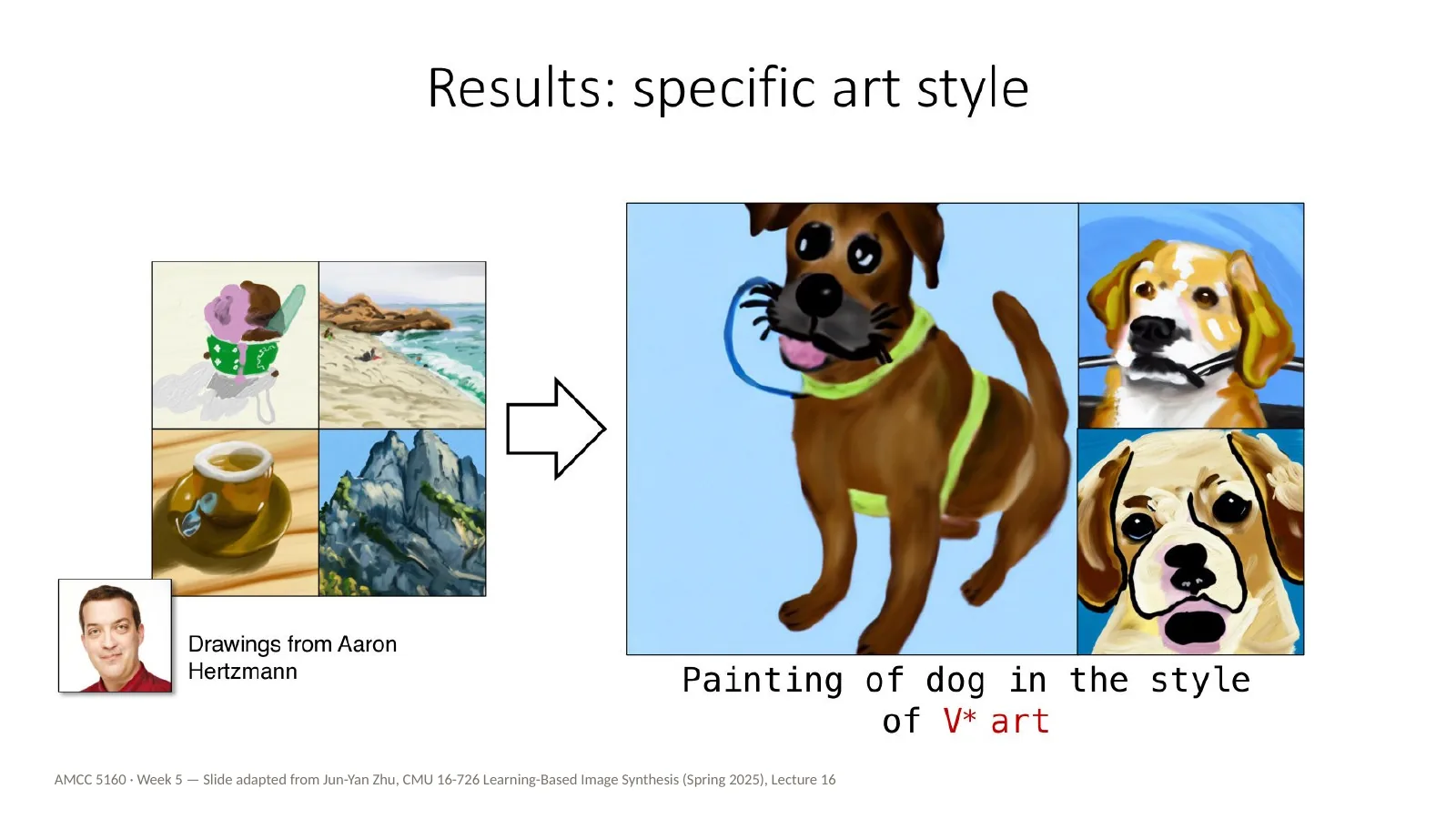
And a specific art style: painting of a dog in the style of V-star art, learned from drawings by Aaron Hertzmann. Hertzmann is a researcher and artist who writes a lot about AI and art. So I'd ask the room: what would you want to know, or to ask, before you trained a model on someone's drawings like this? Hold your answers. The next practice block is about exactly this.
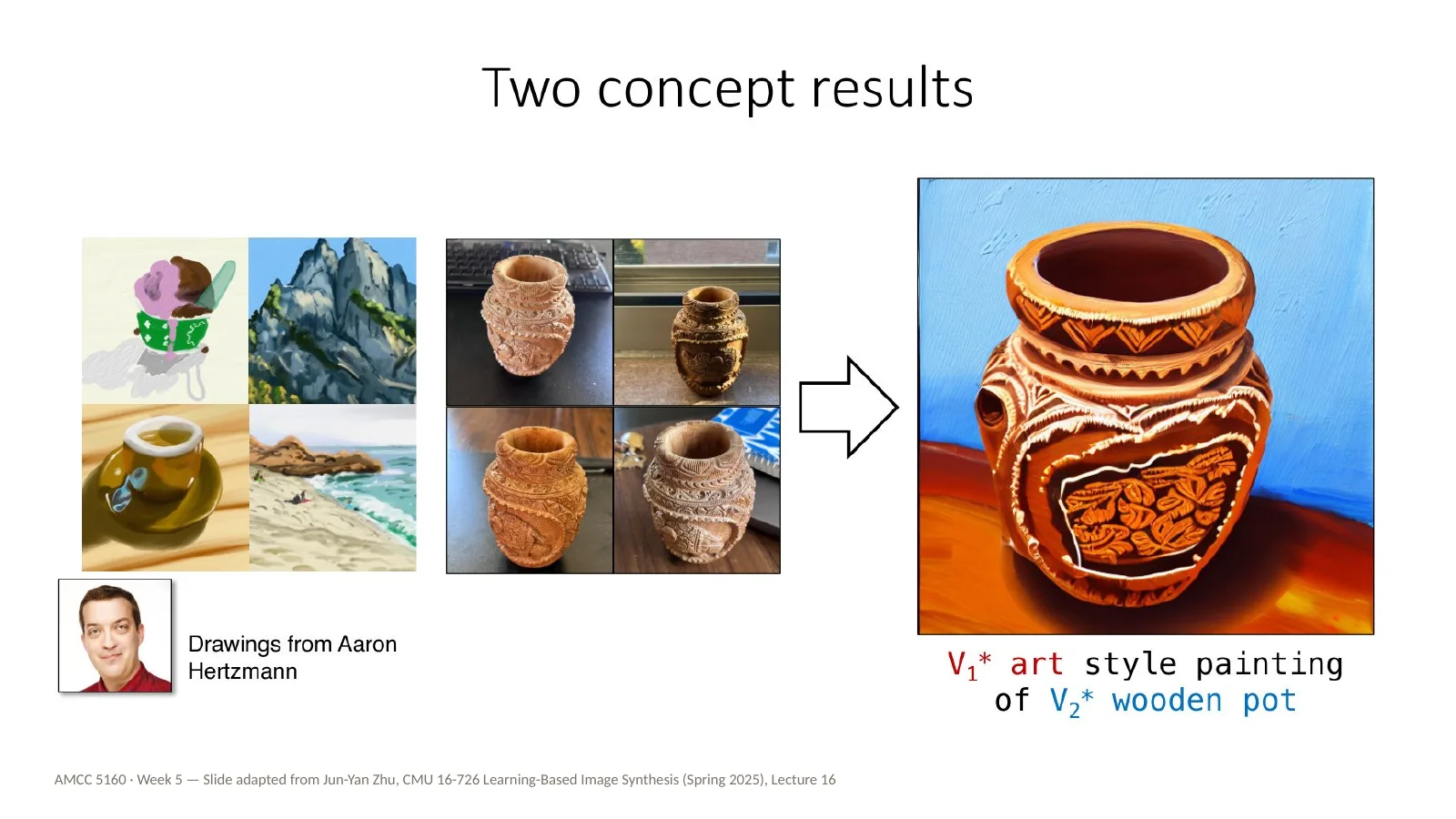
Custom Diffusion can also merge separately trained concepts. Here, V1-star art style painting of V2-star wooden pot: one concept is Hertzmann's drawing style, the other is a particular wooden pot. The merging uses a closed-form optimization which I'll skip. For a film, the idea is: one small adapter per character, one per look, combined at render time.
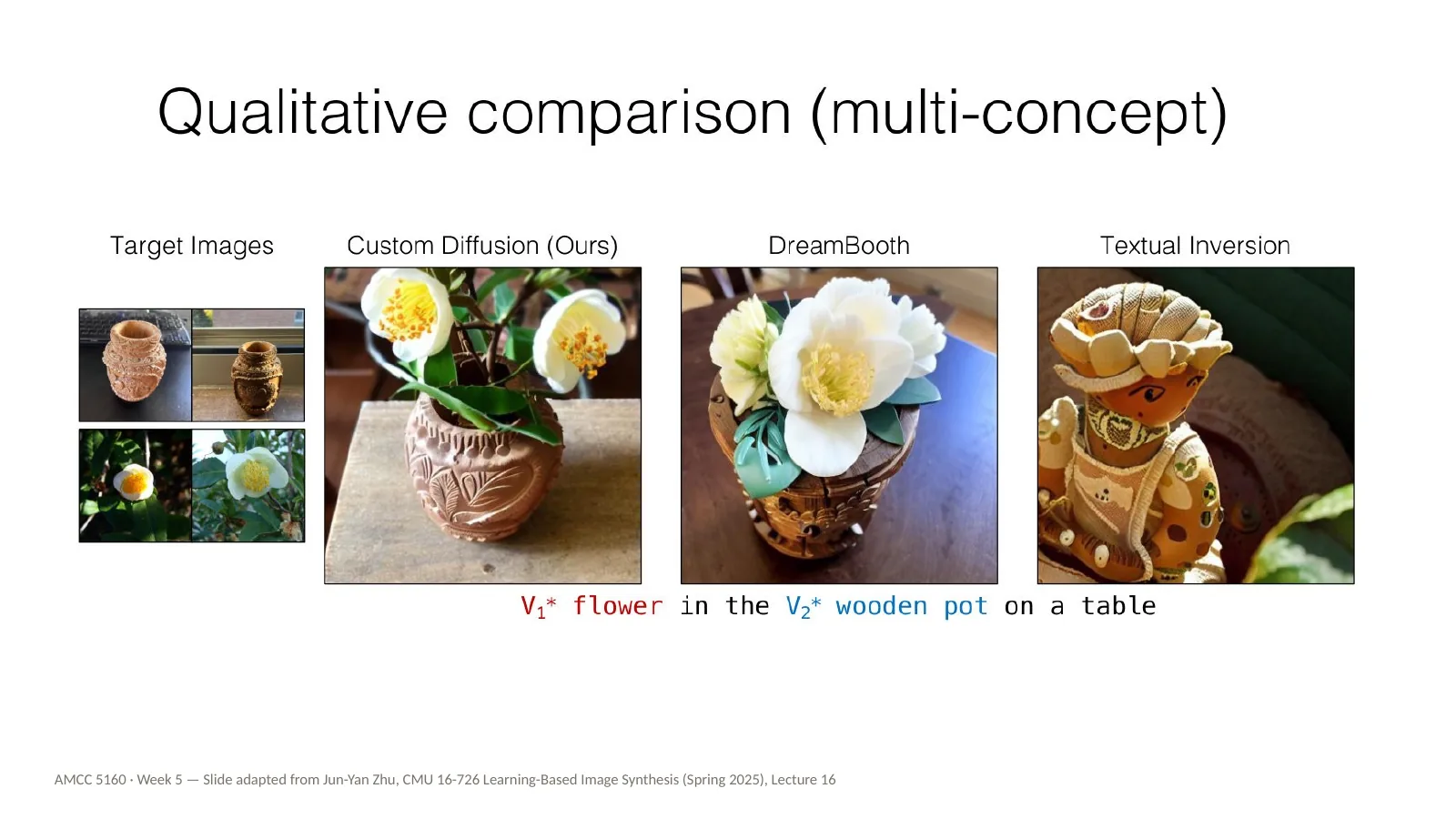
Here's a comparison for multiple concepts: V1-star flower in the V2-star wooden pot on a table. Custom Diffusion, DreamBooth and Textual Inversion. Custom Diffusion keeps both the specific flower and the specific pot. The others lose one or the other. Combining concepts is still the hardest case.
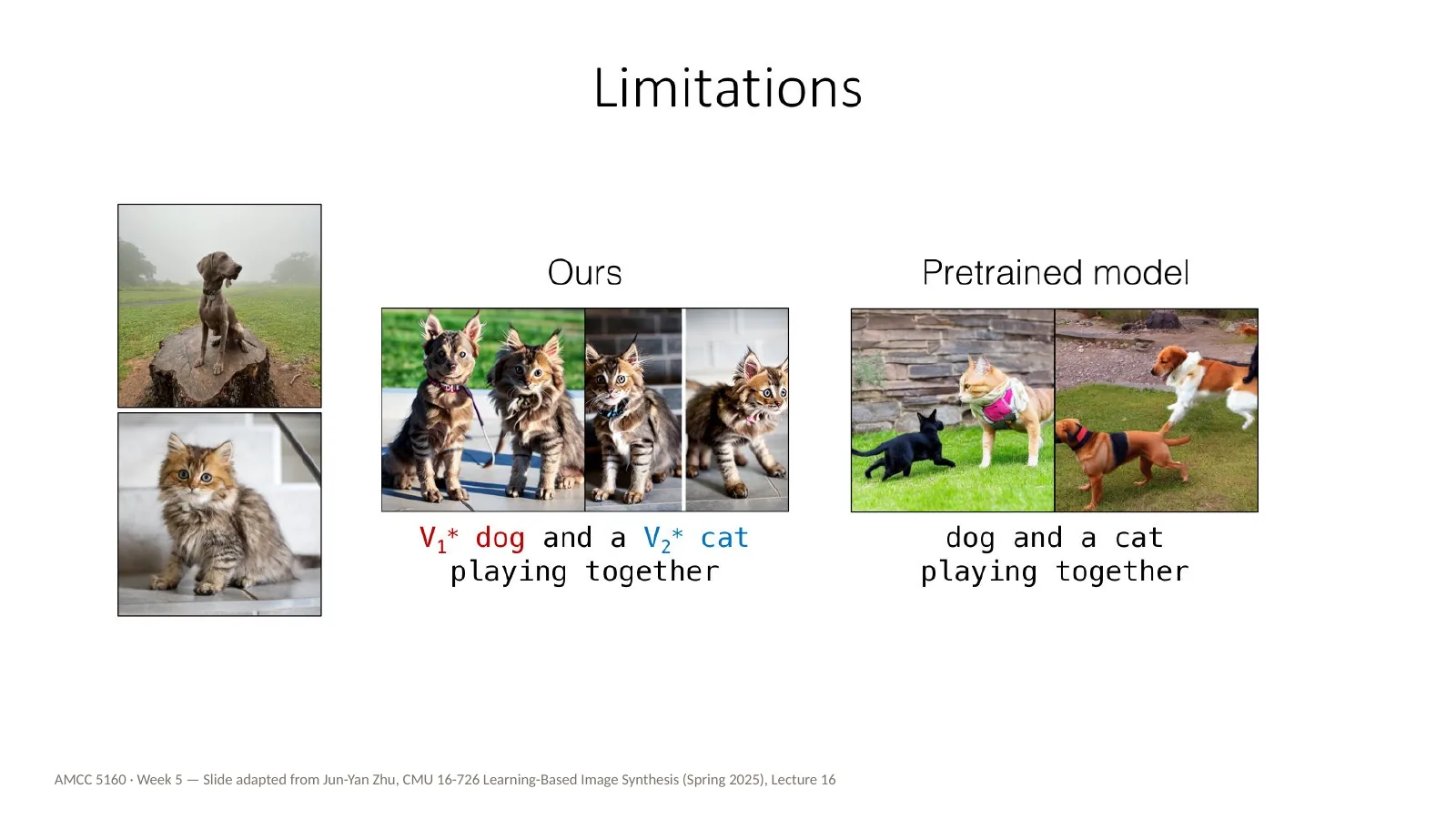
An honest limitation: two similar subjects. A V1-star dog and a V2-star cat playing together: the features get blended, and you might get two cat-dogs. If your Assignment 2 involves two characters in one shot, expect to use the composition tools from Week 2 as well — ControlNet, regional prompting, inpainting — rather than relying on customization alone.
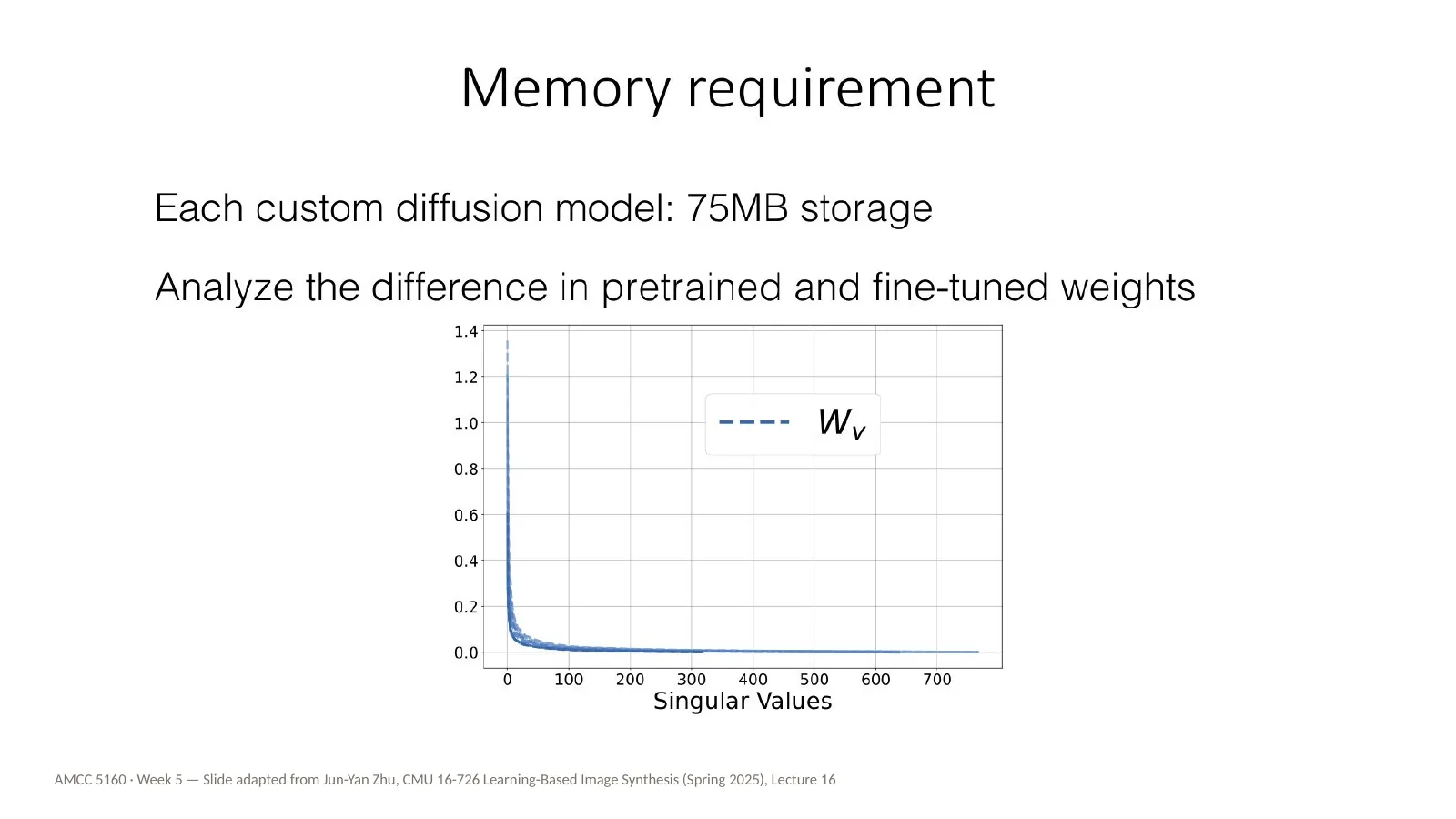
Now memory. Each Custom Diffusion model takes about seventy-five megabytes, much less than four gigabytes but still sizeable. Jun-Yan's group analysed the difference between the pretrained and fine-tuned weights, and looked at its singular values — this curve. Almost all of the change is concentrated in a few directions. That means the update is effectively low-rank, and can be compressed a great deal.
Now our third practice block, and it's the mirror image of everything we've just done. Customization teaches a model something new. Concept ablation makes it forget something. This is again from Nupur Kumari and colleagues, in 2023 — the same group behind Custom Diffusion. For artists, this is what an opt-out could look like inside the model itself.
The goal is simple. You type the same prompt, what a cute Grumpy cat, and instead of Grumpy Cat you get a random, ordinary cat. The specific identity is gone, but the general concept — cat — is kept. The model still works; it just can't produce that one thing.
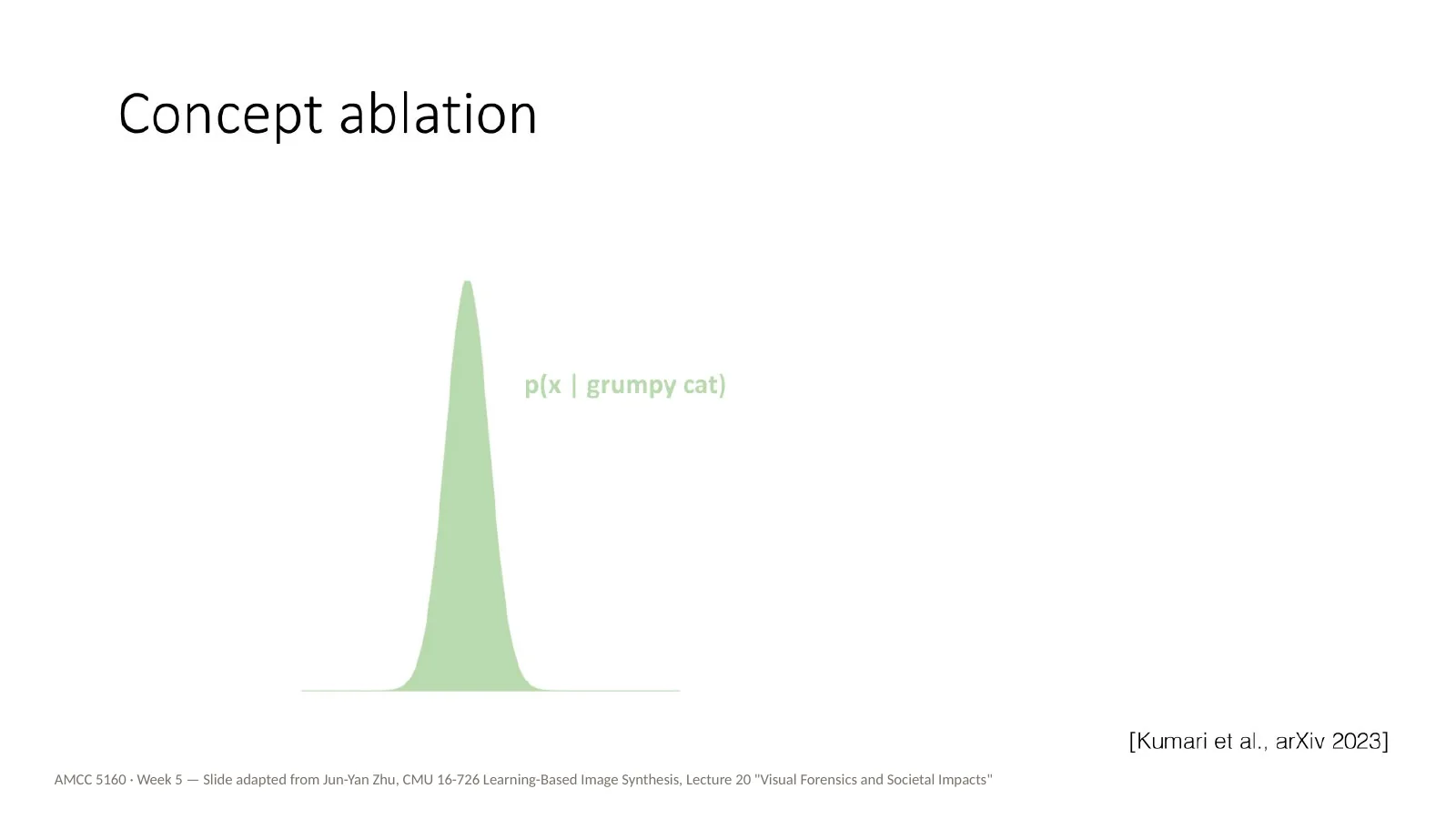
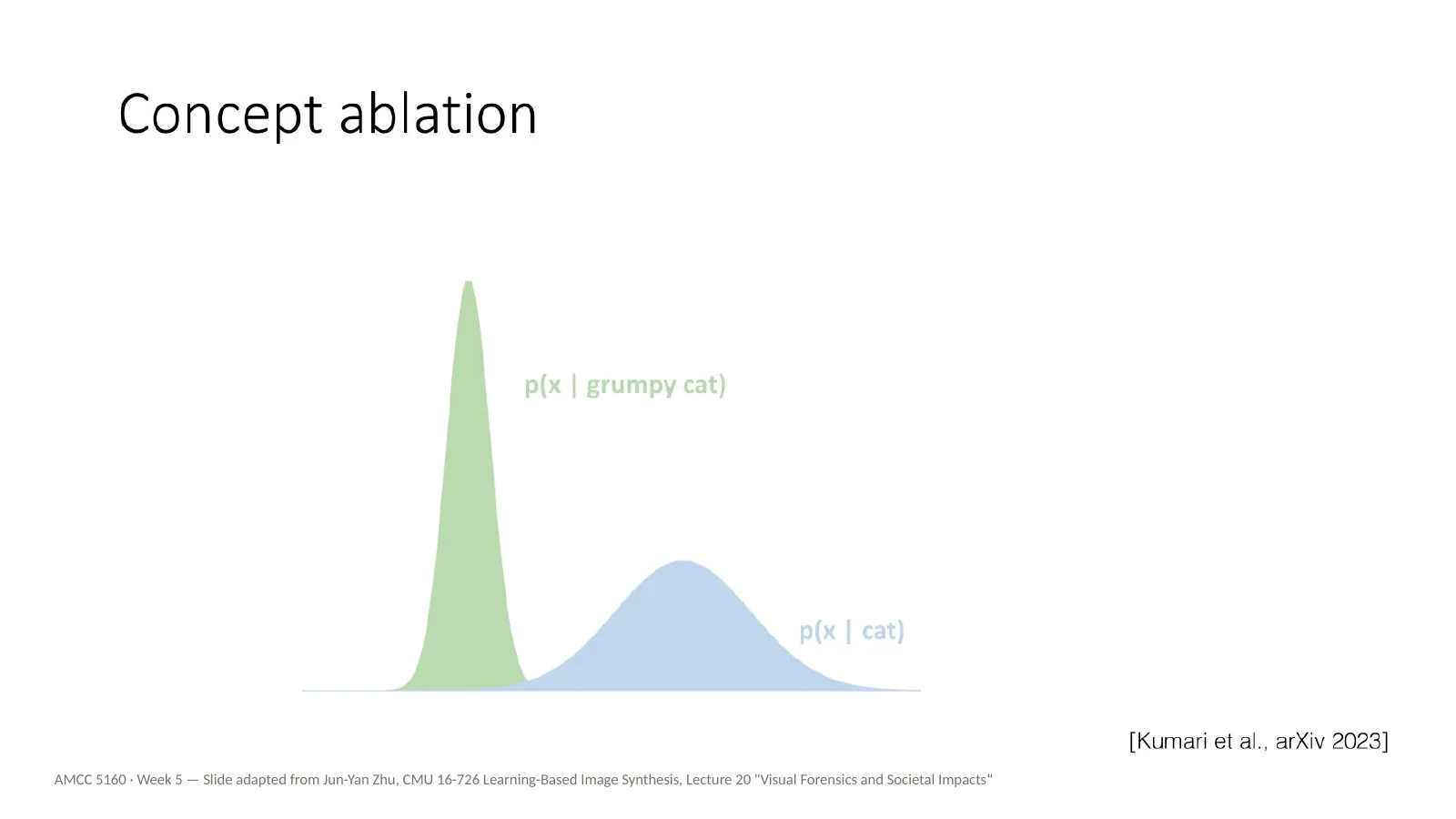
Here's an intuition for how this works, without the maths. Picture everything the model would draw for Grumpy Cat as a narrow hill — this green curve. All of its guesses are packed around one specific appearance.
Ablation reshapes that narrow green hill so that it matches the wider blue hill of any cat. After ablation, asking for Grumpy Cat gives you the same variety you'd get from asking for a cat. It's done with a small fine-tune — like Custom Diffusion, but pointing the other way. The original lecture has several slides of equations here; we'll skip them.
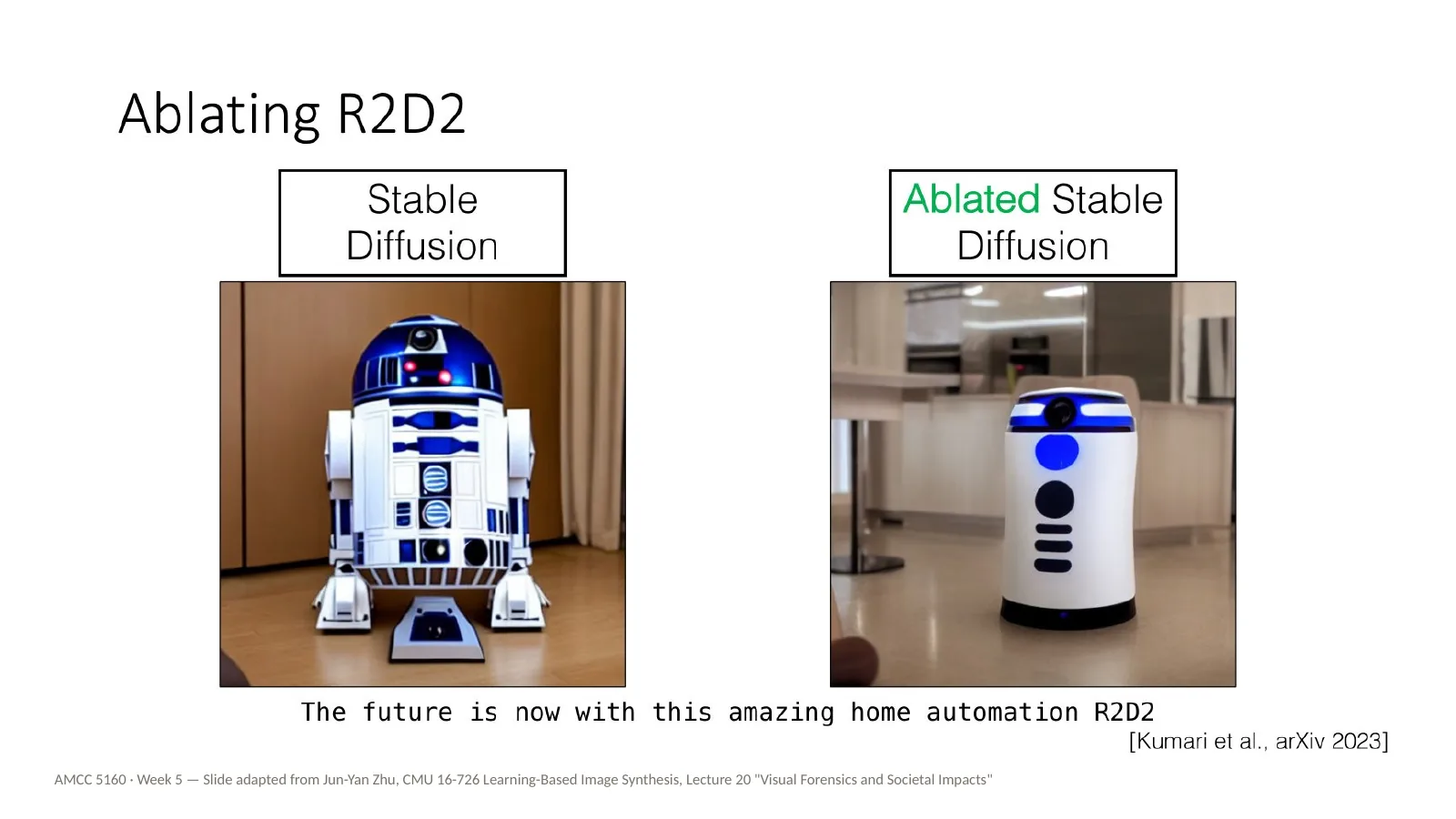
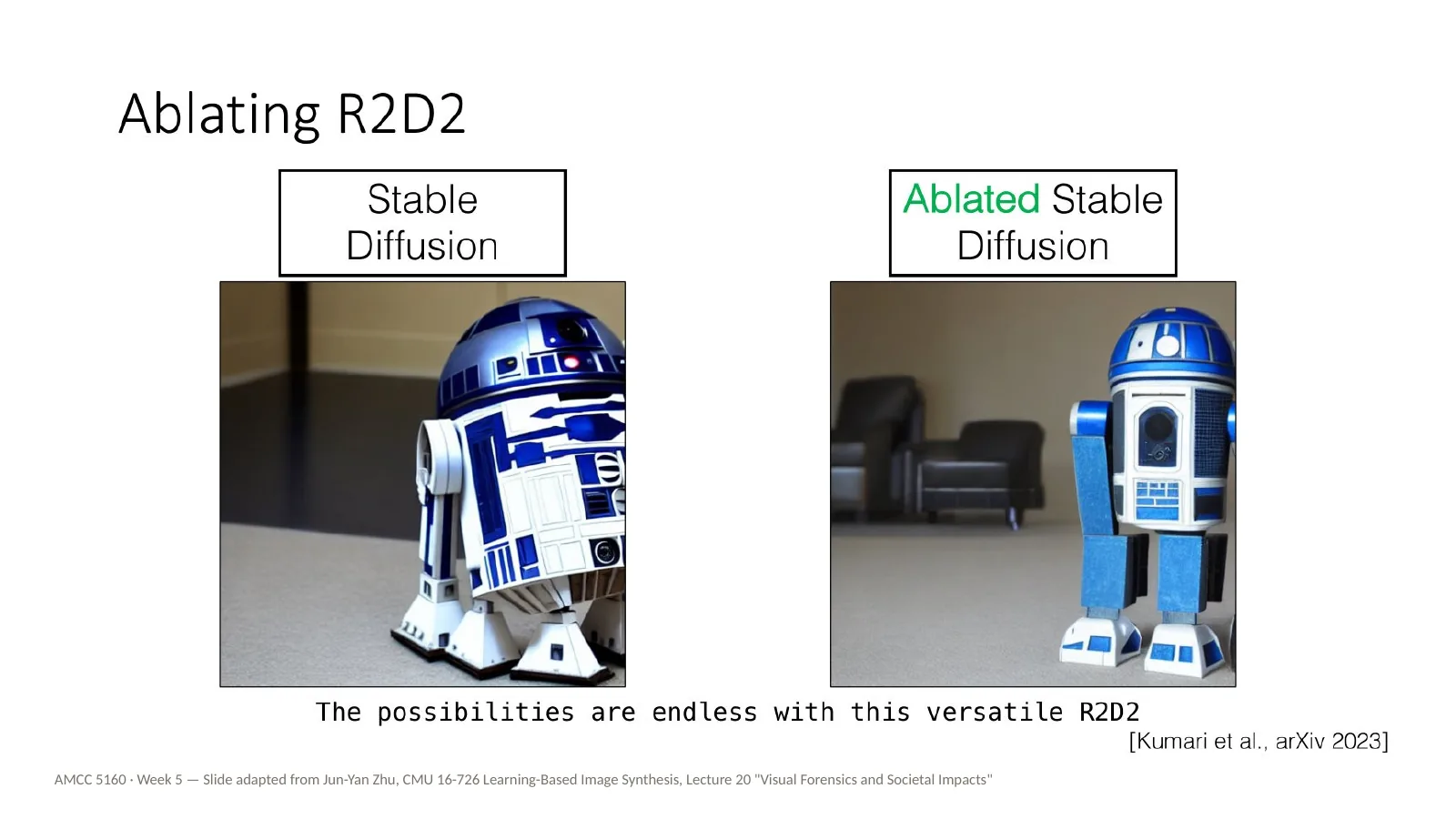
Here's a copyrighted character: R2D2. On the left, Stable Diffusion for the future is now with this amazing home automation R2D2. On the right, the ablated model, which gives a generic household robot. The prompt still makes sense, but the protected character is gone.
Another R2D2 prompt: the possibilities are endless with this versatile R2D2. Again, the original model draws R2D2, and the ablated model draws a different robot. The ablation holds across prompts, not just for one sentence.
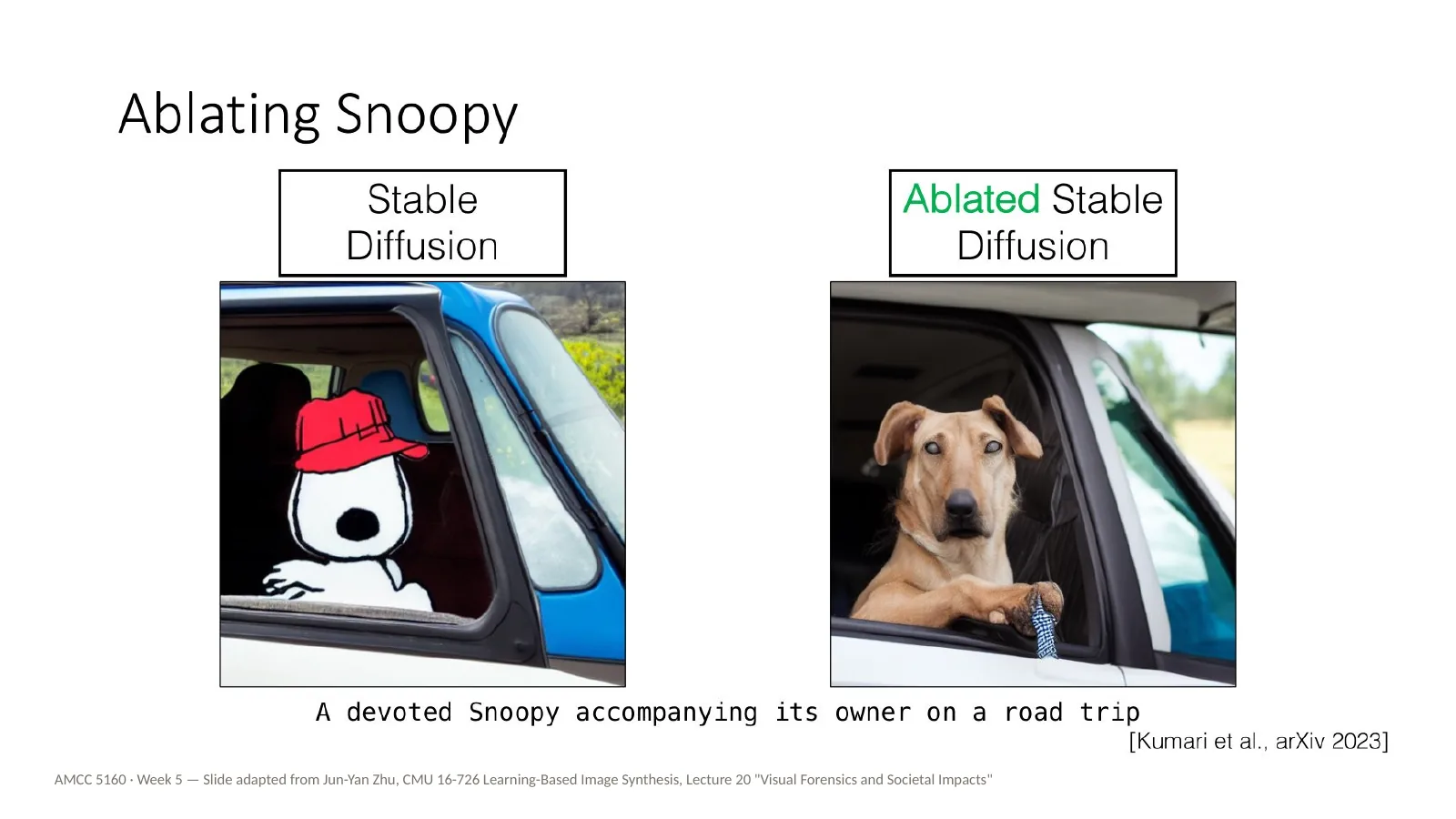
Now Snoopy. A devoted Snoopy accompanying its owner on a road trip. The original gives the cartoon character; the ablated model gives a real dog in a car. Let me ask you: is a model that can't draw Snoopy a better tool for artists, or a worse one? Think about it from Charles Schulz's point of view, and then from a fan artist's point of view.
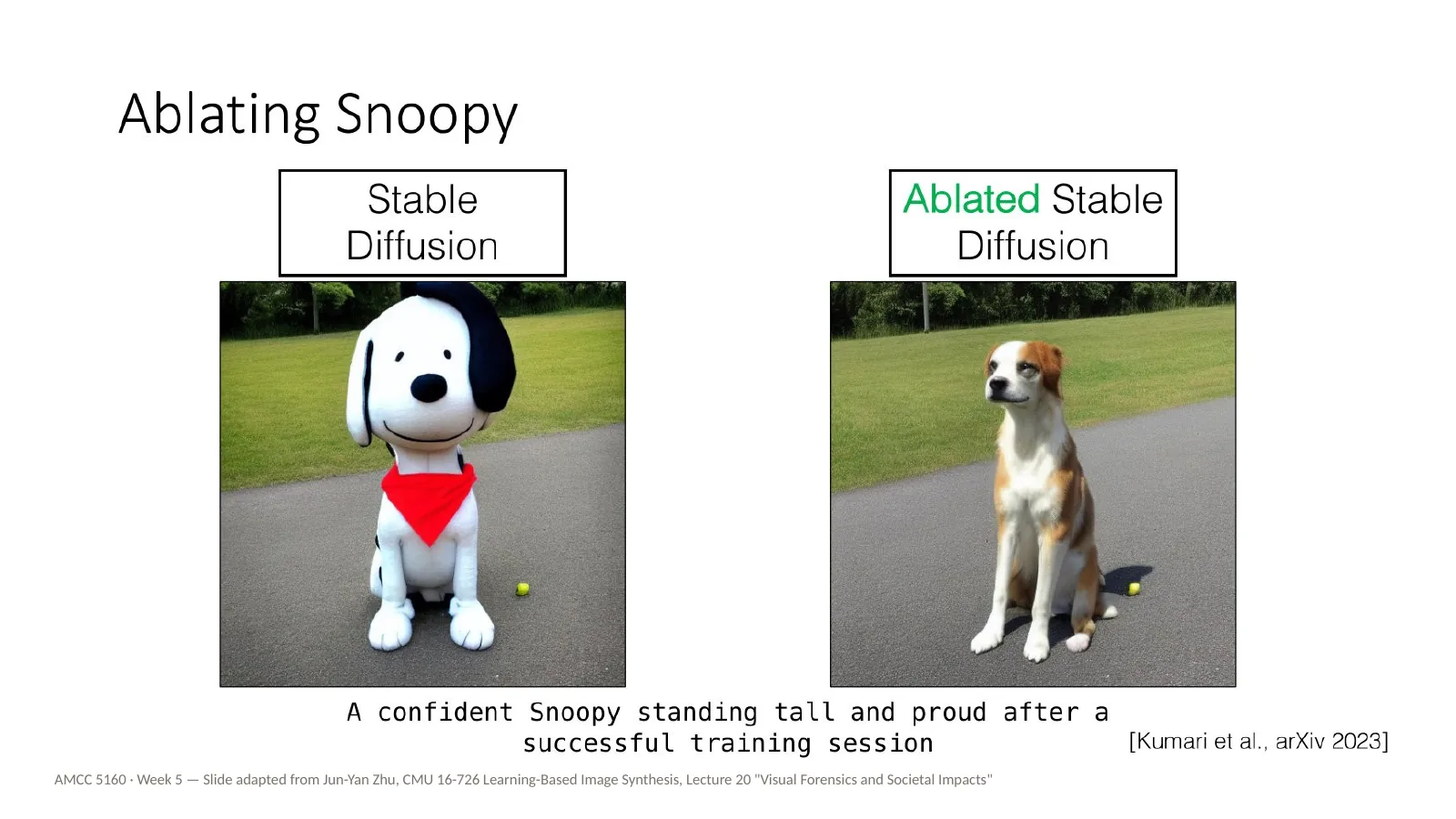
And another Snoopy prompt: a confident Snoopy standing tall and proud after a successful training session. Original: the cartoon Snoopy, rendered in 3D. Ablated: an ordinary dog standing on a road. The character is gone; the dog and the scene remain.
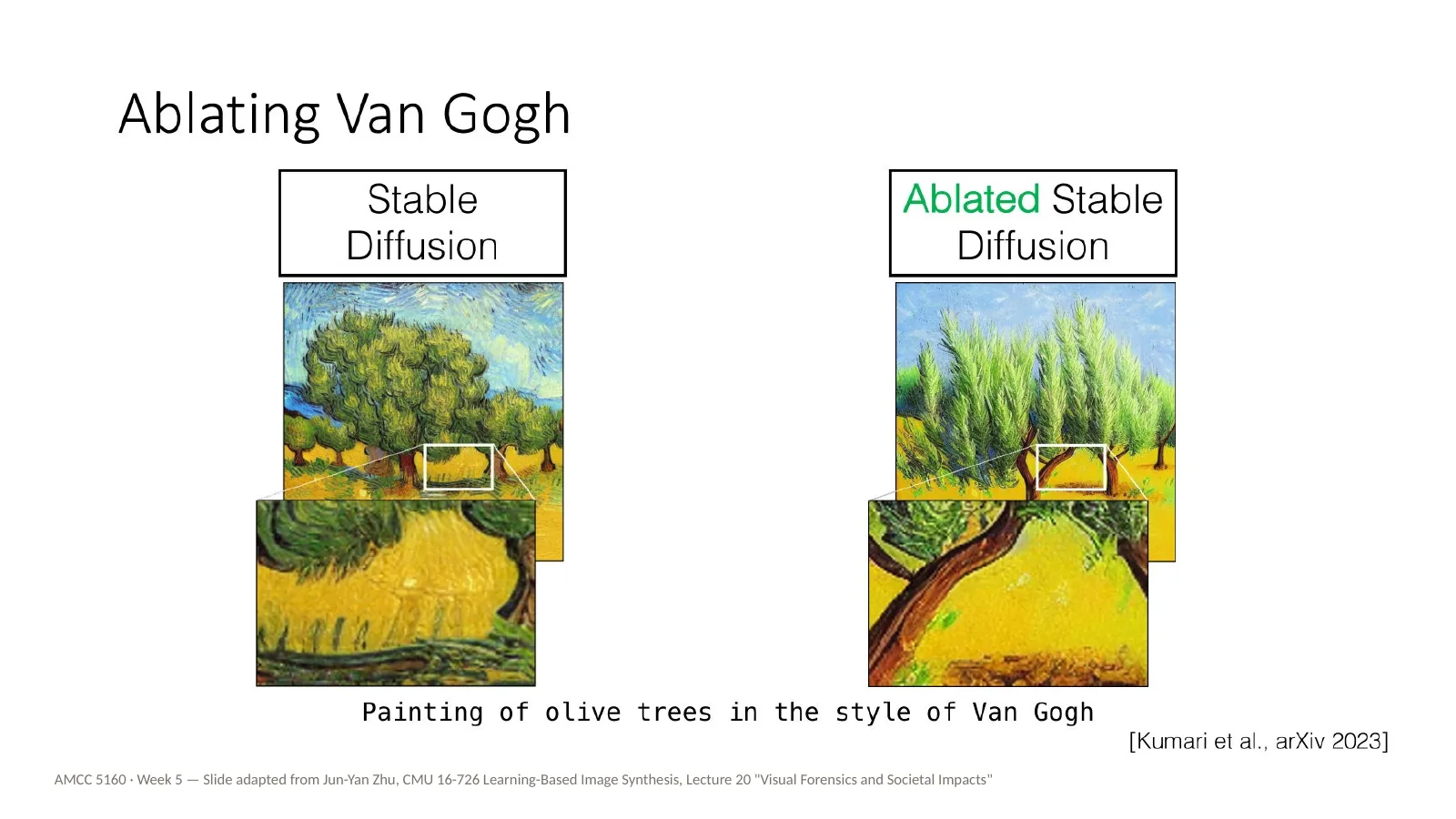
Now styles. Painting of olive trees in the style of Van Gogh. Van Gogh is in the public domain, so nobody actually needs to remove him, but he makes the effect easy to see. The olive trees stay. The swirling brushwork and the colours go.
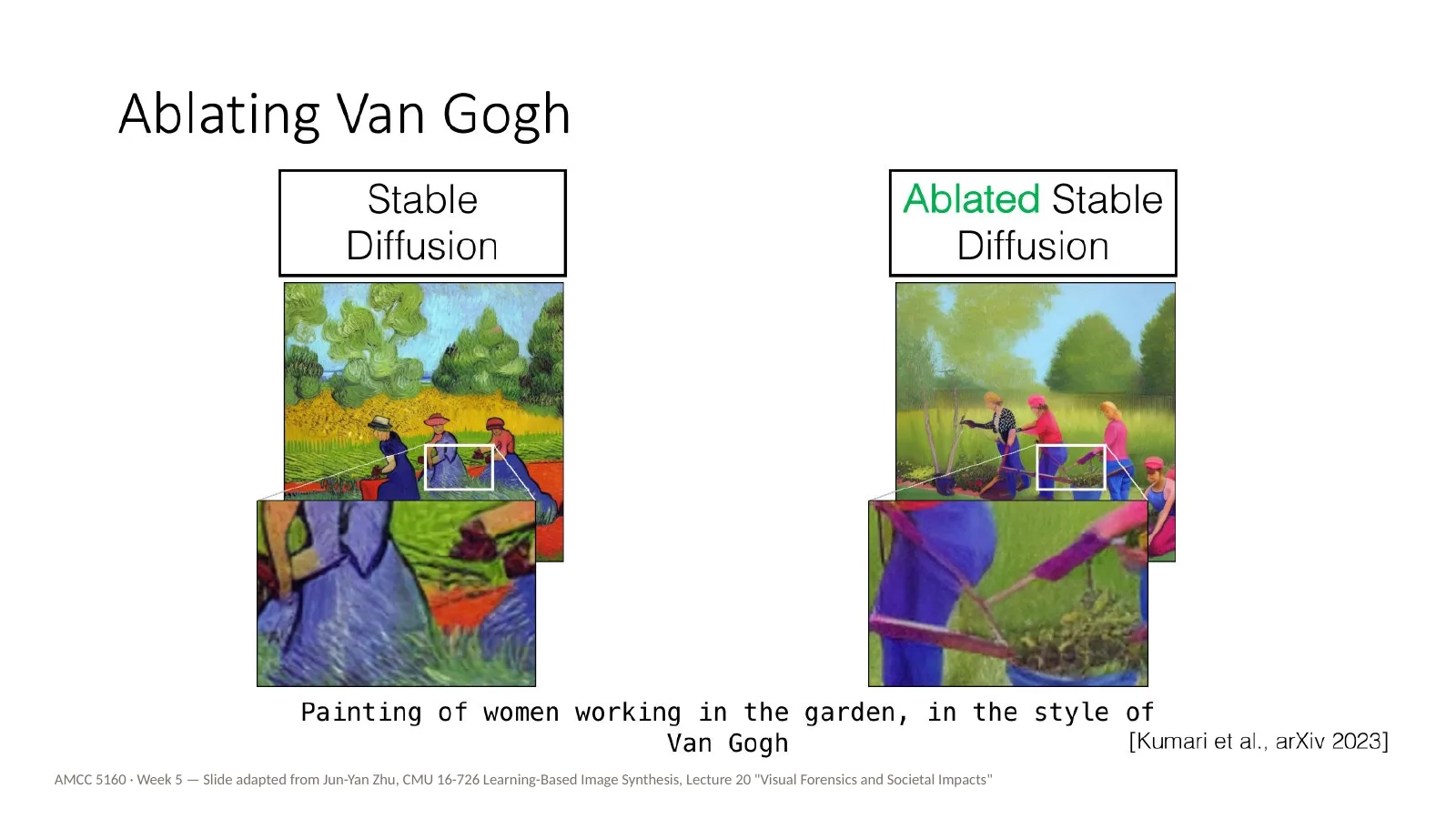
Painting of women working in the garden, in the style of Van Gogh. Look carefully at the zoomed-in regions. What exactly was removed? Colour, brushstroke, composition? This is a useful way to understand what a style is to a model: it's whatever changes when you take the name away.
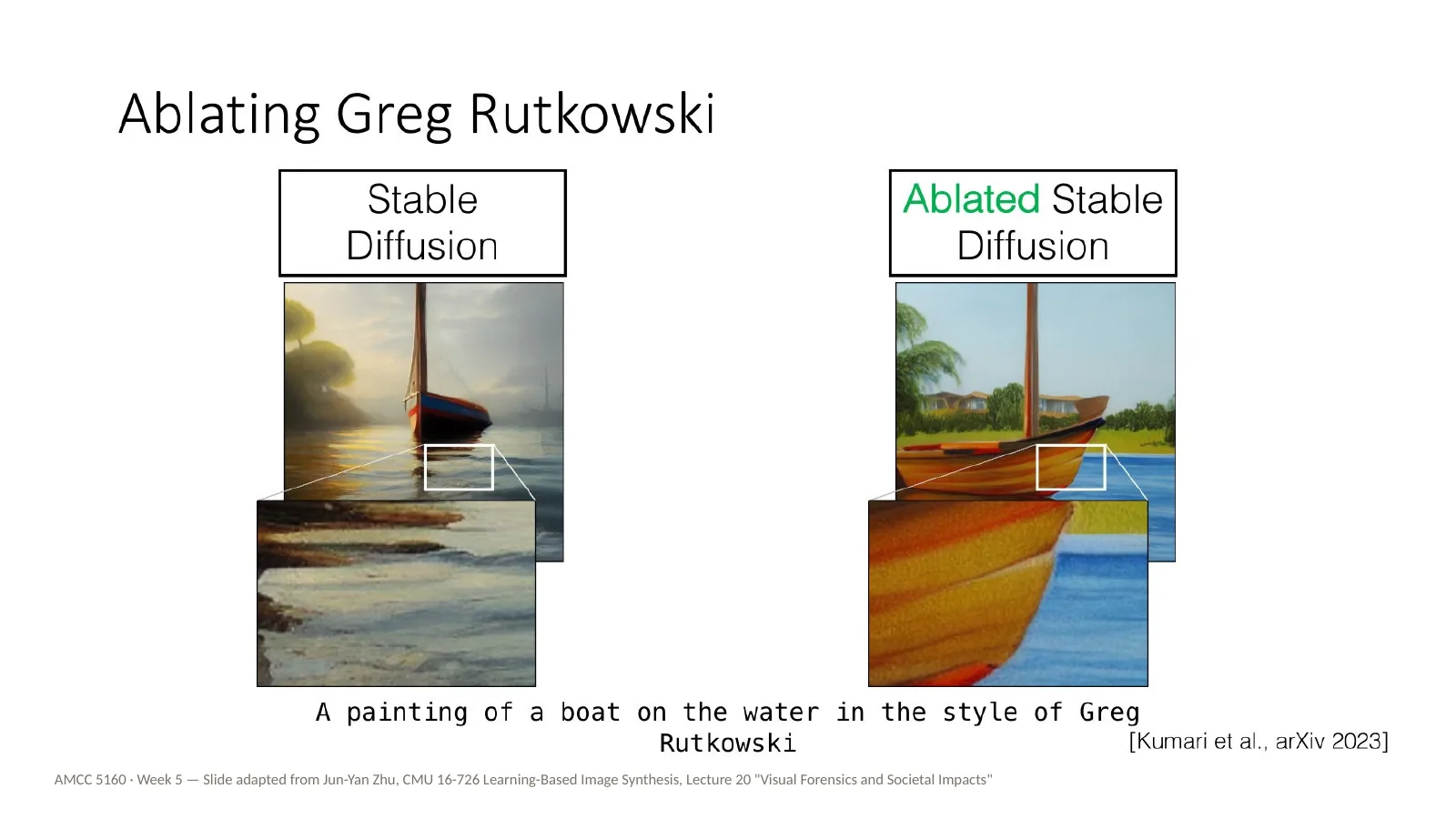
And now a living artist again. A painting of a boat on the water in the style of Greg Rutkowski — the same prompt we saw on the memorized style slide. On the left, the original model; on the right, the ablated model. The boat and the water are still there. The Rutkowski look is gone.
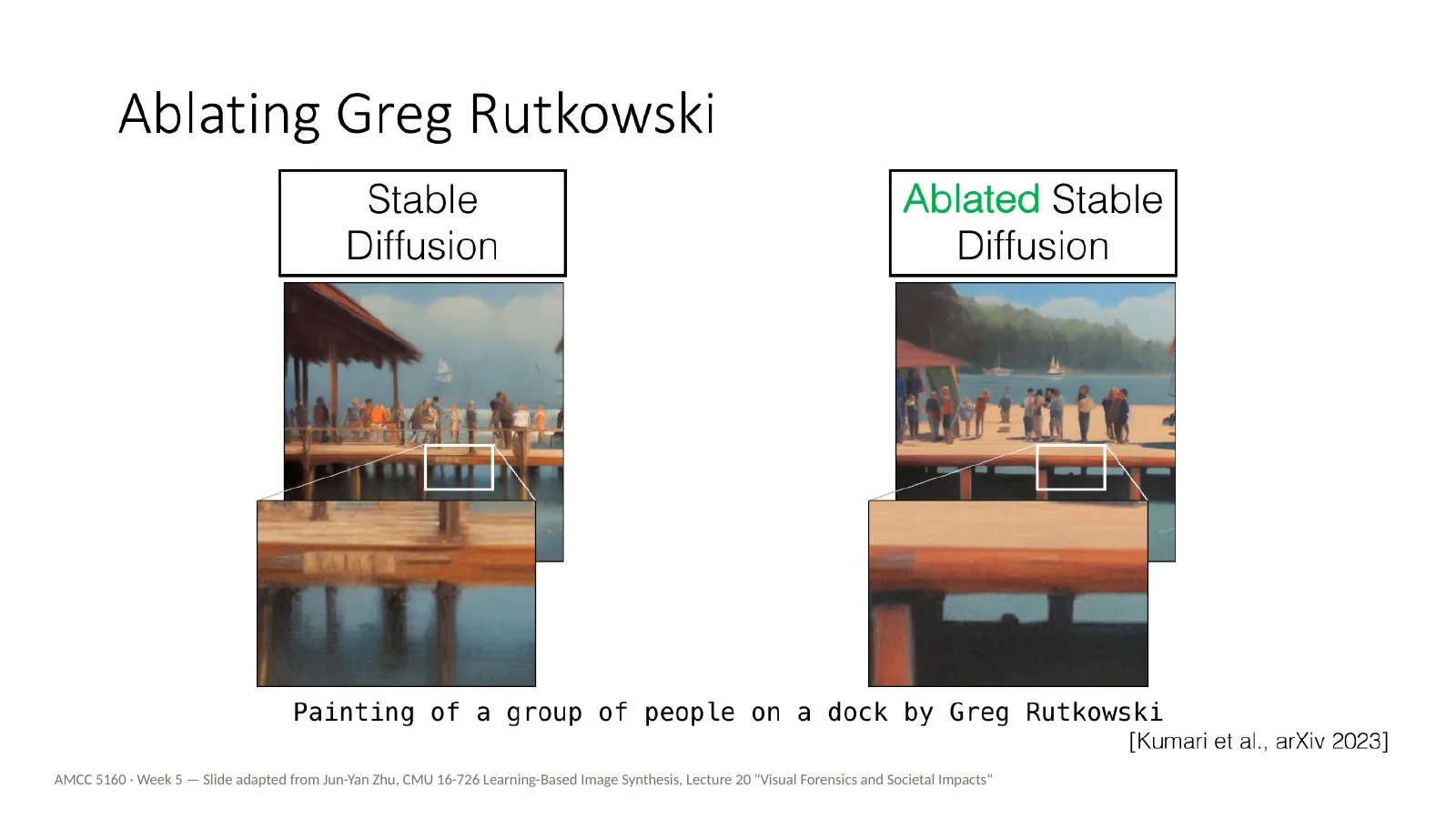
Painting of a group of people on a dock by Greg Rutkowski. Here's the point I'd like you to take away. Removing one name from one model is not removing the influence. Anyone can still train a LoRA on Rutkowski's portfolio in an afternoon, using exactly the techniques from the first half of tonight. So ablation is a useful tool, but it doesn't settle the ethical question on its own.
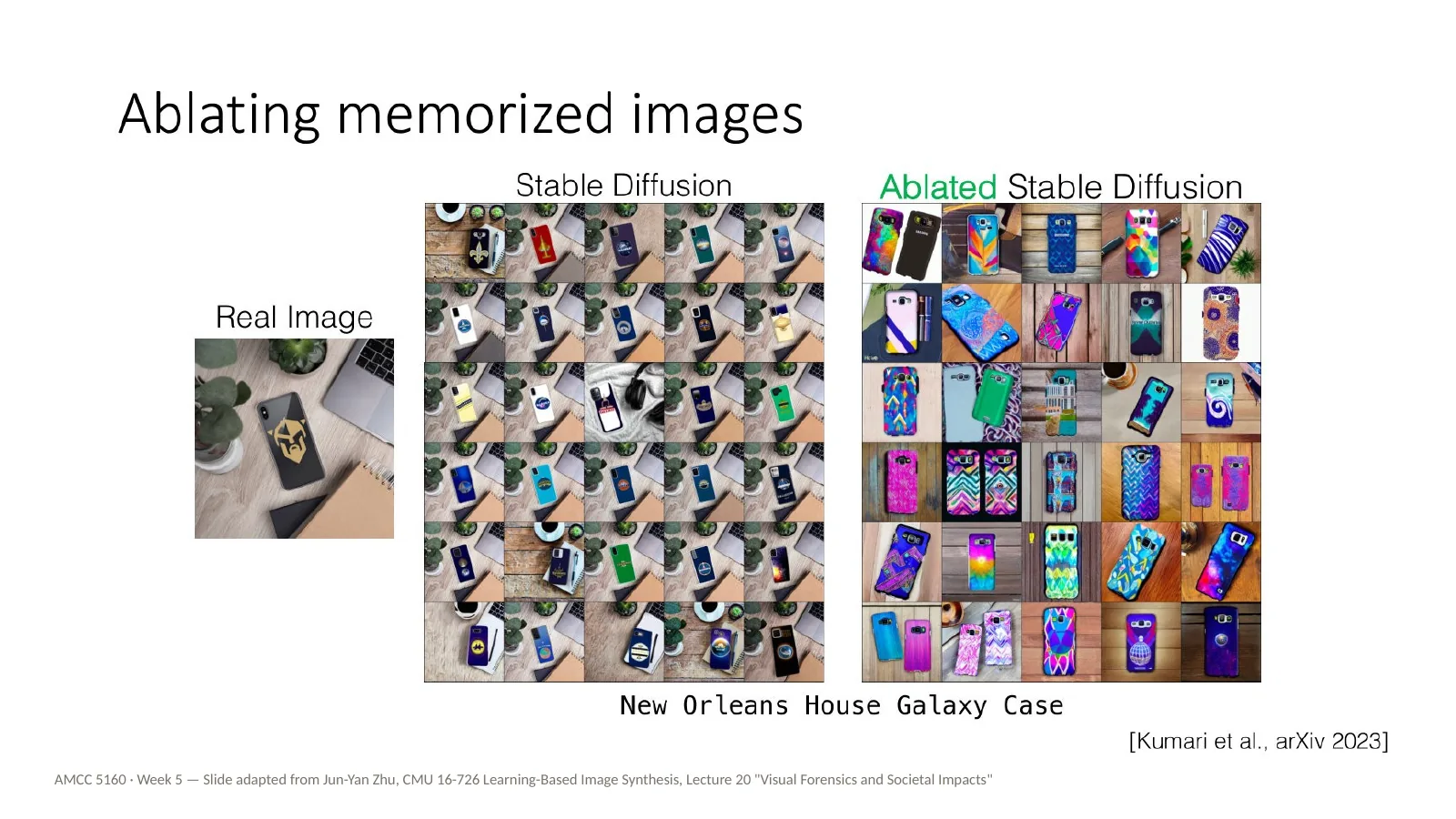
Ablation can also fix memorization. This is a phone case design, New Orleans House Galaxy Case, that the model kept reproducing almost exactly. On the left, the real image; in the middle, the original model's outputs, which are nearly all copies; on the right, after ablation, varied designs.
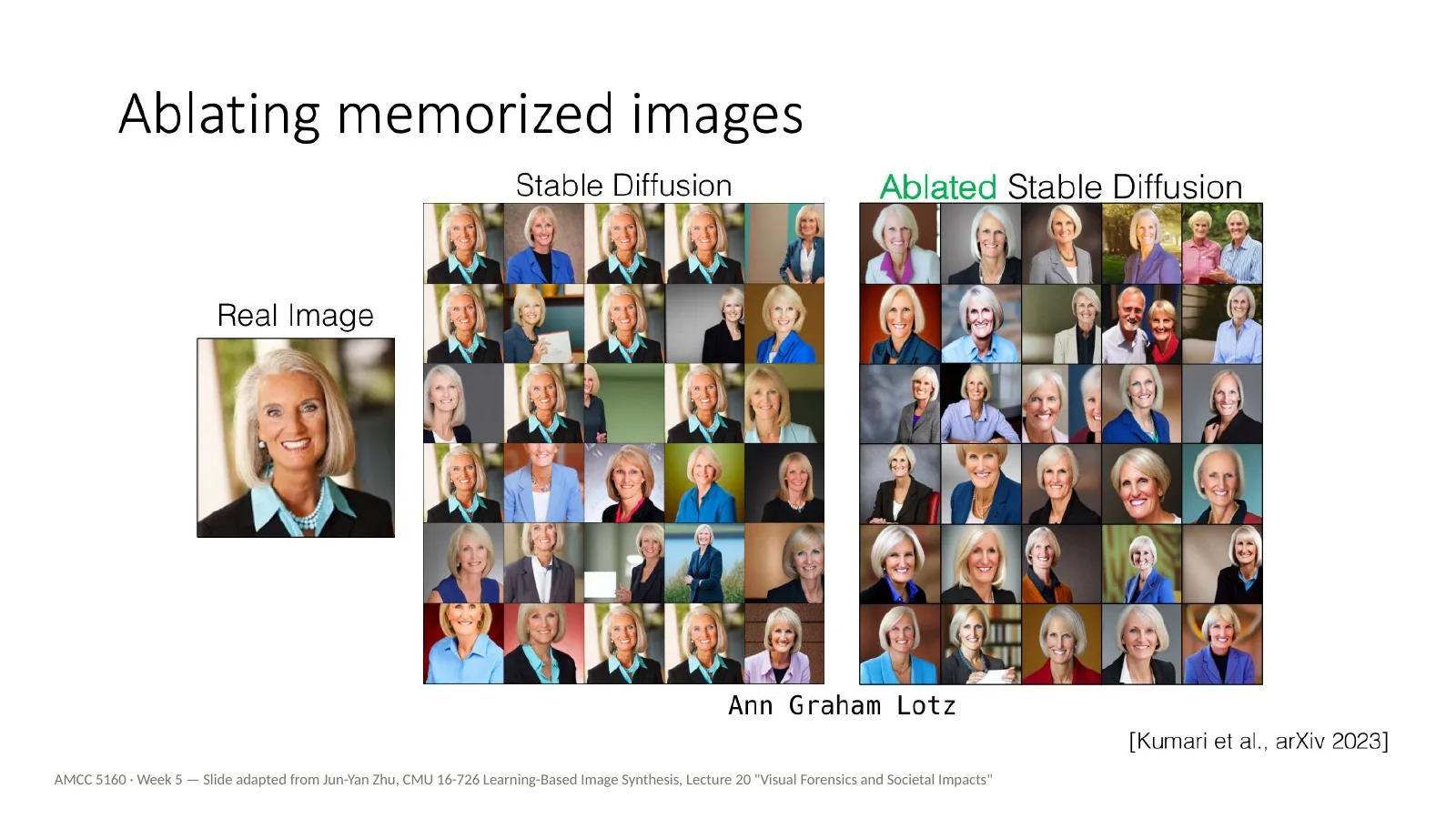
And the memorized portrait of Ann Graham Lotz from earlier. The original model keeps reproducing the one photograph. After ablation, it generates varied portraits. So the same tool can protect an artist's style and a person's image.
之前被记忆的Ann Graham Lotz肖像:原始模型不断复现那一张照片,消融后生成多样的肖像。同一工具既能保护艺术家的风格,也能保护个人形象。
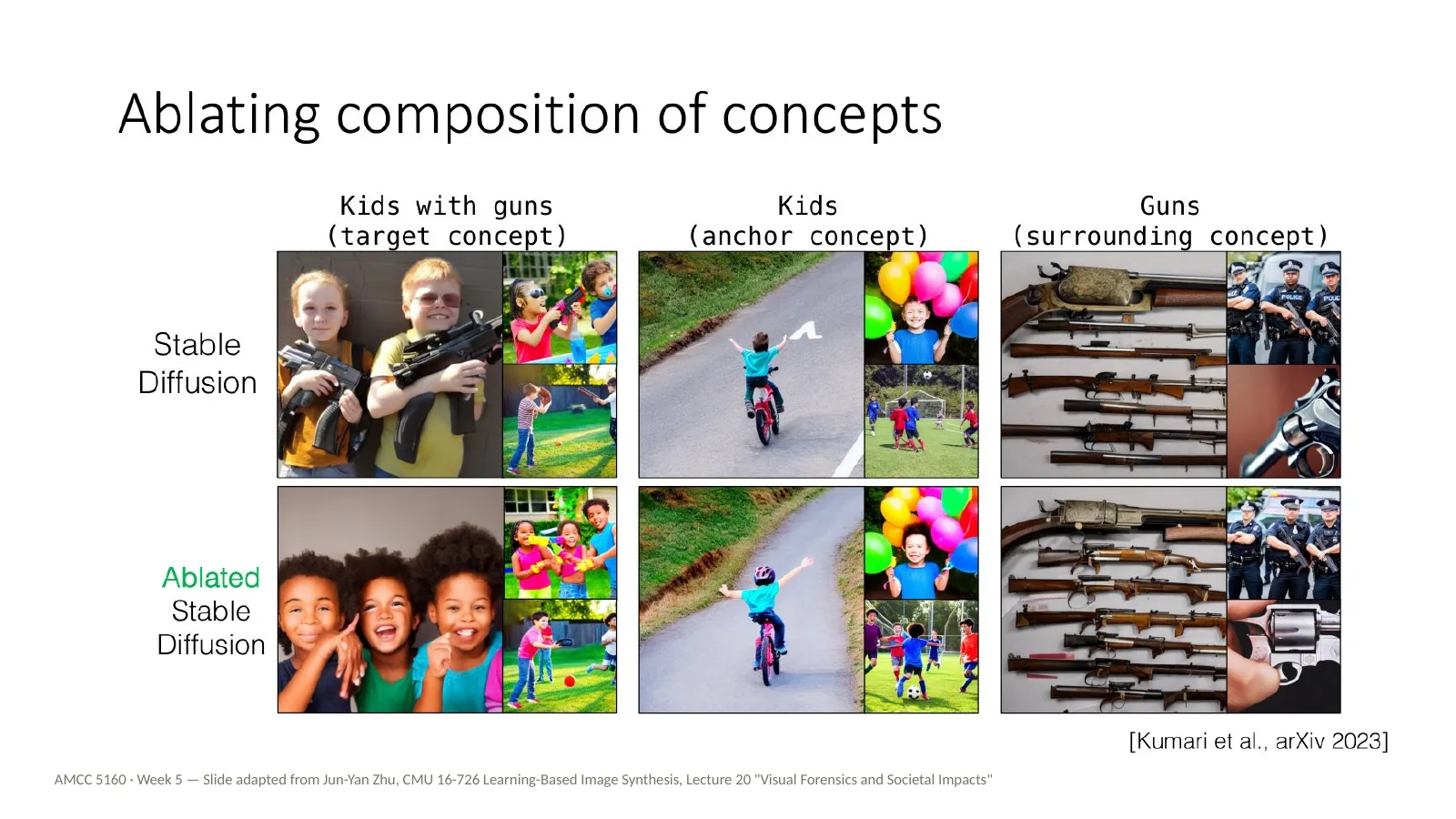
Finally, ablating a composition of concepts. Here the target is the combination kids with guns. The goal is to remove that combination while keeping kids on their own, and guns on their own. This is the mirror image of Custom Diffusion's multi-concept merging: instead of combining two concepts, you prevent one specific combination.
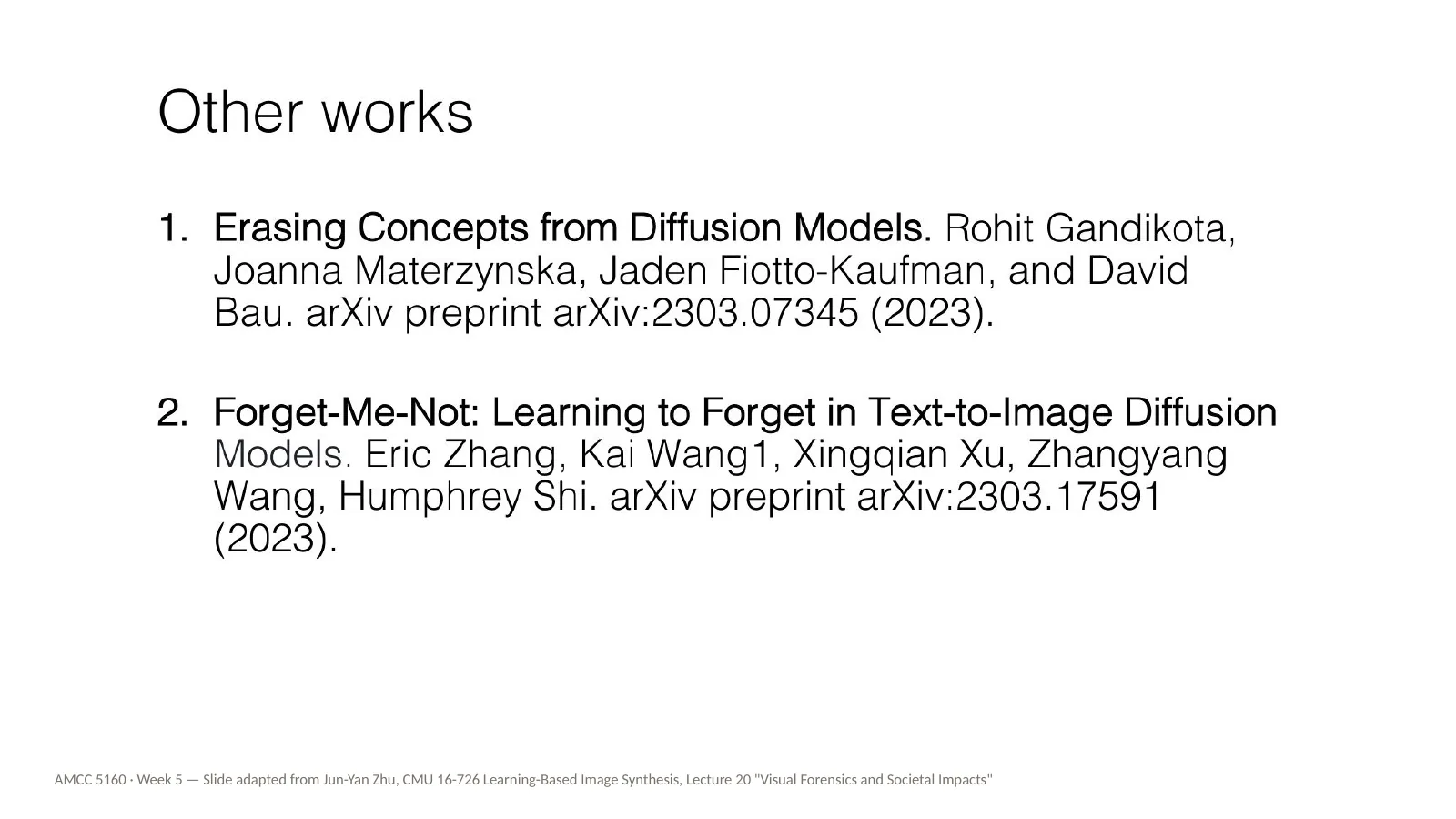
For those of you who want to go deeper, here are two related papers: Erasing Concepts from Diffusion Models, by Gandikota and colleagues, and Forget-Me-Not, by Zhang and colleagues. Both are about making text-to-image models forget. They're good background if you're interested in the technical side of artists' rights.
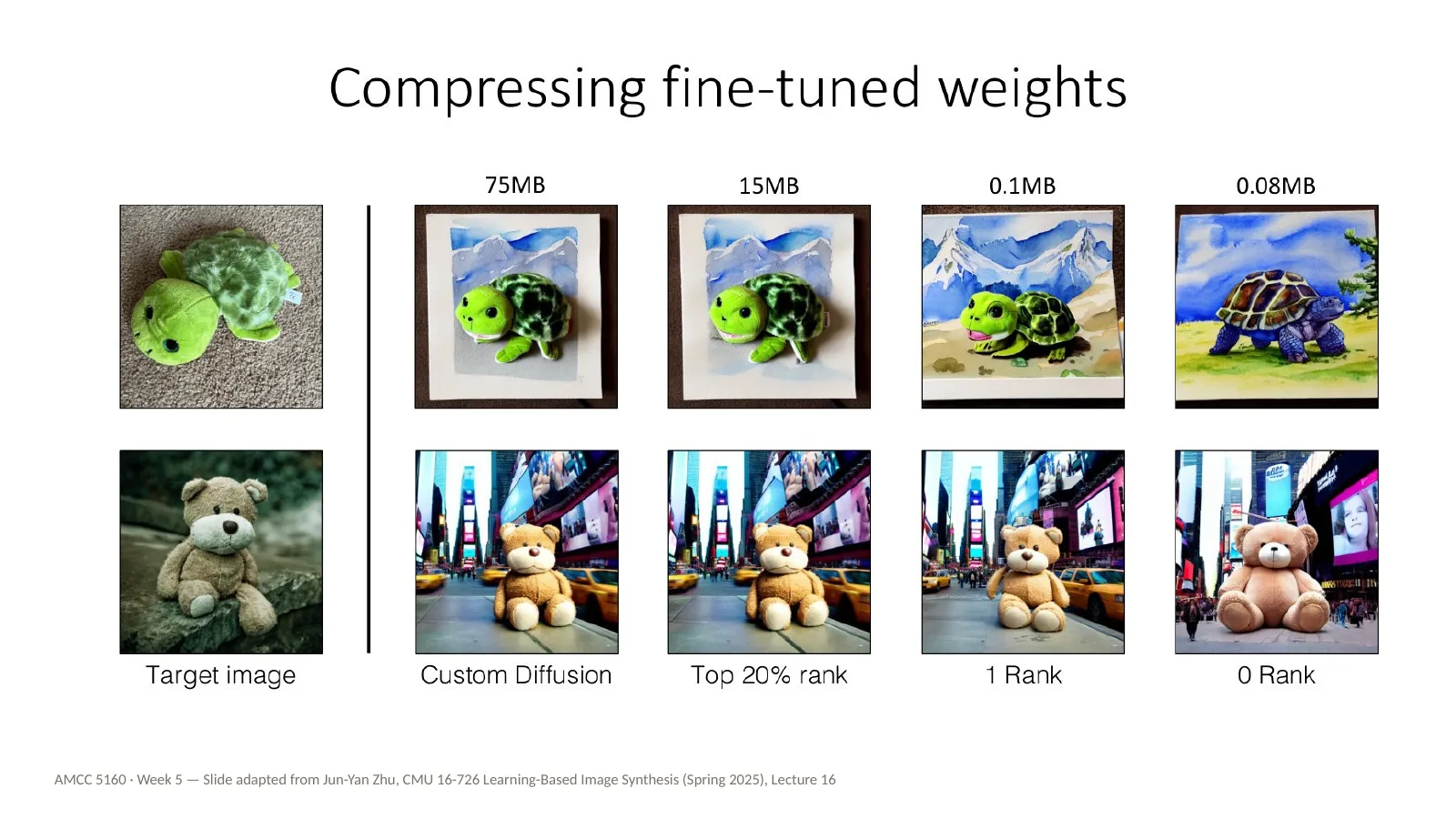
Back to technique for the last time. We saw that Custom Diffusion's update is low-rank. So we can compress it: keep only the top directions of change. Keeping the top twenty percent of the rank gives about fifteen megabytes, and even a rank-one update is around a tenth of a megabyte, and still captures a lot of the concept. That's why these adapters are small enough to share as files.
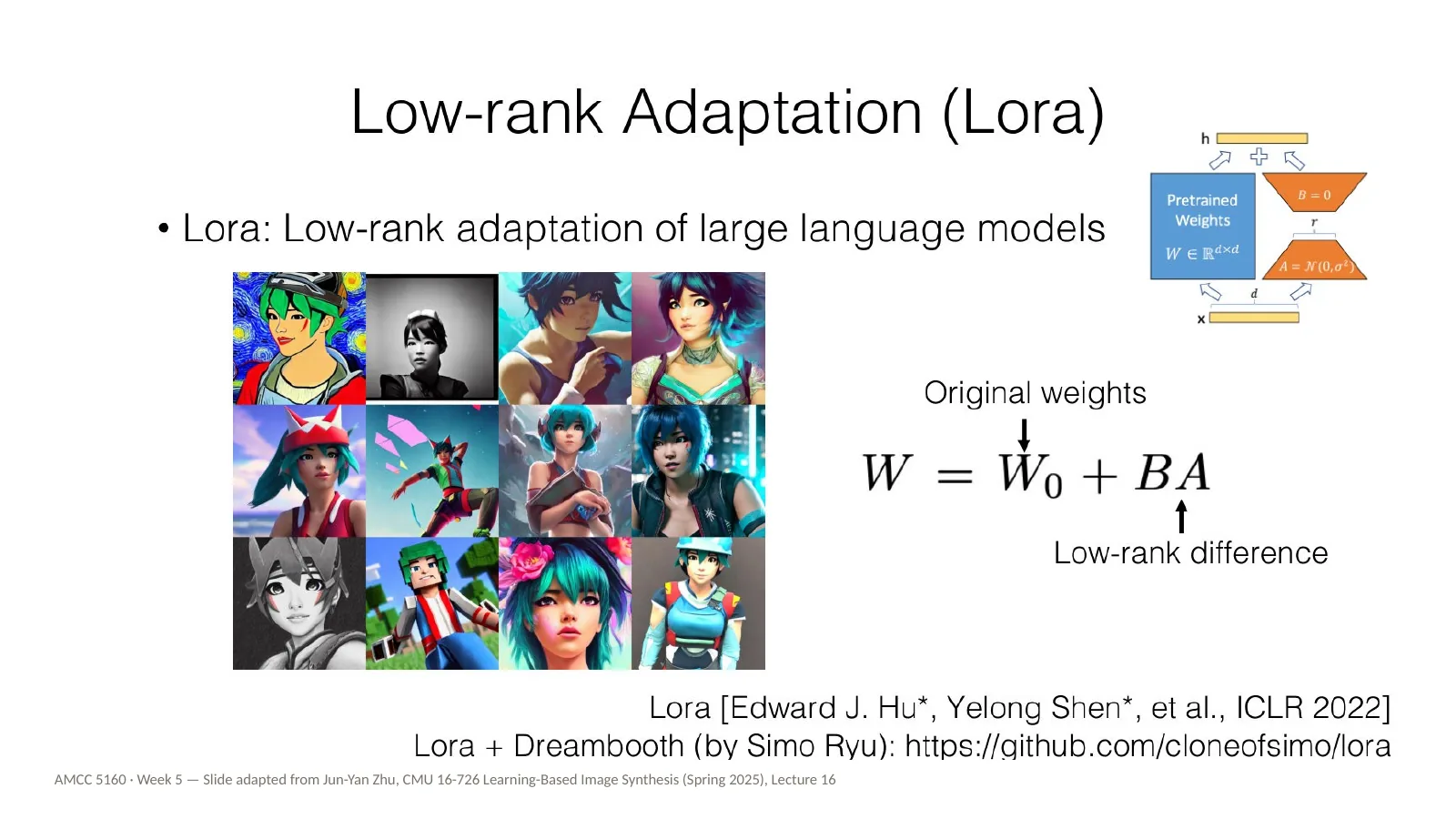
And this brings us to LoRA, Low-Rank Adaptation, by Edward Hu, Yelong Shen and colleagues, ICLR 2022. It was invented for large language models, and brought to diffusion models by Simo Ryu. Here's an intuition: the original model is a huge sheet of numbers. LoRA adds a thin overlay made of two skinny matrices multiplied together. You train only the overlay. Swap overlays, keep the model. This is now the most common way that artists customize image and video models.
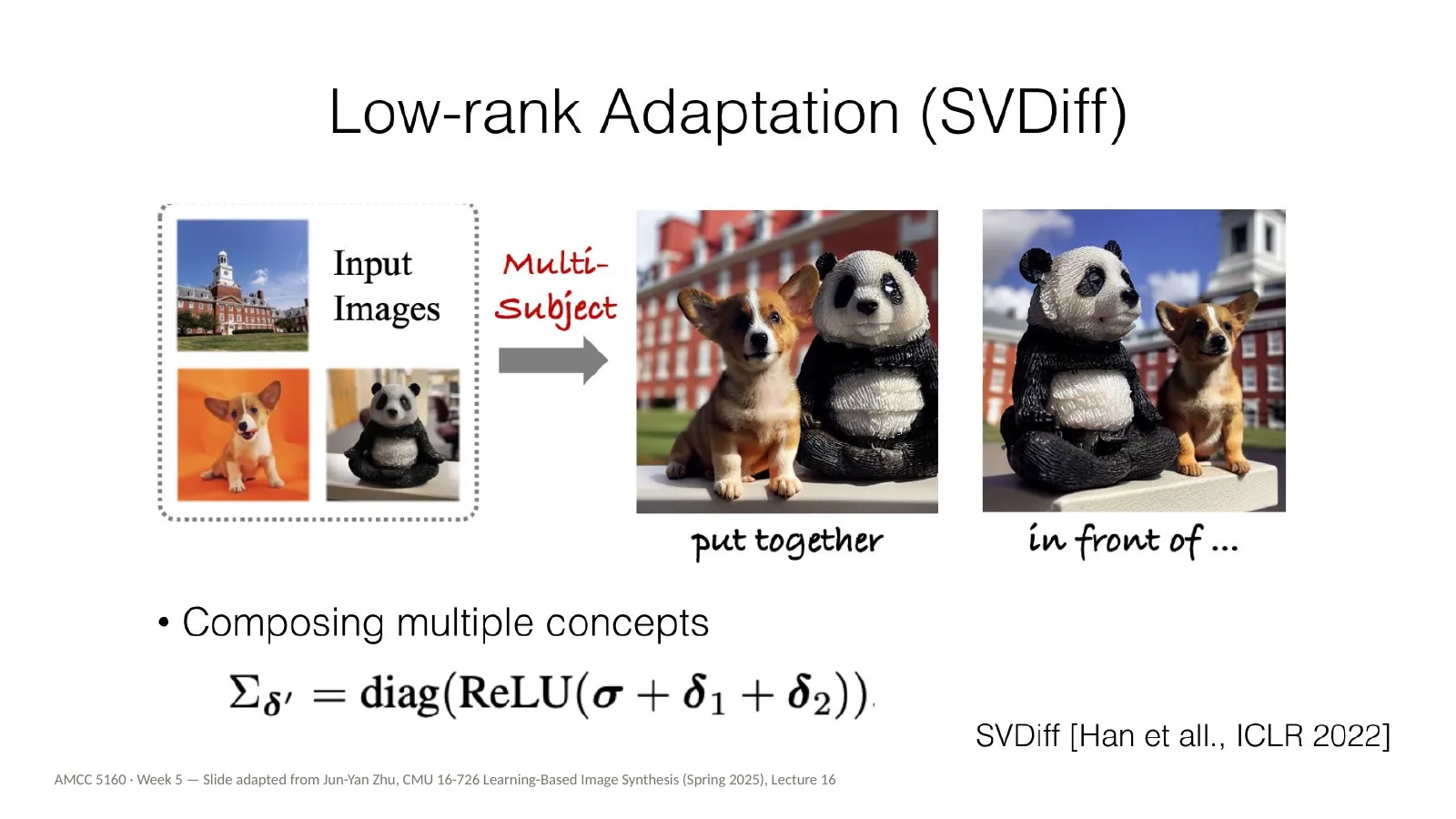
There are variations on this idea. SVDiff, by Han and colleagues, optimizes only the singular values of the weight matrices, which makes the update even smaller and makes it easier to compose multiple subjects, like a dog and a panda put together. You don't need to remember the details. The general idea is: find the smallest change to the model that captures what you want.
But every method so far needs training. Minutes at best, sometimes hours, for each concept. For live performance, or for quick iteration in a studio, that's too slow. So can we skip the training entirely?
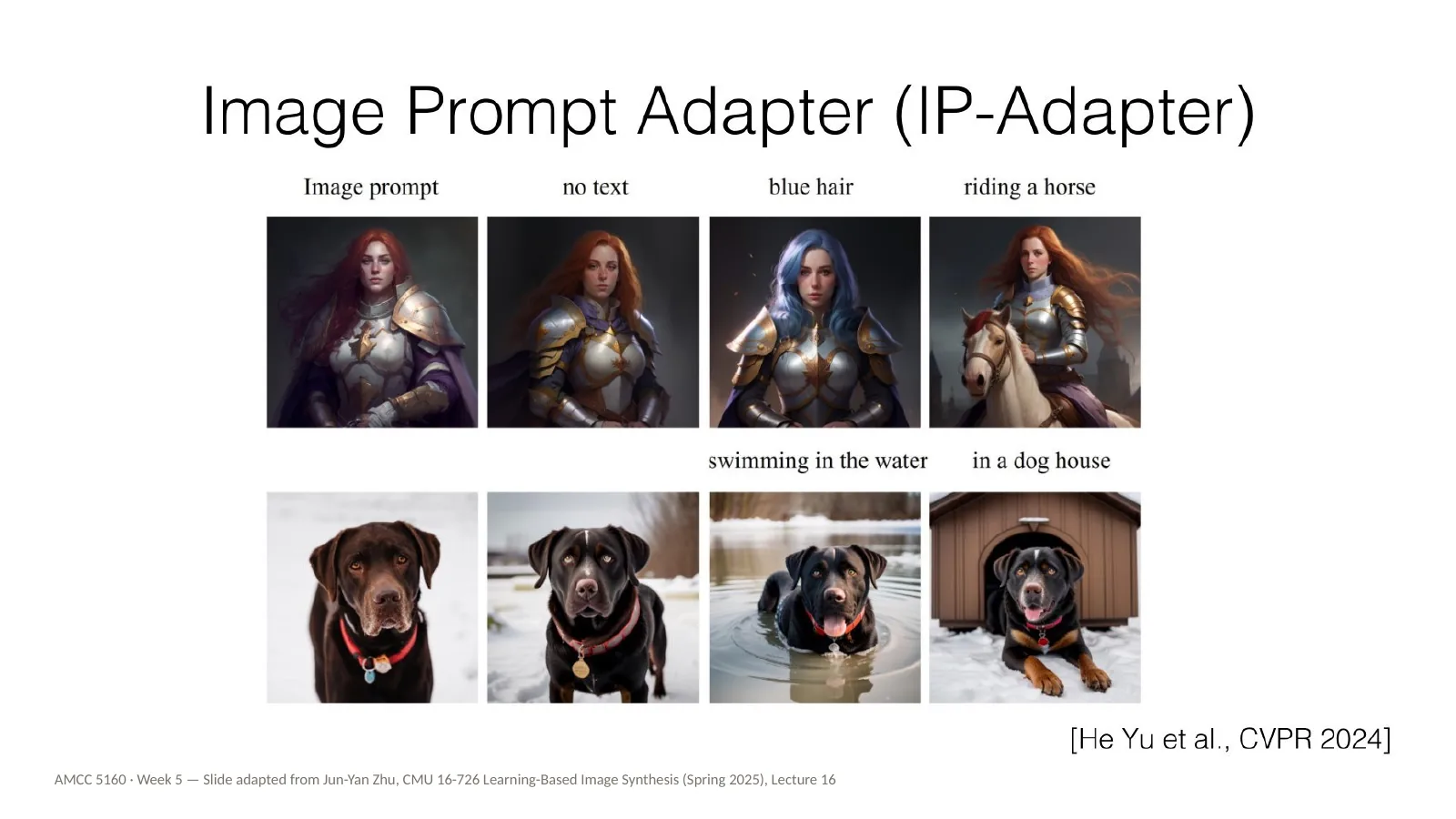
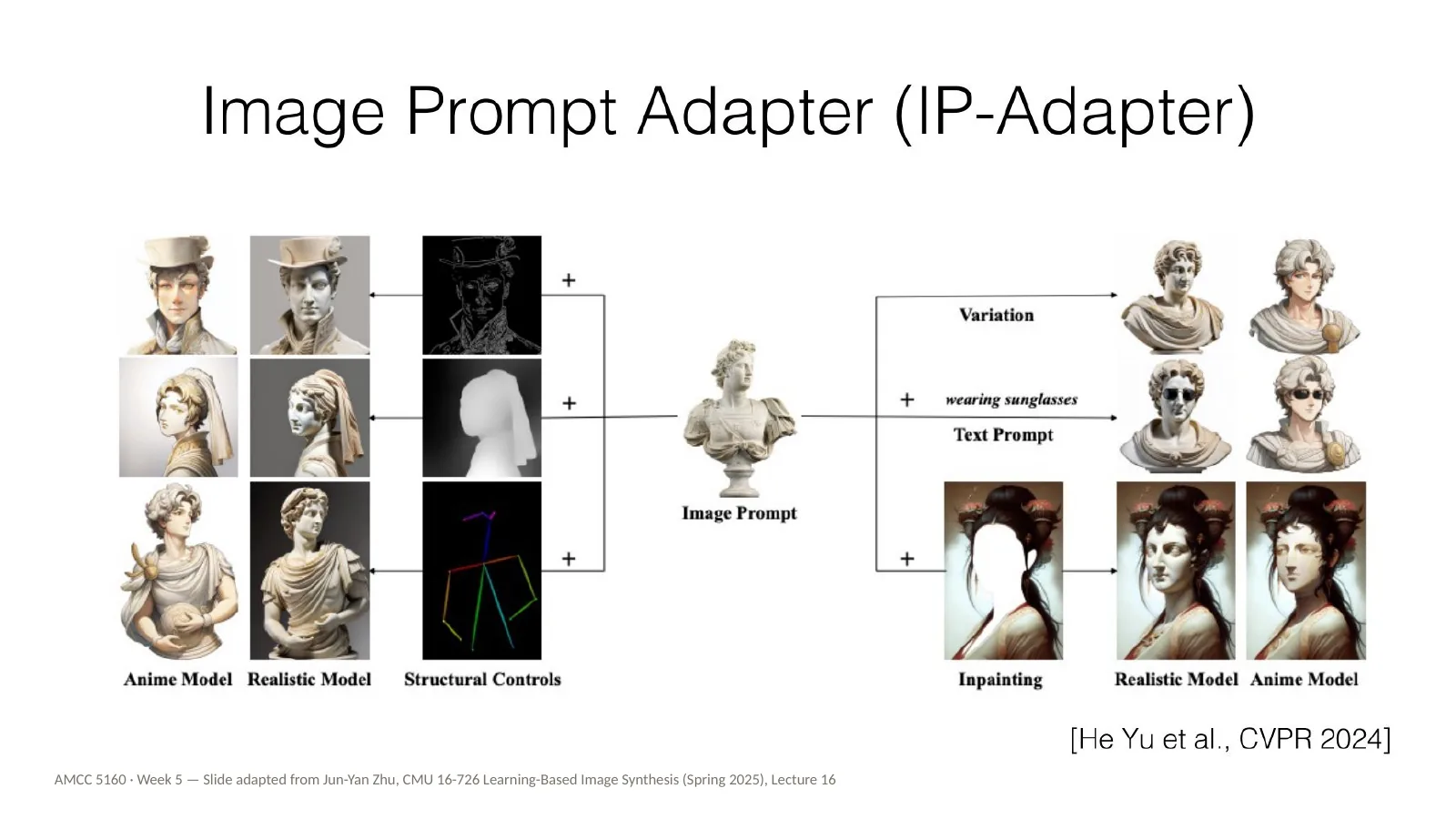
Yes, with encoder-based methods. IP-Adapter, the Image Prompt Adapter, by Hu Ye and colleagues. Instead of training on your images, an image encoder turns a reference picture into a visual prompt in a single pass, and feeds it into the model's cross-attention alongside the text. It's instant, but less faithful than a trained LoRA. Most reference image features in today's video tools work roughly this way.
Here are IP-Adapter results. A single reference image steers the new generations. And because it enters through its own path, it can be combined with a text prompt, and with structure controls like ControlNet from Week 2.
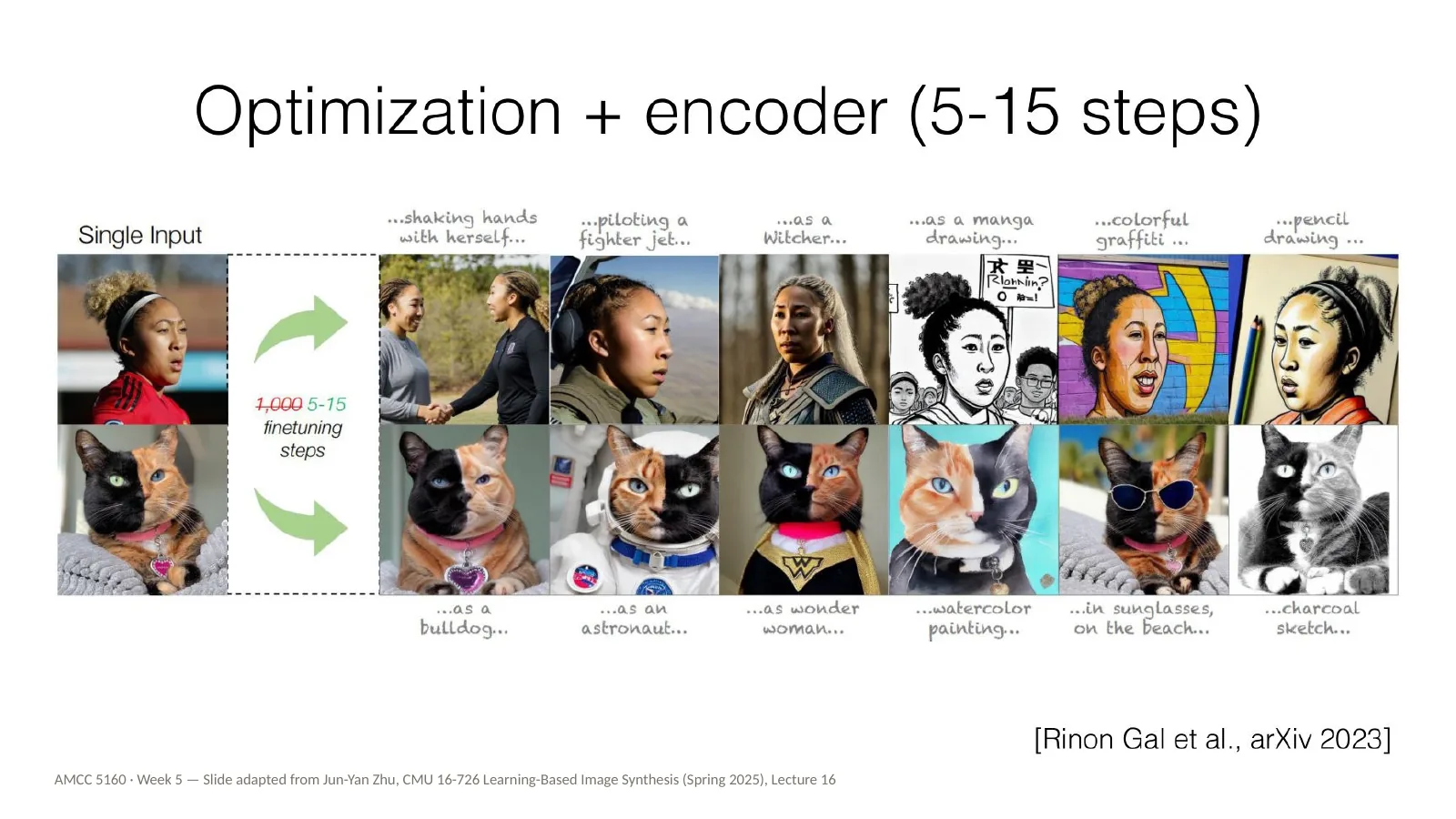
And there's a middle way: optimization plus an encoder. An encoder gives a good starting point from a single input image, and then only five to fifteen fine-tuning steps are needed, instead of thousands. Here one photo of a person, and one of a cat, become an astronaut, a watercolour painting, a charcoal sketch, and more. This work is again by Rinon Gal and colleagues.
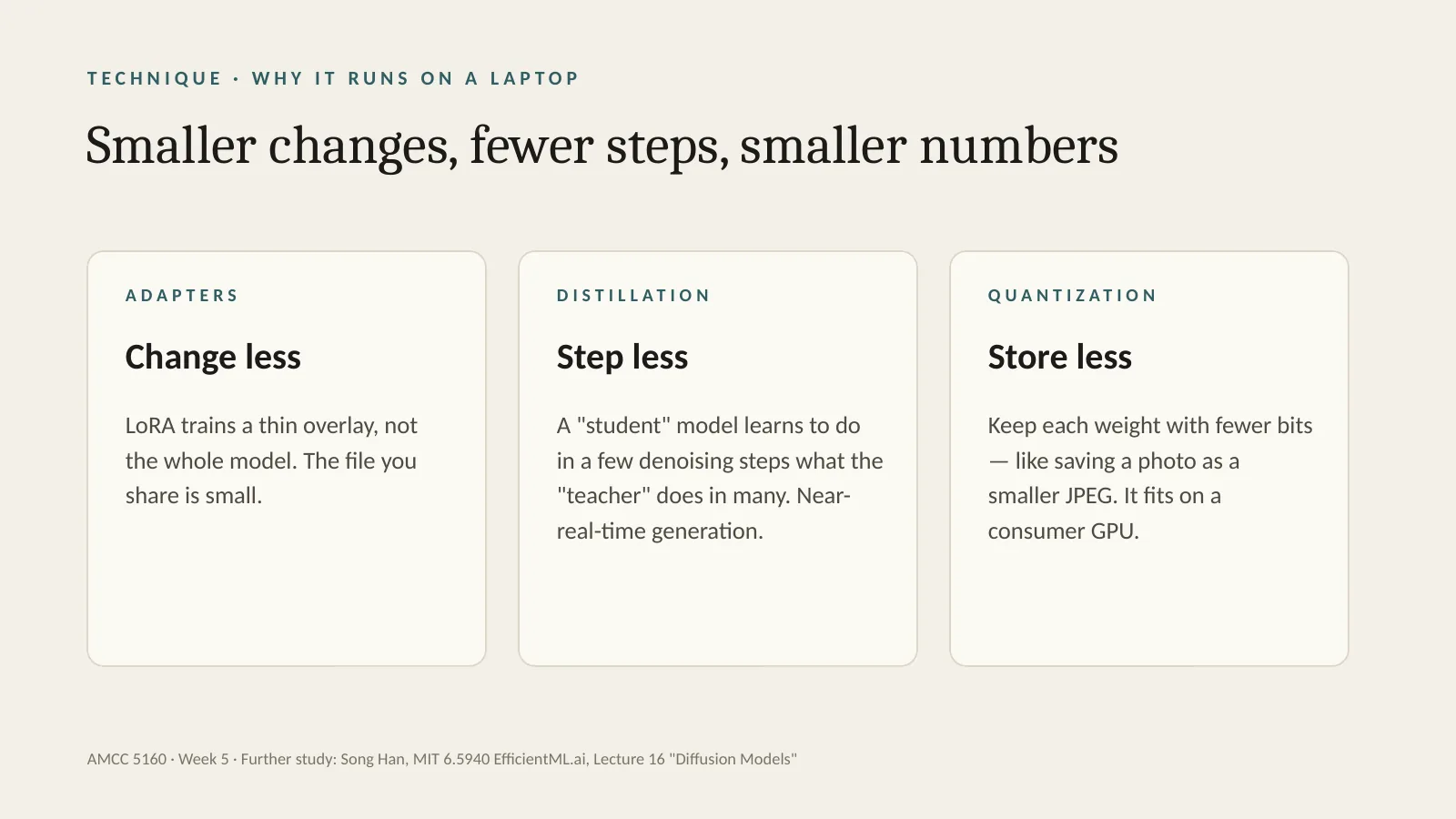
Let me add one slide of my own on why all of this now runs on a laptop. Three ideas, and I'll keep them at the level of intuition. Adapters: change less. LoRA trains a thin overlay, not the whole model, so the file you share is small. Distillation: step less. A student model learns to do in a few denoising steps what the teacher does in many, which gives near-real-time generation. Quantization: store less. Keep each number in the model with fewer bits — like saving a photo as a smaller JPEG — so it fits on a consumer GPU. For the technical students, Song Han's MIT course, EfficientML.ai, Lecture 16, covers this properly.
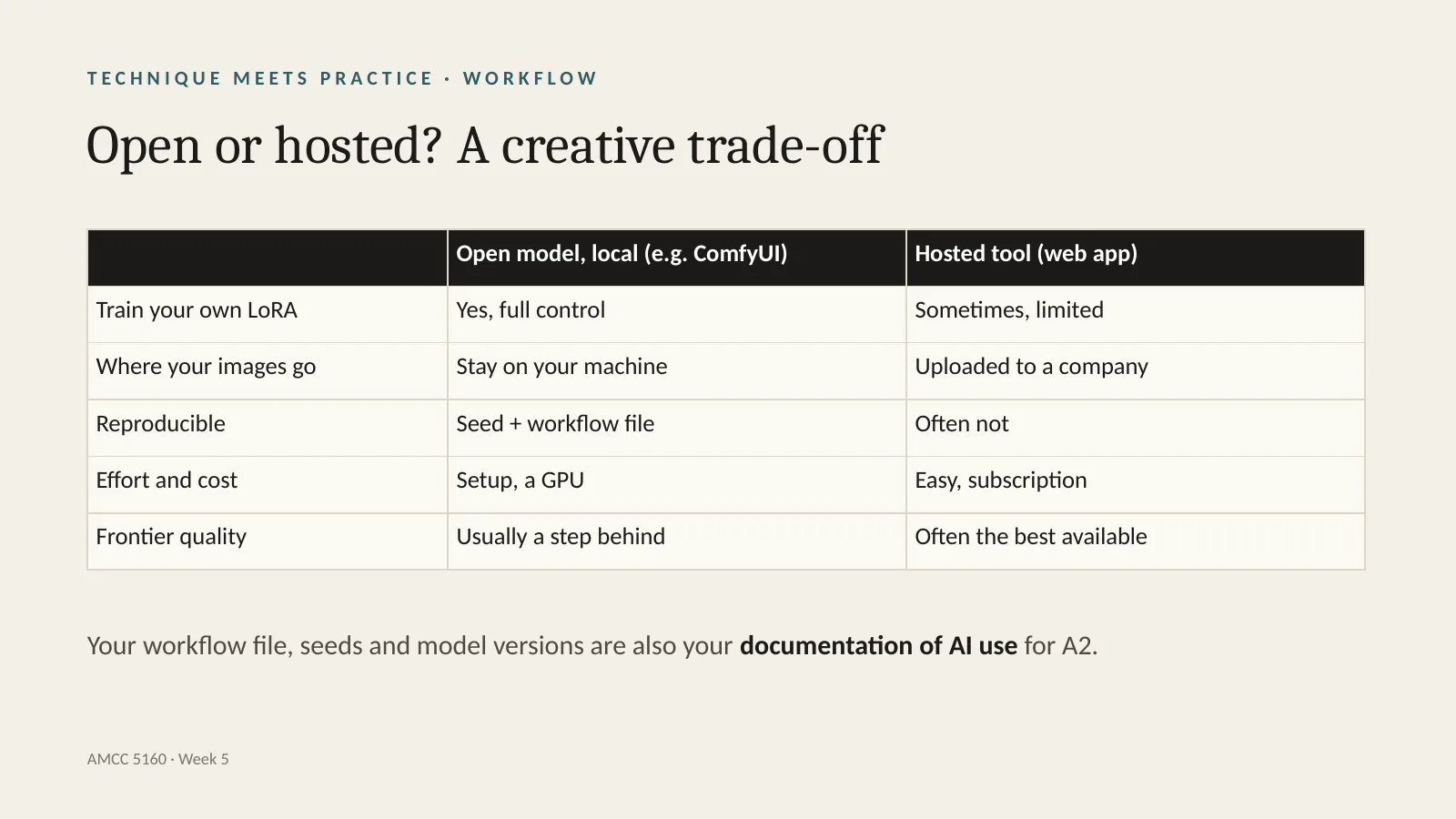
Now a practical choice for your projects: open model on your own machine, or hosted tool on the web? With an open model in something like ComfyUI, you can train your own LoRA with full control, your images stay on your machine, and your work is reproducible from the seed and the workflow file — but you need setup and a GPU, and quality is usually a step behind the frontier. A hosted tool is easy, often the best quality available, but your images are uploaded to a company, training options are limited, and results are often not reproducible. One more thing: your workflow file, your seeds and your model versions are also your documentation of AI use for Assignment 2. Please save them.
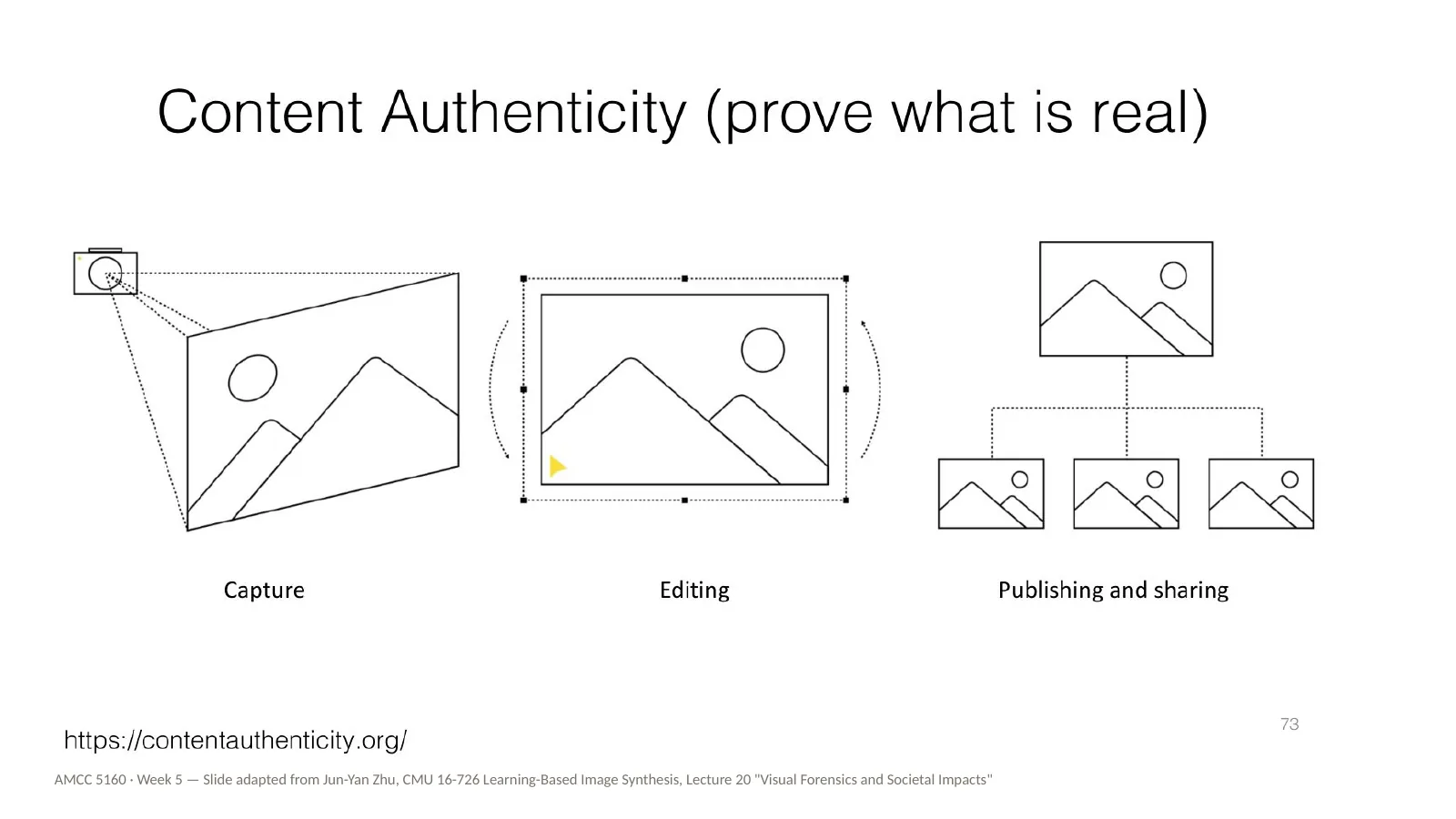
Our last practice block starts with provenance. Content authenticity means proving what is real: recording how an image was captured, how it was edited, and how it was published and shared. The Content Authenticity Initiative, linked here, is one effort to attach this record to images. For your own work, this is the public version of documenting your AI use — the same idea as saving your workflow file. We'll come back to provenance in Week 9.
And finally, bias. Why does this belong in a lecture about customization? Because every base model's defaults come from someone else's dataset. When you prompt without customizing, you inherit those defaults. Fine-tuning on your own images is one of the ways artists can push back against them.
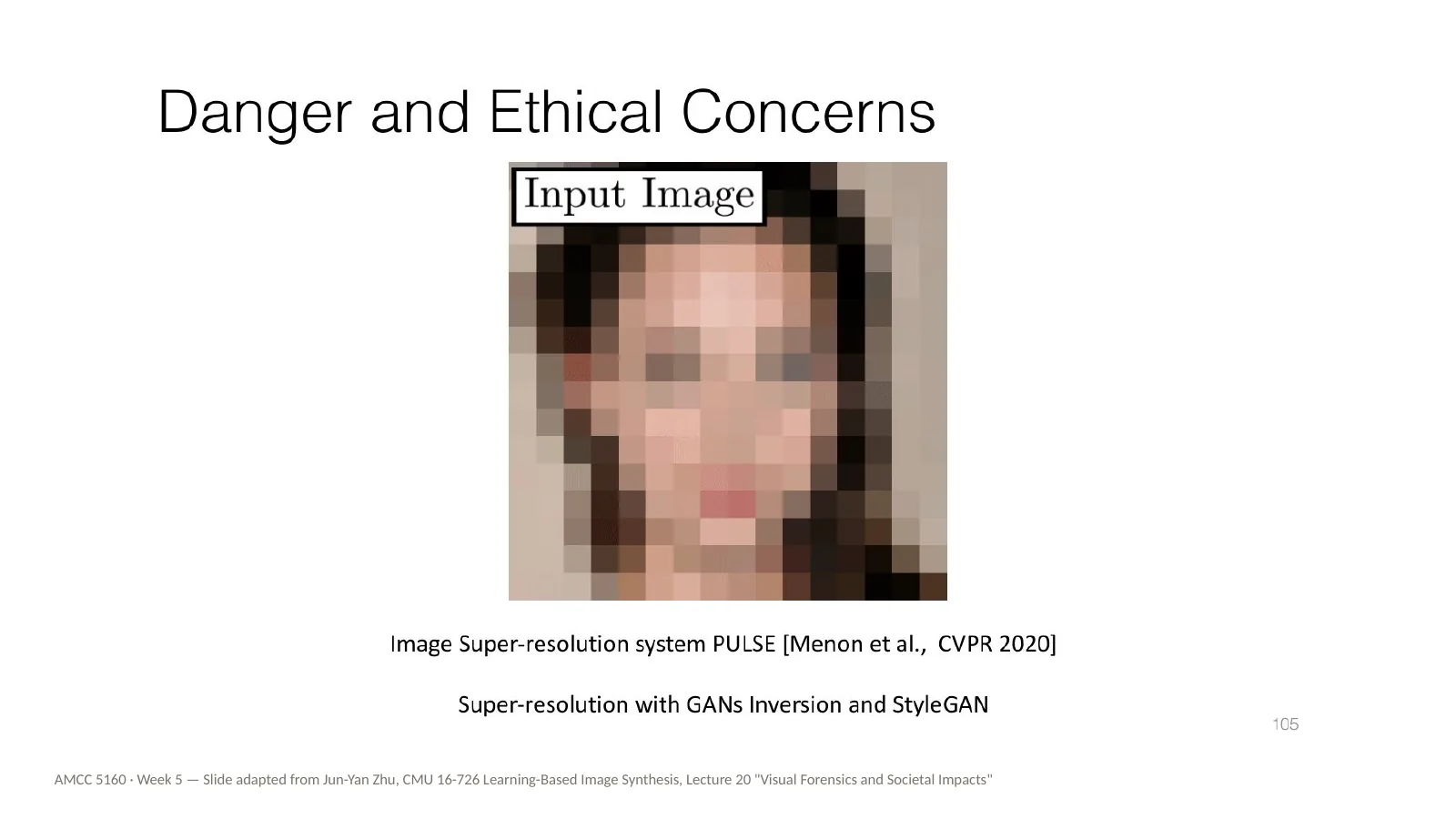
Here's a well-known example from 2020. PULSE was a face super-resolution system: it takes a very low-resolution, pixelated face, like this input image, and searches a generative model for a sharp face that matches it when shrunk down. It produces a convincing, detailed face. The question is: where do those details come from? They can't come from the input, because the input doesn't contain them. They come from the model's training data.
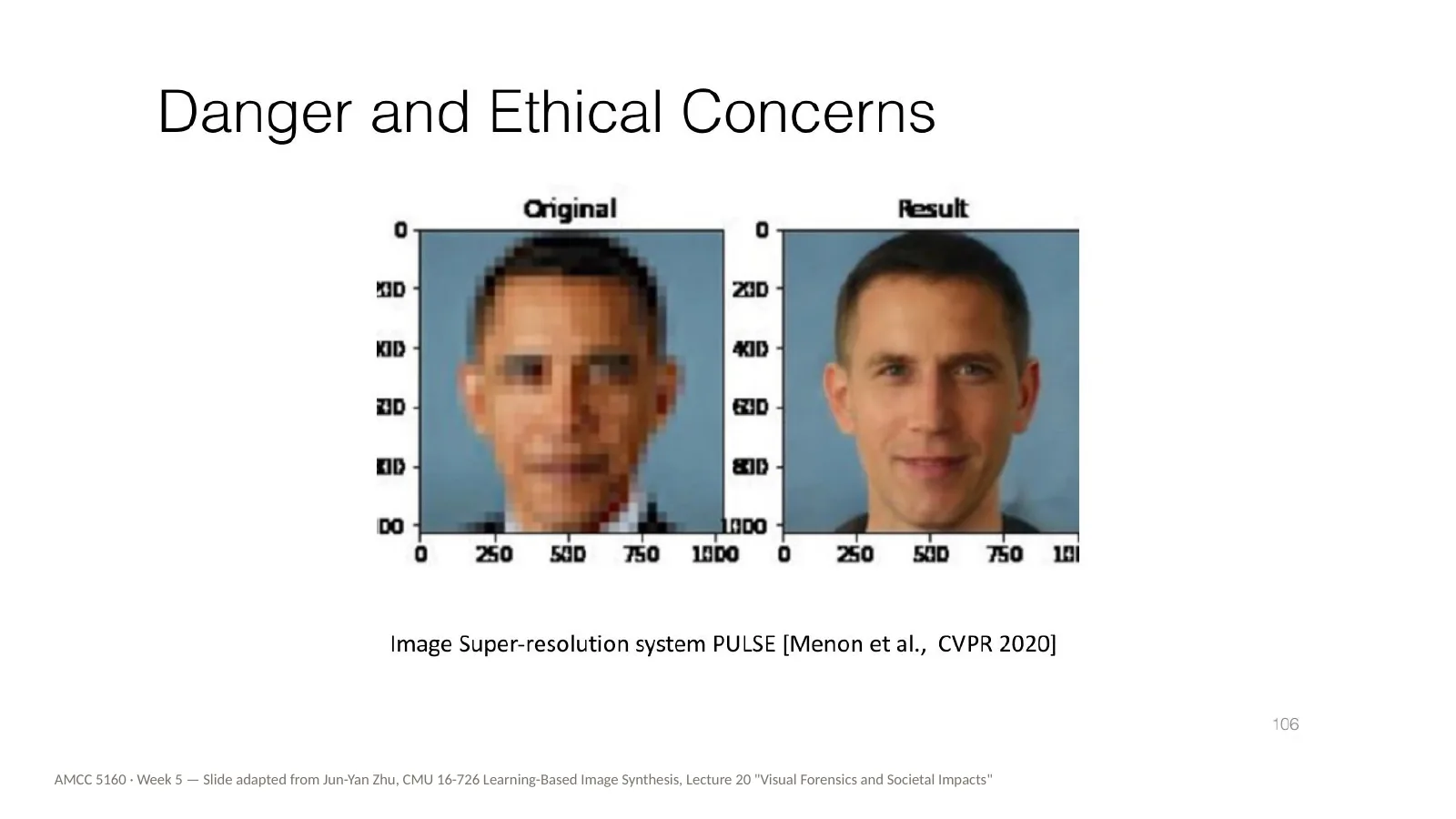
And here is what that means in practice. The input is a pixelated photo of Barack Obama. The output is a white man. The system tended to turn faces of people of colour into white faces. The lesson isn't that one research system was flawed. It's that any generative model, asked to fill in missing information, will fill it in with what was most common in its training data. And that includes the models you're using for your films.
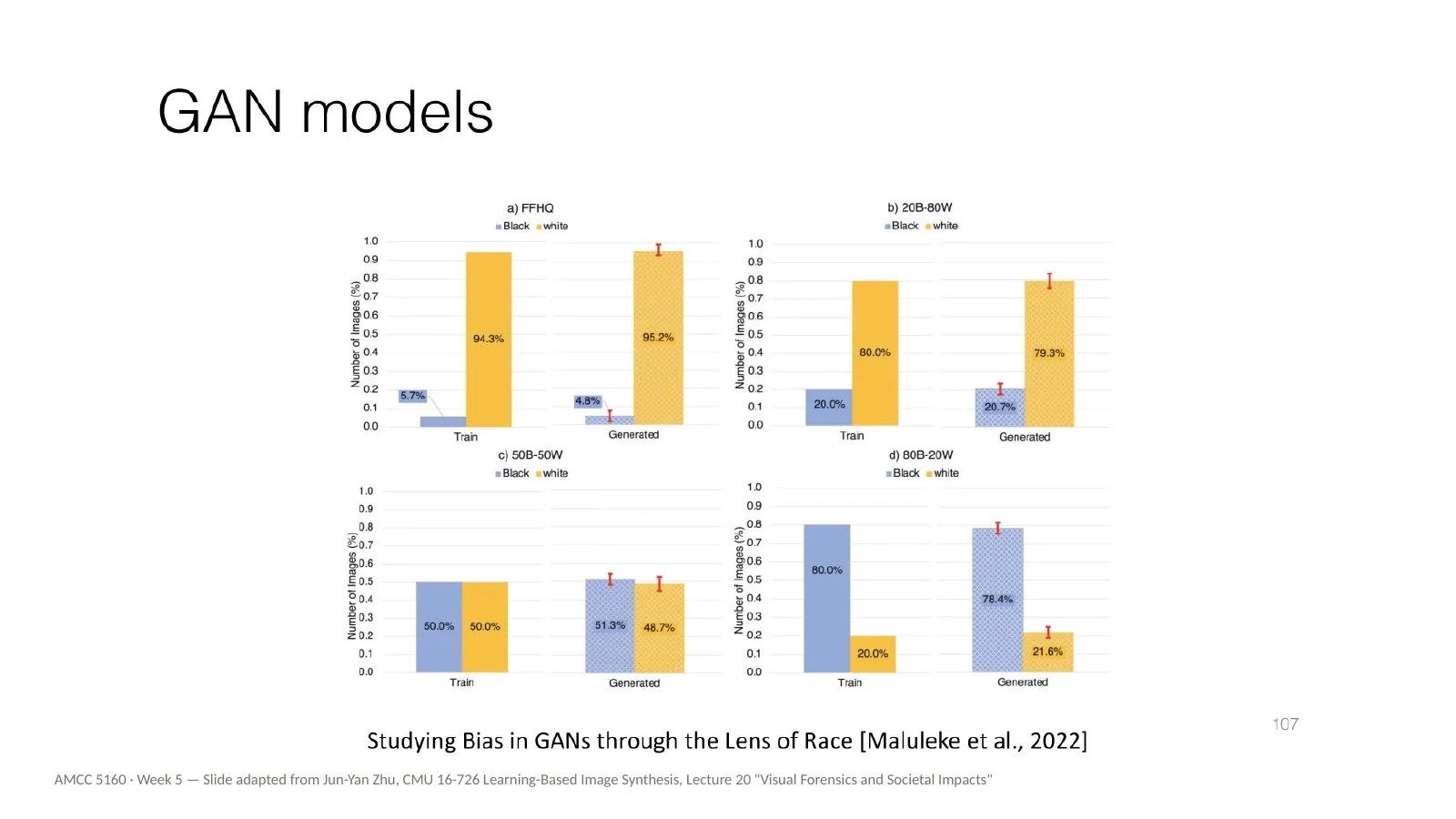
This study, by Maluleke and colleagues in 2022, looked at bias in GANs through the lens of race. They compared the racial composition of the training data with that of the generated images. They found that generative models can preserve or even amplify the imbalance in their training data — they don't just copy it.
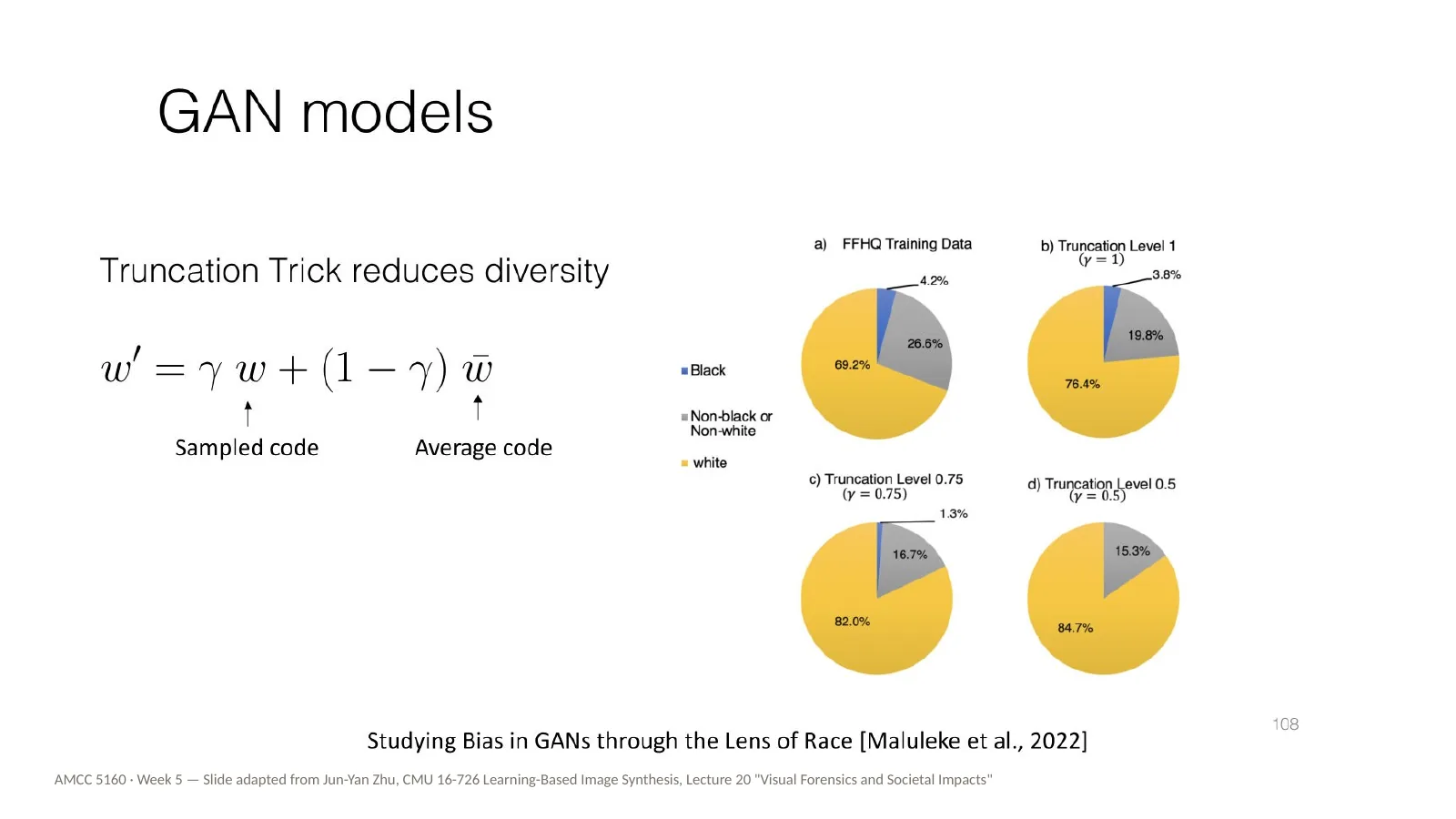
One reason is shown here: the truncation trick. It's a common setting that improves image quality by pulling samples towards the average. But pulling towards the average also reduces diversity, and the pie charts show the majority group growing as truncation increases. A technical setting that looks purely about quality turns out to have a social effect.
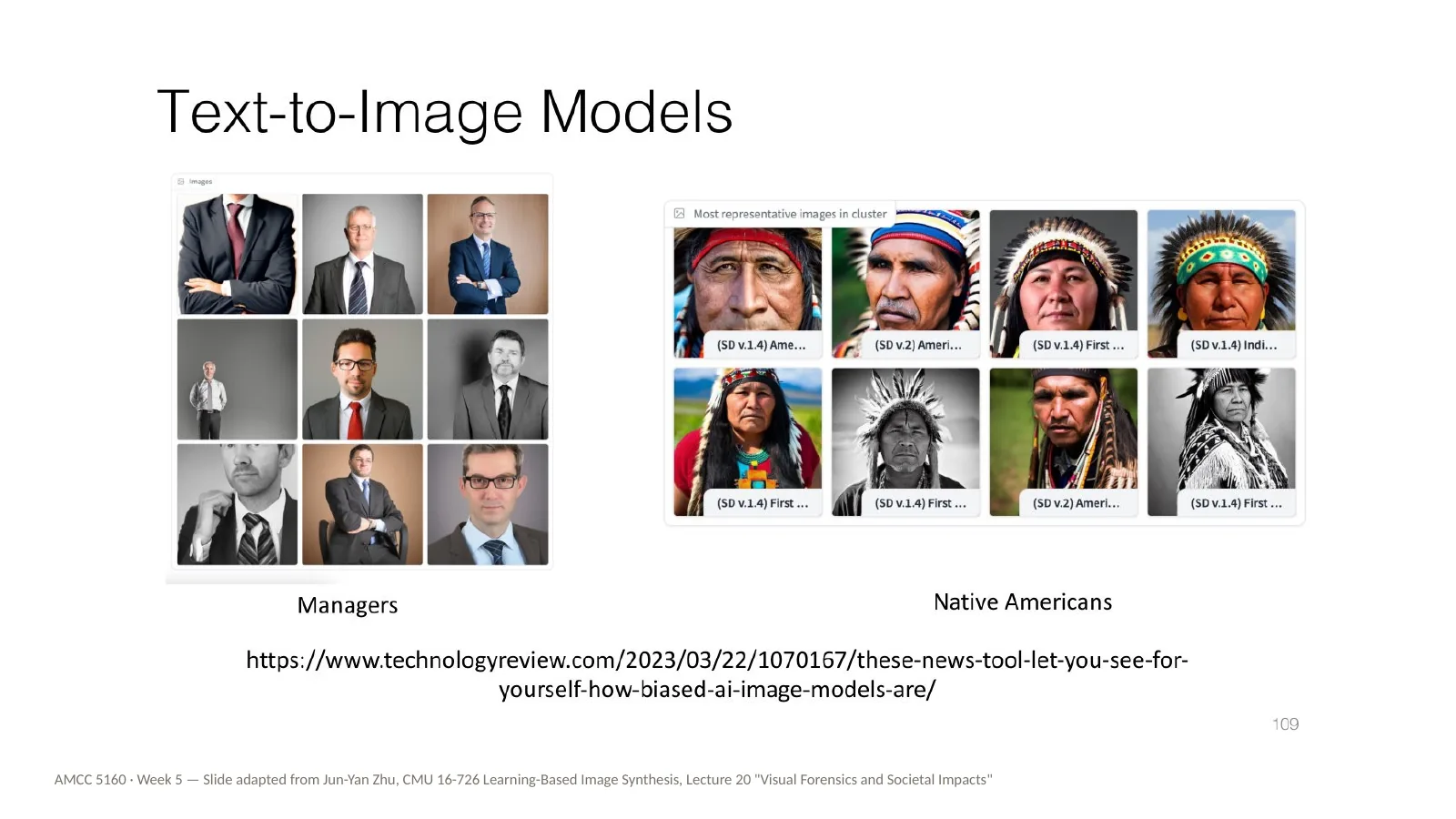
And in text-to-image models: images for the word manager are mostly white men in suits, and images for Native Americans are mostly headdresses. Think back to the moongate at the start of tonight: whose culture is missing, or flattened, in your model? And could your own carefully built dataset correct it?
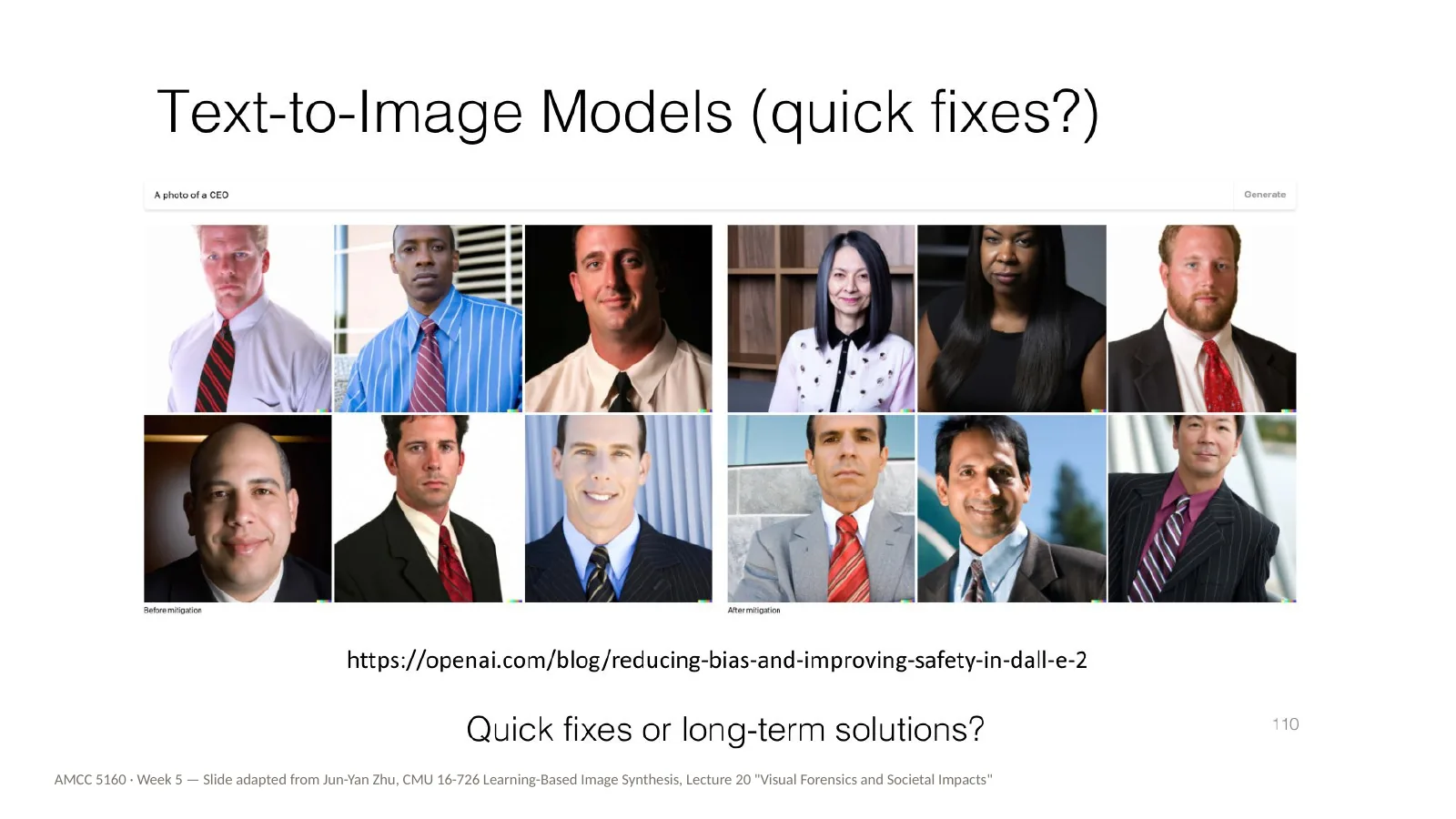
Companies have tried quick fixes. For DALL-E 2, OpenAI changed how prompts are handled, so that a photo of a CEO produces a more diverse set of people. The slide ends with a good question: are these quick fixes, or long-term solutions? For artists, the long-term answer may partly lie in the techniques from tonight: building your own data, and shaping your own models.
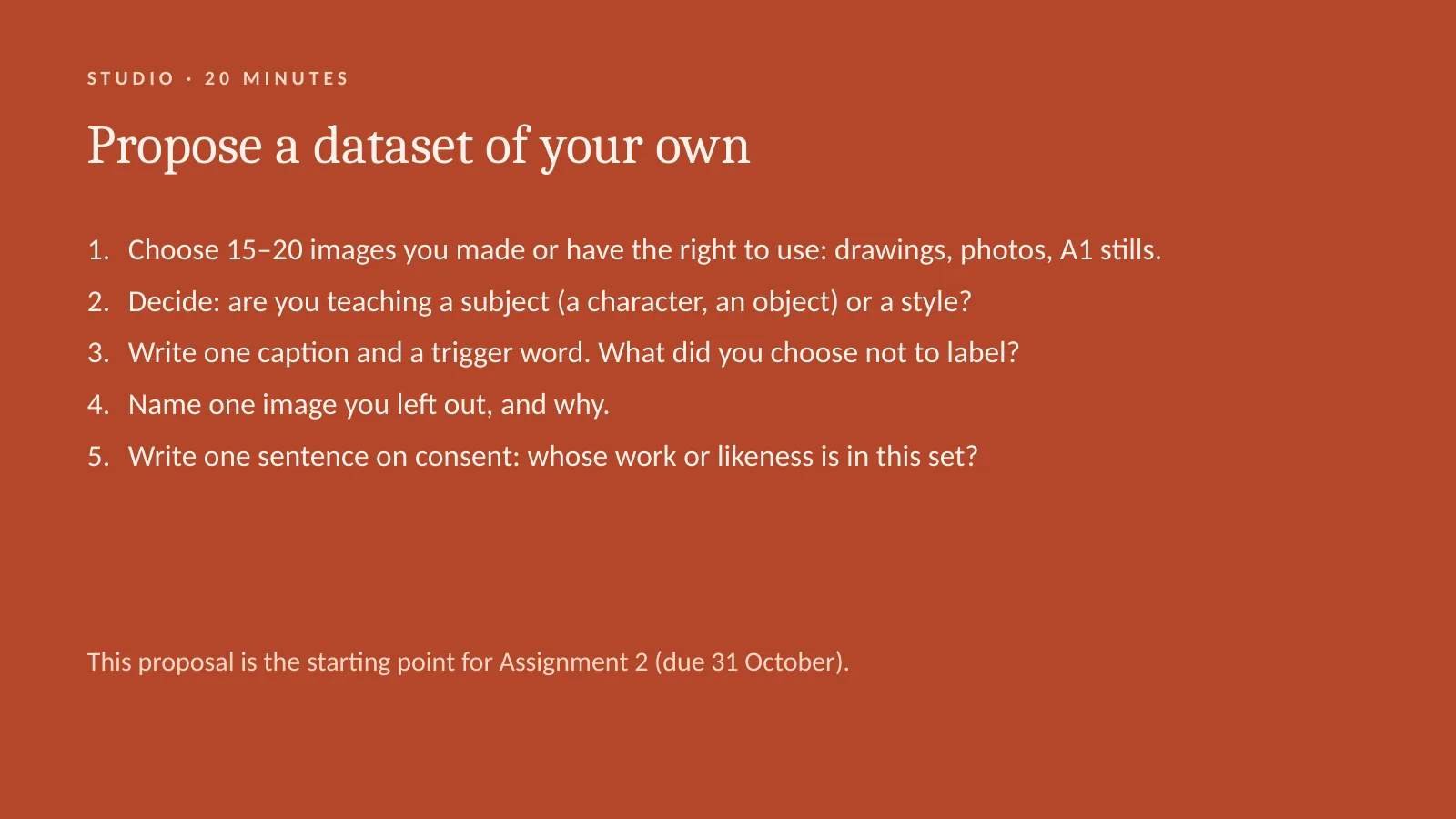
Now it's your turn. We'll take twenty minutes for a studio exercise, and it's the starting point for Assignment 2, due on the thirty-first of October. Propose a dataset of your own. One: choose fifteen to twenty images that you made, or that you have the right to use — drawings, photos, stills from your A1 film. Two: decide whether you are teaching a subject, like a character or an object, or a style. Three: write one caption and choose a trigger word. What did you choose not to label? Four: name one image you left out, and why. Five: write one sentence on consent — whose work or likeness is in this set? I'll ask two or three of you to share at the end.
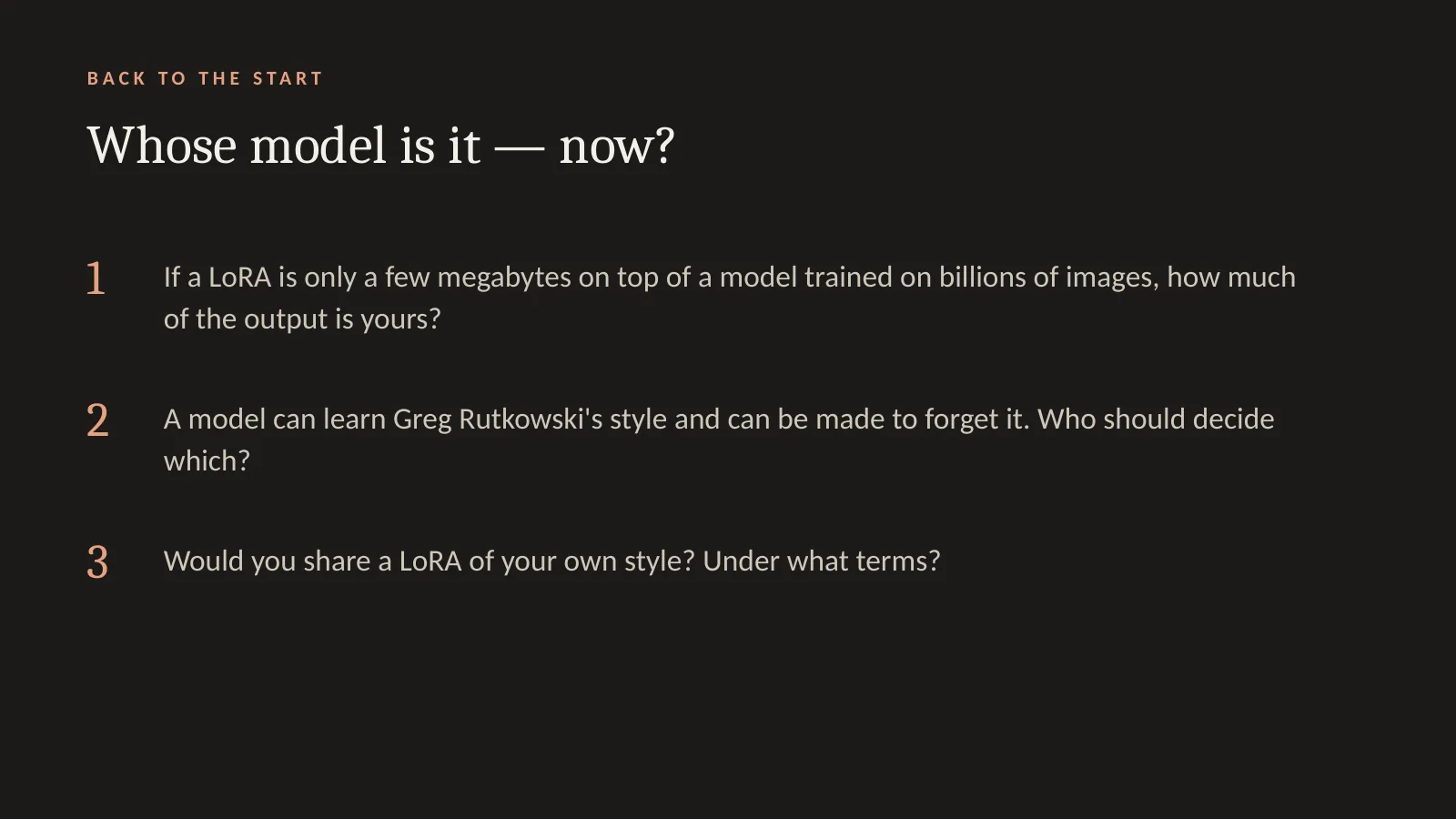
Let's go back to where we started: whose model is it now? Three questions. First: if a LoRA is only a few megabytes on top of a model trained on billions of images, how much of the output is yours? Second: a model can learn Greg Rutkowski's style, and it can be made to forget it. Who should decide which? Third: would you share a LoRA of your own style, and on what terms? Let's do the show of hands again. Did anyone change their answer from the start of the evening? Question two is also close to the reflection on Reading one in Quiz 5.
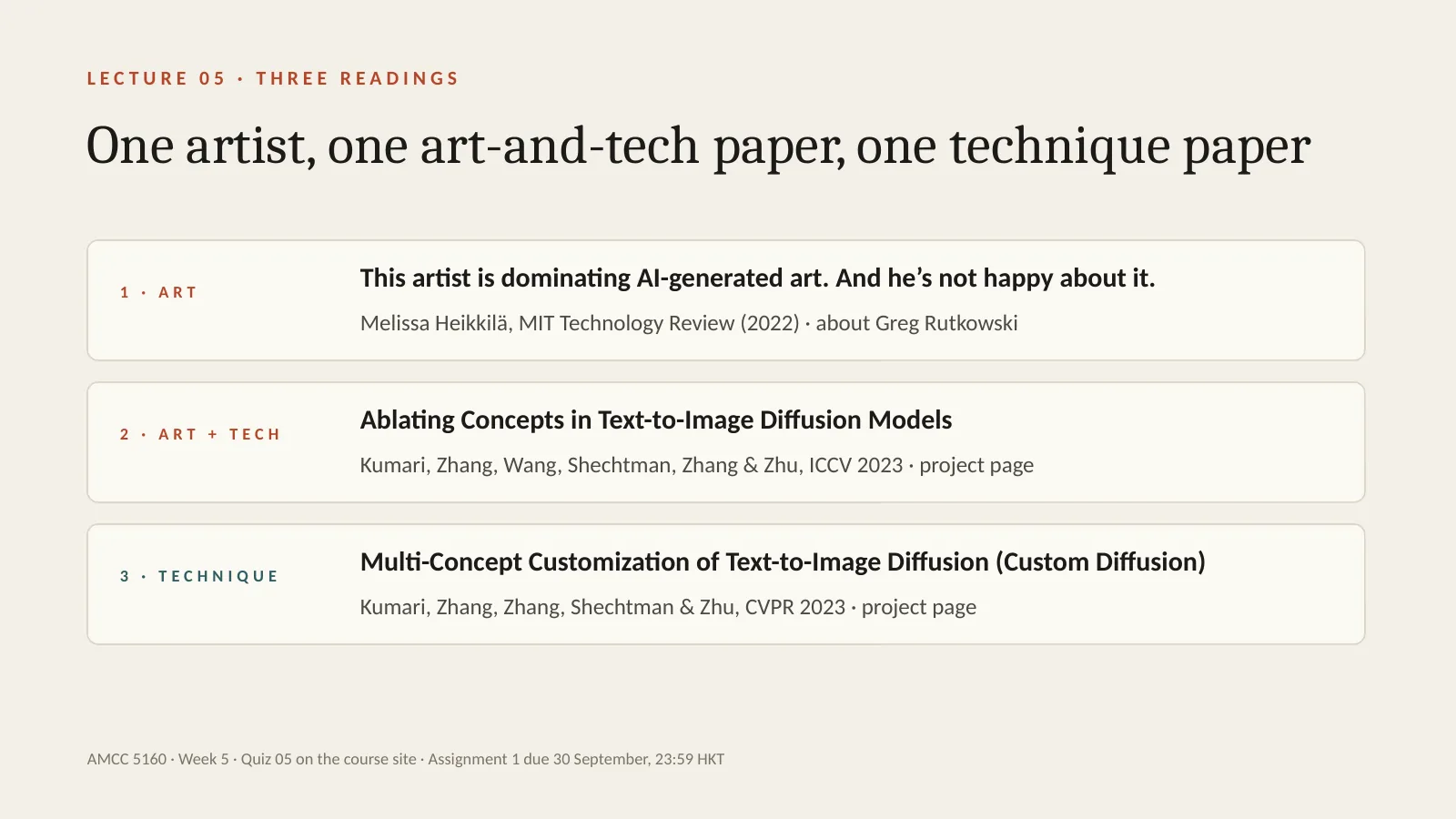
Here are this week's three readings, and all three connect directly to tonight's slides. They're short, and they balance art and technique. Reading one is for the art side: a 2022 MIT Technology Review article about Greg Rutkowski, the illustrator whose name we saw on the memorized style slides. It explains how his name ended up in so many prompts, and why he's worried. Reading two sits between art and technique: the project page for Ablating Concepts, by Nupur Kumari and colleagues — the method we used tonight to make a model forget Van Gogh, Greg Rutkowski and Grumpy Cat. Reading three is the technical one: the project page for Custom Diffusion, the paper most of tonight's customization slides come from. For both project pages, just read the abstract and look closely at the figures. Quiz 5 is on the course site. And again: Assignment 1 is due tomorrow at 11:59 pm.
Finally, credits. The technique slides tonight are adapted, with thanks, from Jun-Yan Zhu's CMU course 16-726, Learning-Based Image Synthesis, Lecture 16. The art and society slides are adapted from Lecture 20 of the same course, Visual Forensics and Societal Impacts. The figures come from the papers cited on each slide. The efficiency material draws on Song Han's MIT course. Thank you all. Good luck with Assignment 1 tomorrow, and see you next week, when we move into video: time, motion and cinematography.